
In an era where efficiency and customer experience dictate the pace of business success, touchscreen POS systems have emerged as transformative tools for modern enterprises. Combining sleek design with intuitive functionality, these systems streamline operations by minimizing transaction times and reducing human errors. For instance, businesses can now effortlessly integrate inventory management, sales tracking. customer loyalty programs into a single interface, enhancing both accuracy and productivity. As contactless payment continues to gain traction globally, touchscreen POS systems are increasingly equipped to handle digital wallets and QR code payments, aligning businesses with current consumer preferences. Moreover, their adaptability to software updates ensures they stay future-ready, accommodating the ever-evolving needs of commerce. Designed for ease of use across industries—from retail to hospitality—they empower employees while creating smoother, more engaging customer interactions. Harnessing a touchscreen POS system isn’t just a technological upgrade; it’s a strategic investment in operational excellence and customer satisfaction.
Enhanced Efficiency and Faster Transactions
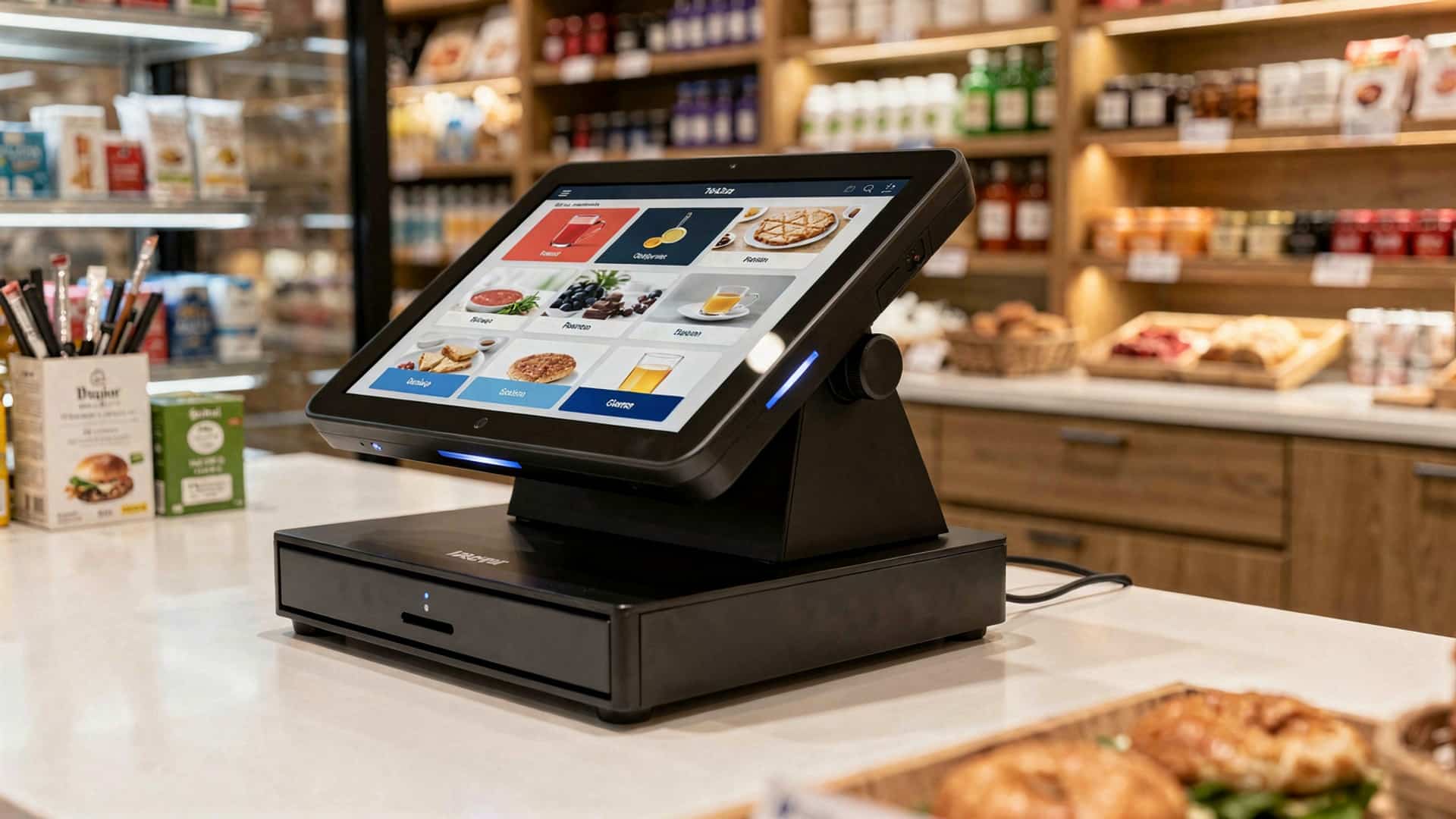
- A touchscreen POS system significantly improves the speed of transactions by simplifying the checkout process. Employees can tap on icons and menus directly, reducing the time spent typing or searching for product codes.
- The intuitive interface ensures that staff can quickly learn and master the system, even without technical expertise, resulting in minimal training time.
- For businesses with high customer foot traffic, such as restaurants, retail stores. cafes, these systems help process sales faster, reducing wait times and improving customer satisfaction.
- Real-world application: A coffee shop that previously used a traditional register can serve customers faster during peak hours by switching to a touchscreen POS system with pre-programmed menu items.
Improved Accuracy in Transactions
- Touchscreen POS systems reduce human error by providing clear, visual interfaces. Staff can see images of products, which minimizes mistakes when selecting items.
- Automated calculations for taxes, discounts. totals ensure that errors in manual computations are eliminated.
- Also, these systems prevent double-entry errors as all data is recorded in real time.
- Comparison: Traditional cash registers rely on manual entry, increasing the likelihood of mistakes, while touchscreen POS systems streamline this process with pre-set menus and pricing.
Customizable Interface for Business Needs
- Touchscreen POS systems allow businesses to customize the interface to match their specific needs. This includes adding unique product categories, pricing. promotional deals.
- Customizable layouts ensure that businesses in different industries—like retail, hospitality. F&B—can tailor the system for optimal use.
- Case study: A boutique clothing store can organize its POS interface by season, brand, or collection, improving inventory management and enhancing the user experience.
Integrated Inventory Management
- Most touchscreen POS systems come equipped with inventory management features, allowing businesses to track stock levels in real-time.
- The system alerts staff when stock is running low, preventing overstocking or understocking of items.
- This integration ensures that businesses can maintain accurate inventory records, leading to better planning and cost efficiency.
- Example: A restaurant can use the inventory tracking feature to monitor ingredients, ensuring they are never out of essential items during service hours.
Enhanced Reporting and Analytics
- Touchscreen POS systems offer robust reporting and analytics tools that help businesses make data-driven decisions.
- Reports can include sales trends, peak business hours, best-selling items. employee performance metrics, providing businesses with valuable insights.
- Comparison: Unlike traditional systems where reports are created manually, touchscreen POS systems generate detailed analytics automatically, saving time and increasing accuracy.
- Use case: A retail store owner can review daily, weekly, or monthly sales reports to identify trends and adjust inventory or marketing strategies accordingly.
Streamlined Employee Management
- Many touchscreen POS systems include employee management features such as shift scheduling, time tracking. performance monitoring.
- Employees can log in and out directly from the system, which reduces paperwork and simplifies payroll processing.
- Also, managers can assign specific permissions to employees, controlling access to sensitive data.
- Example: A restaurant manager can use these tools to track server performance and identify which employees are generating the highest tips or upselling the most.
Enhanced Customer Experience
- The intuitive design of a touchscreen POS system creates a more seamless and enjoyable experience for customers. Faster transactions mean shorter wait times, while accurate orders reduce the need for corrections.
- Integrated customer loyalty programs and digital receipts enhance engagement and encourage repeat business.
- Real-world application: A fast-food chain can integrate loyalty programs into the POS system, allowing customers to earn points and redeem rewards directly during checkout.
Conclusion
Adopting a touchscreen POS system is more than a technological upgrade—it’s a strategic investment in the overall efficiency and growth of your business. As highlighted, these systems simplify operations, enhance customer experiences, boost accuracy. provide actionable insights through real-time data. Imagine a busy café where orders flow seamlessly from the counter to the kitchen without errors, or a retail store where inventory updates instantly after each sale. These are not just possibilities but tangible benefits that touchscreen POS systems deliver. In today’s fast-paced business environment, where customer expectations are continually rising, staying ahead with the right tools makes all the difference. The touch interface isn’t just about ease of use; it’s about empowering your employees to focus on what matters most—serving customers and driving revenue. With advancements in cloud-based integrations and mobile compatibility, touchscreen POS systems are keeping pace with the demands of modern businesses. If you’re considering making the switch, start small—perhaps by replacing outdated hardware—and gradually expand as you see the benefits unfold. Embracing a touchscreen POS system means aligning your business with innovation, which is essential for long-term success. Take the leap. you might just discover it’s the game-changer your operations have been missing.
More Articles
6 Advantages of Using POS Machines for Retail Businesses
10 Must-Have POS Hardware Devices to Optimize Your Business Operations
7 Best Restaurant POS Hardware Tools for Seamless Order Management
8 Benefits of Choosing a POS Hardware and Software Bundle
6 Must-Have POS Hardware Tools for Every Small Business

FAQs
What is a touchscreen POS system?
A touchscreen POS system is a point-of-sale solution that uses a touch-enabled screen for managing transactions and other business operations.
How can a touchscreen POS speed up transactions?
With its intuitive design, it allows staff to process sales faster by using simple taps and gestures, reducing the time spent on manual input.
Does it help with inventory management?
Yes, most touchscreen POS systems include inventory tracking features that help businesses monitor stock levels in real time.
Is it easy for employees to learn how to use?
Touchscreen POS systems are typically user-friendly and require minimal training, making it easier for employees to adapt quickly.
Can it improve customer service?
Absolutely! Faster transactions and easy access to product or service data enable better and more efficient customer interactions.
Why is it better than traditional POS systems?
Touchscreen POS systems are more modern, faster. offer features like customizable interfaces, better reporting. integration with other business tools.
Does it help reduce errors in transactions?
Yes, with a touchscreen interface, the chances of manual errors are significantly reduced, improving accuracy in sales and reports.