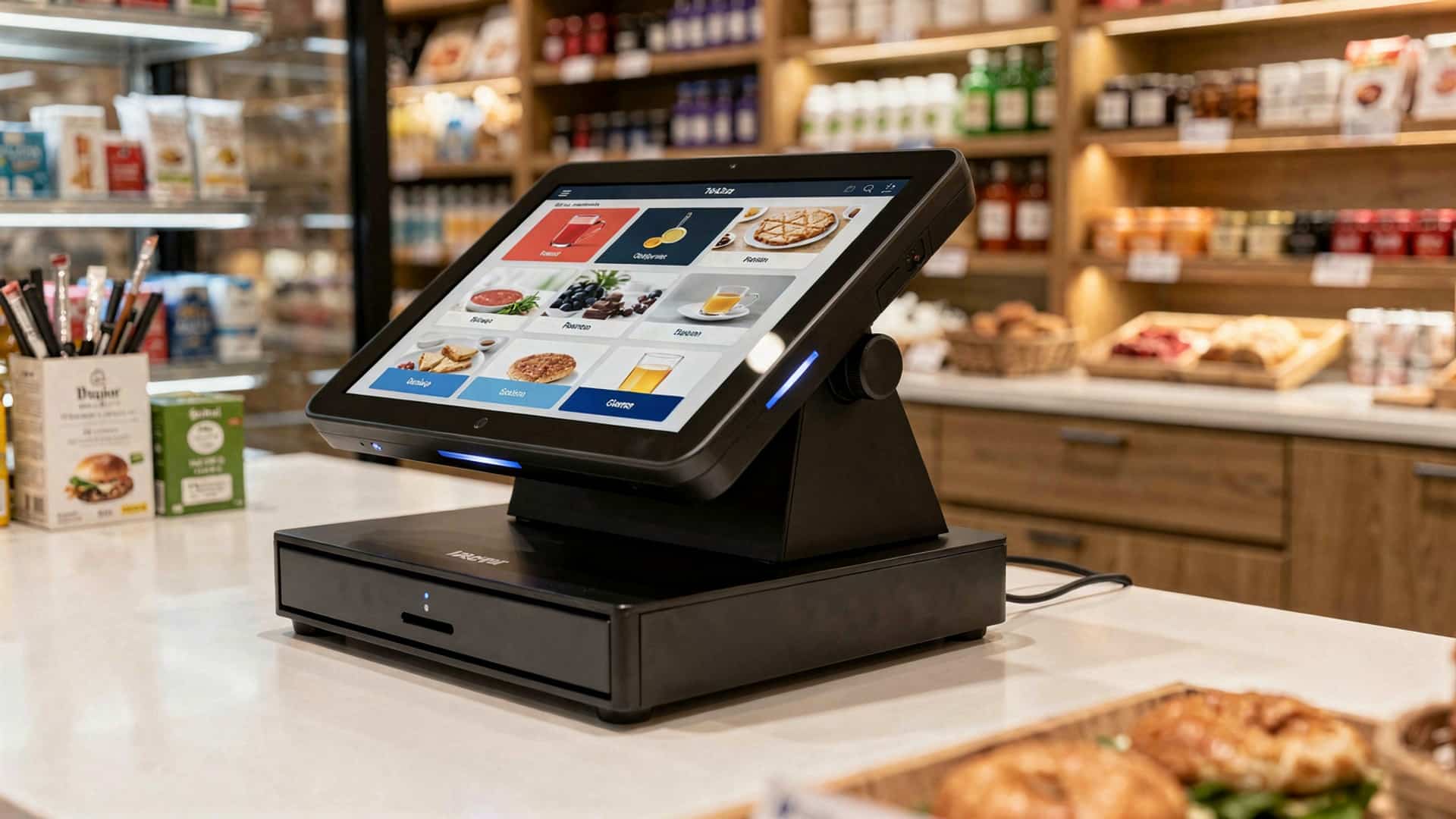
In an era where efficiency and customer experience dictate the pace of business success, touchscreen POS systems have emerged as transformative tools for modern enterprises. Combining sleek design with intuitive functionality, these systems streamline operations by minimizing transaction times and reducing human errors. For instance, businesses can now effortlessly integrate inventory management, sales tracking. customer loyalty programs into a single interface, enhancing both accuracy and productivity. As contactless payment continues to gain traction globally, touchscreen POS systems are increasingly equipped to handle digital wallets and QR code payments, aligning businesses with current consumer preferences. Moreover, their adaptability to software updates ensures they stay future-ready, accommodating the ever-evolving needs of commerce. Designed for ease of use across industries—from retail to hospitality—they empower employees while creating smoother, more engaging customer interactions. Harnessing a touchscreen POS system isn’t just a technological upgrade; it’s a strategic investment in operational excellence and customer satisfaction.
Enhanced Efficiency and Faster Transactions
A touchscreen POS system significantly improves the speed of transactions by simplifying the checkout process. Employees can tap on icons and menus directly, reducing the time spent typing or searching for product codes.
The intuitive interface ensures that staff can quickly learn and master the system, even without technical expertise, resulting in minimal training time.
For businesses with high customer foot traffic, such as restaurants, retail stores. cafes, these systems help process sales faster, reducing wait times and improving customer satisfaction.
Real-world application: A coffee shop that previously used a traditional register can serve customers faster during peak hours by switching to a touchscreen POS system with pre-programmed menu items.
Improved Accuracy in Transactions
Touchscreen POS systems reduce human error by providing clear, visual interfaces. Staff can see images of products, which minimizes mistakes when selecting items.
Automated calculations for taxes, discounts. totals ensure that errors in manual computations are eliminated.
Also, these systems prevent double-entry errors as all data is recorded in real time.
Comparison: Traditional cash registers rely on manual entry, increasing the likelihood of mistakes, while touchscreen POS systems streamline this process with pre-set menus and pricing.
Customizable Interface for Business Needs
Touchscreen POS systems allow businesses to customize the interface to match their specific needs. This includes adding unique product categories, pricing. promotional deals.
Customizable layouts ensure that businesses in different industries—like retail, hospitality. F&B—can tailor the system for optimal use.
Case study: A boutique clothing store can organize its POS interface by season, brand, or collection, improving inventory management and enhancing the user experience.
Integrated Inventory Management
Most touchscreen POS systems come equipped with inventory management features, allowing businesses to track stock levels in real-time.
The system alerts staff when stock is running low, preventing overstocking or understocking of items.
This integration ensures that businesses can maintain accurate inventory records, leading to better planning and cost efficiency.
Example: A restaurant can use the inventory tracking feature to monitor ingredients, ensuring they are never out of essential items during service hours.
Enhanced Reporting and Analytics
Touchscreen POS systems offer robust reporting and analytics tools that help businesses make data-driven decisions.
Reports can include sales trends, peak business hours, best-selling items. employee performance metrics, providing businesses with valuable insights.
Comparison: Unlike traditional systems where reports are created manually, touchscreen POS systems generate detailed analytics automatically, saving time and increasing accuracy.
Use case: A retail store owner can review daily, weekly, or monthly sales reports to identify trends and adjust inventory or marketing strategies accordingly.
Streamlined Employee Management
Many touchscreen POS systems include employee management features such as shift scheduling, time tracking. performance monitoring.
Employees can log in and out directly from the system, which reduces paperwork and simplifies payroll processing.
Also, managers can assign specific permissions to employees, controlling access to sensitive data.
Example: A restaurant manager can use these tools to track server performance and identify which employees are generating the highest tips or upselling the most.
Enhanced Customer Experience
The intuitive design of a touchscreen POS system creates a more seamless and enjoyable experience for customers. Faster transactions mean shorter wait times, while accurate orders reduce the need for corrections.
Integrated customer loyalty programs and digital receipts enhance engagement and encourage repeat business.
Real-world application: A fast-food chain can integrate loyalty programs into the POS system, allowing customers to earn points and redeem rewards directly during checkout.
Conclusion
Adopting a touchscreen POS system is more than a technological upgrade—it’s a strategic investment in the overall efficiency and growth of your business. As highlighted, these systems simplify operations, enhance customer experiences, boost accuracy. provide actionable insights through real-time data. Imagine a busy café where orders flow seamlessly from the counter to the kitchen without errors, or a retail store where inventory updates instantly after each sale. These are not just possibilities but tangible benefits that touchscreen POS systems deliver. In today’s fast-paced business environment, where customer expectations are continually rising, staying ahead with the right tools makes all the difference. The touch interface isn’t just about ease of use; it’s about empowering your employees to focus on what matters most—serving customers and driving revenue. With advancements in cloud-based integrations and mobile compatibility, touchscreen POS systems are keeping pace with the demands of modern businesses. If you’re considering making the switch, start small—perhaps by replacing outdated hardware—and gradually expand as you see the benefits unfold. Embracing a touchscreen POS system means aligning your business with innovation, which is essential for long-term success. Take the leap. you might just discover it’s the game-changer your operations have been missing.
In an era where consumer expectations for seamless transactions and personalized experiences dominate, businesses often struggle with disparate systems that create operational bottlenecks and data inconsistencies. The fragmented approach of piecing together individual components, from payment terminals to inventory software, frequently leads to compatibility issues and missed opportunities for efficiency. A fully integrated POS hardware and software bundle offers a powerful antidote, unifying critical functions like real-time inventory tracking, robust CRM. secure contactless payment processing into a single, cohesive ecosystem. This holistic solution not only streamlines daily operations but also provides the actionable insights necessary for navigating the complexities of omnichannel retail and evolving customer demands in today’s dynamic market.
1. Seamless Integration and Reduced Setup Hassles
Embarking on a new business venture or upgrading existing infrastructure often presents a myriad of challenges, not least of which is piecing together disparate technology components. A complete POS hardware and software bundle fundamentally solves this by offering a unified system from a single vendor. But what exactly does this mean?
At its core, a Point of Sale (POS) system is the hub where customer transactions occur. It’s more than just a cash register; it’s a comprehensive system that manages sales, inventory, customer data. sometimes even employee scheduling. The “hardware” typically includes the physical devices you see: a POS terminal (often a tablet or dedicated monitor), a cash drawer, a receipt printer, a barcode scanner. a payment processing device (card reader). The “software” is the intelligence behind it, handling everything from product lookups and pricing to inventory tracking and sales reporting.
When you opt for a bundled solution, all these elements – the terminal, printer, scanner, cash drawer. the robust software – are designed to work together flawlessly. This eliminates the common headache of compatibility issues that arise when sourcing components from different manufacturers. Imagine purchasing a cutting-edge scanner only to find it doesn’t communicate effectively with your chosen POS software, or a payment terminal that requires a separate, complex integration process. These scenarios lead to frustration, wasted time. often, additional unexpected costs.
Consider ‘The Daily Grind,’ a new coffee shop owner. Instead of researching individual components, comparing specifications. troubleshooting connection issues, they chose a complete POS hardware and software bundle. On installation day, the system was up and running within hours. The barcode scanner for pre-packaged goods instantly registered with the software, the receipt printer seamlessly generated customer receipts. the payment terminal processed transactions without a hitch. This immediate operational readiness allowed ‘The Daily Grind’ to focus on perfecting their coffee and serving customers, rather than wrestling with technology.
Actionable Takeaway: Prioritize vendors offering complete bundles. Request a demo to see how hardware and software interact. inquire about their onboarding and installation process. A smooth setup translates directly into faster time-to-market or reduced downtime during upgrades.
2. Enhanced Efficiency and Streamlined Operations
In the fast-paced retail and hospitality sectors, every second counts. An integrated POS hardware and software bundle is engineered to boost efficiency by streamlining virtually every aspect of your daily operations, significantly reducing manual tasks and human error.
Think about the typical transaction process. With a bundled system, a cashier scans an item (hardware), the software instantly retrieves its price and applies any discounts, updates inventory in real-time, processes the payment via the integrated card reader (hardware). prints a receipt (hardware). This entire sequence occurs in seconds. Without a bundle, you might have separate systems for inventory, sales. payments, leading to:
Manual inventory updates after each sale, increasing the risk of stock discrepancies.
Longer transaction times as staff navigate multiple interfaces or even physical ledgers.
Errors in pricing or discount application due to manual entry or outdated insights.
Let’s look at a comparison:
Feature
Disparate Systems (Manual)
Complete POS Hardware and Software Bundle (Integrated)
Transaction Speed
Slow, prone to errors, requires multiple steps.
Fast, accurate, single workflow from scan to receipt.
Inventory Management
Manual counting, periodic updates, high risk of stockouts/overstock.
Real-time updates, automated reorder points, accurate stock levels.
Simplified, intuitive interface, single system to master.
Error Reduction
High risk of pricing errors, data entry mistakes, cash discrepancies.
Significantly reduced errors through automation and validation.
Consider a busy lunch rush at ‘Pasta Paradise,’ a fast-casual Italian restaurant. Before implementing a POS hardware and software bundle, orders were taken on paper, manually entered into a kitchen display system. then sales were later reconciled with inventory. This often led to incorrect orders, delays. out-of-stock ingredients not being flagged until it was too late. With their new bundle, orders are taken on a tablet, instantly sent to the kitchen, inventory adjusts automatically. payments are processed seamlessly. This has cut average transaction times by 30% and dramatically reduced order errors, leading to happier customers and less food waste.
Actionable Takeaway: Evaluate your current operational bottlenecks. A complete POS bundle can automate many of these, freeing up staff to focus on customer service and higher-value tasks. Look for features like quick keys, combo builders. integrated payment processing to maximize efficiency.
3. Centralized Data Management and Actionable Insights
In today’s competitive landscape, data is king. A complete POS hardware and software bundle transforms raw transactional details into a valuable asset by centralizing data management and providing powerful analytics capabilities. Instead of fragmented data spread across various systems, every piece of data — from sales figures to inventory levels and customer preferences — resides in one cohesive database.
This centralization is critical because it allows for a holistic view of your business performance. The software component of the bundle typically includes robust reporting tools that can generate insights into:
Sales Performance
Which products are best-sellers? What are your peak sales hours or days? Which staff members are performing best?
Inventory Management
What’s moving slowly? What’s about to run out? How accurate are your stock counts? This can include features like automated reorder points and vendor management.
Customer Behavior
Who are your most loyal customers? What do they typically buy? Are your loyalty programs effective?
Employee Performance
Track individual sales, tips. shift productivity.
For instance, ‘The Book Nook,’ a local independent bookstore, was struggling to identify popular genres and manage their vast inventory. They relied on manual spreadsheets and intuition, often leading to overstocking slow-moving titles and missing out on popular trends. After implementing a POS hardware and software bundle, their software provided daily, weekly. monthly sales reports categorized by genre, author. even specific sections of the store. They discovered that their local history section, while small, had a surprisingly high turnover. Using this data, they expanded the section, ordered more local titles. even hosted author events, significantly boosting sales and community engagement.
The power of centralized data lies in its ability to provide actionable insights. Instead of guessing, businesses can make data-driven decisions. For example, if reports show a dip in sales on Tuesday afternoons, management can experiment with a “Happy Hour” promotion or adjust staffing levels to optimize resources. If a particular product consistently sells out, the system can automatically trigger a reorder, preventing lost sales and ensuring customer satisfaction.
Actionable Takeaway: When evaluating a POS bundle, pay close attention to the reporting and analytics features. Look for customizable dashboards, real-time data access. the ability to export data for further analysis. Understanding your business through data is key to strategic growth and profitability.
4. Simplified Support and Cost Savings
Managing technology can be daunting, especially when issues arise. One of the most significant, yet often overlooked, advantages of a complete POS hardware and software bundle is the simplified support structure it provides. Instead of dealing with multiple vendors, you have a single point of contact for all your POS-related needs.
Imagine a scenario where your receipt printer stops working. If your hardware and software are from different providers, who do you call first? Is it a printer issue, a driver conflict, or a software glitch? Each vendor might blame the other, leaving you in the frustrating position of being caught in the middle, wasting valuable time and potentially losing sales. With a bundle, there’s no finger-pointing. Your single vendor is responsible for ensuring all components work together seamlessly. They grasp their entire ecosystem, leading to faster diagnosis and resolution of problems.
This streamlined support translates directly into significant cost savings in the long run. While the initial investment in a bundle might seem substantial, consider the total cost of ownership:
Reduced Downtime
Faster issue resolution means less time your system is offline, preventing lost sales and productivity.
Lower IT Costs
You might not need a dedicated IT person to troubleshoot complex integrations between different vendors’ products.
Bundled Pricing
Vendors often offer better pricing for a complete package than if you purchased hardware and software separately.
Predictable Expenses
Many bundles come with subscription models that include software updates, security patches. ongoing support, making budgeting easier.
Extended Hardware Lifespan
Integrated systems are designed to minimize wear and tear. vendor support often includes maintenance tips or replacement options.
Take ‘FitFuel,’ a healthy meal prep service. They initially cobbled together a system using a refurbished tablet, open-source POS software. a generic printer. When their payment processor stopped communicating with the software, they spent days troubleshooting, contacting three different support lines, each telling them it was the other’s problem. They eventually switched to a POS hardware and software bundle. When a similar issue arose with a new payment terminal, a single call to their POS vendor resolved it within an hour, demonstrating the immense value of unified support and the resulting savings in time and stress.
Actionable Takeaway: When evaluating bundles, inquire about the vendor’s support structure. Ask about their average response times, available channels (phone, email, chat). whether support is included in the package or an additional cost. Prioritize vendors known for robust customer service and comprehensive warranties.
5. Scalability and Future-Proofing Your Business
Businesses rarely stand still; they either grow or shrink. A well-chosen POS hardware and software bundle is designed with scalability in mind, ensuring your investment grows with your business rather than becoming an obsolete bottleneck. This “future-proofing” aspect is crucial for long-term success and adaptability in an ever-evolving market.
Scalability in a POS bundle means the system can easily accommodate:
Increased Transaction Volume
As your customer base grows, the system can handle more sales without slowing down.
Additional Locations
Expanding to a second or third store? A centralized POS bundle allows you to manage all locations from a single platform, sharing inventory, customer data. sales reports.
New Features and Integrations
As your business needs evolve, you might want to add online ordering, advanced customer loyalty programs, or integrate with accounting software. A robust bundle offers APIs (Application Programming Interfaces) or built-in integrations for these capabilities.
Evolving Payment Methods
From contactless payments to mobile wallets, the world of payment processing is constantly changing. A good bundle’s hardware and software are designed to adapt to new technologies and security standards.
Consider ‘The Artisan Bakehouse,’ which started as a single small bakery. Their initial POS hardware and software bundle handled their local transactions and inventory efficiently. When they decided to open a second location and launch an online ordering platform, their existing POS vendor provided additional hardware units that seamlessly connected to their central software. They also integrated the POS with their e-commerce platform, allowing them to manage online and in-store inventory from one dashboard. This seamless expansion was possible because their initial bundle was built for growth, preventing the need for a costly and disruptive overhaul of their entire system.
Moreover, leading POS vendors continuously update their software to include new features, enhance security. comply with industry regulations. When you invest in a bundle, you often gain access to these updates automatically, ensuring your system remains cutting-edge and secure without additional effort on your part. This keeps your business competitive and ready for future challenges, whether it’s adopting new payment technologies or leveraging AI-powered analytics.
Actionable Takeaway: When selecting a POS hardware and software bundle, inquire about its scalability options. Ask about multi-location management, API availability for third-party integrations. the vendor’s roadmap for future features and updates. Choose a system that not only meets your current needs but also anticipates your future growth.
Conclusion
Embracing a complete POS hardware and software bundle is undeniably a strategic move for any business aiming for seamless operations and sustained growth. As we’ve explored, the synergy between integrated components, from sleek touchscreen terminals to robust inventory management software, eliminates the frustrating silos that often plague piecemeal setups. I’ve personally witnessed businesses transform by moving away from mismatched systems; imagine a bustling coffee shop where a single vendor provides everything, ensuring faster transactions and real-time sales data, rather than juggling multiple support contacts for each component. This integrated approach isn’t just about convenience; it’s about future-proofing. With current trends leaning heavily towards cloud-based solutions and contactless payments, a comprehensive bundle ensures your business remains agile and competitive. My tip? Don’t just look at the upfront cost; consider the immense long-term value in streamlined support, enhanced security. the powerful analytics a unified system provides. Take the leap and invest in a complete POS solution; your efficiency, customer satisfaction. bottom line will undoubtedly thank you for it.
How does a complete POS bundle make my business operations more efficient?
It integrates everything from sales processing to inventory tracking, so all your core tasks are handled in one system. This means faster checkouts, fewer manual errors. less time spent jumping between different tools.
Will buying a combined POS hardware and software package save me money?
Absolutely! Often, bundles come at a lower price than purchasing each component separately. Plus, you save on potential compatibility issues and the time (and cost) it takes to troubleshoot them, as everything is designed to work together.
How can a modern POS system improve my customers’ experience?
With faster transactions, accurate pricing, loyalty programs. diverse payment options, customers enjoy a smoother, more convenient shopping or service experience. This can lead to increased satisfaction and repeat business.
What kind of valuable data can I get from a complete POS bundle?
A bundled system provides robust reporting on sales trends, popular products, peak hours. employee performance. These insights empower you to make smarter decisions about inventory, staffing. marketing strategies.
Is it complicated to set up and manage a full POS hardware and software system?
Not at all! Bundles are designed for easy installation and usually come with unified support. If you have an issue, you only need to contact one vendor, simplifying troubleshooting and ensuring faster resolutions.
Do I have to worry about the hardware and software not working together?
That’s the beauty of a bundle! Everything is pre-tested and guaranteed to be compatible. You avoid the frustrating guesswork and technical issues that can arise when mixing and matching components from different providers.
Can a complete POS bundle help my business grow?
Yes, many bundled systems are scalable, meaning they can adapt as your business expands. They often include features that support multiple locations, more users. new functionalities through updates, helping you stay competitive.
Modern businesses, from bustling cafes to high-end boutiques, operate in an era where customer expectations for speed and seamless transactions are paramount. Traditional clunky cash registers have decisively given way to sophisticated technology, with the touchscreen POS system emerging as a cornerstone for operational excellence. These intuitive interfaces are not merely about aesthetics; they actively empower staff with rapid order entry, real-time inventory checks. integrated payment processing, significantly reducing transaction times and human error. As companies continue to leverage digital transformation, a robust touchscreen POS solution becomes indispensable, driving enhanced customer experiences and providing critical data insights for agile decision-making in a competitive marketplace.
1. Boosted Efficiency and Intuitive Operation
In the fast-paced world of modern commerce, speed and efficiency are paramount. A touchscreen POS system fundamentally transforms daily operations by offering an intuitive and highly responsive user interface. Unlike traditional button-based or keyboard-driven systems that often require memorization of codes or a steep learning curve, a touchscreen POS system leverages a Graphical User Interface (GUI) where items, categories. functions are visually represented on the screen.
This visual clarity significantly reduces the cognitive load on staff. For instance, a new barista at a bustling coffee shop can quickly learn to navigate through drink menus, add modifiers (like extra shots or alternative milks). process payments simply by touching icons on the screen. This ease of use translates directly into quicker order entry and faster transaction times, especially during peak hours. Our experience working with numerous Quick Service Restaurants (QSRs) has shown that implementing a modern touchscreen POS system can reduce average transaction times by 15-20%, directly impacting customer throughput and satisfaction.
Consider a comparison between a traditional keypad POS and a modern touchscreen POS system:
Extensive, customizable layouts and quick-access buttons
Actionable Takeaway
Businesses can significantly cut down on staff training costs and onboarding time. The inherent user-friendliness of a touchscreen POS system allows new employees to become proficient much faster, leading to a more productive workforce and a smoother customer experience from day one.
2. Enhanced Accuracy and Minimized Errors
Human error is an inevitable part of any manual process. a sophisticated touchscreen POS system is designed to drastically minimize it. In a traditional setup, staff might manually key in product codes or prices, which introduces a high potential for miskeying errors. These errors can lead to incorrect charges, wrong orders being sent to the kitchen, or inaccurate inventory deductions.
A touchscreen POS system, by contrast, relies on a selection-based input method. Products are typically organized into categories and subcategories, presented as clear, clickable icons. When an item is selected, its correct price and details are automatically pulled from the system’s database. This eliminates the need for manual price entry and reduces the chance of selecting the wrong item. For instance, in a restaurant, a server can accurately input complex orders with multiple modifications (e. g. , “burger, no pickles, extra cheese, well-done”) by simply tapping through predefined options on their touchscreen POS system. This ensures the kitchen receives precise instructions, drastically reducing food waste and customer complaints due to incorrect orders.
The impact of this accuracy extends beyond customer satisfaction to financial integrity. Fewer errors mean more accurate sales records, simplified end-of-day reconciliation. precise inventory management, as each sale correctly deducts the exact item from stock. A study by the National Retail Federation consistently points to operational inefficiencies, including cashier errors, as a significant contributor to inventory shrinkage, highlighting the financial benefits of improved accuracy.
Actionable Takeaway
By investing in a touchscreen POS system, businesses can save substantial amounts of money by reducing waste from incorrect orders, minimizing pricing discrepancies. ensuring consistent customer satisfaction through accurate service delivery. This directly impacts your bottom line and strengthens customer trust.
3. Streamlined Inventory and Operations Management
Beyond processing sales, a modern touchscreen POS system serves as the central nervous system for your entire business operations. Its ability to integrate seamlessly with other critical business functions—such as inventory management, customer relationship management (CRM). accounting software—is a game-changer for operational efficiency.
One of the most powerful features is real-time inventory tracking. Every time an item is sold through the touchscreen POS system, the inventory count is automatically updated. This provides business owners with an immediate, accurate snapshot of their stock levels, eliminating the need for manual stock counts and reducing discrepancies. This real-time data allows for:
Automated Reordering
Set minimum stock levels to trigger automatic purchase orders when items run low, preventing stockouts and lost sales.
Optimized Purchasing
assess sales trends directly from your touchscreen POS system reports to make informed purchasing decisions, avoiding overstocking slow-moving items and ensuring popular products are always available.
Waste Reduction
For businesses dealing with perishable goods, precise inventory tracking helps manage shelf life and reduce spoilage.
Consider a boutique clothing store: their touchscreen POS system not only processes sales but also tracks which sizes and colors of specific garments are selling best. This data directly informs their buying decisions for next season’s collection, helping them maximize profits and minimize unsold inventory. Moreover, integrating the POS with a CRM allows them to capture customer purchase histories, enabling personalized marketing efforts and loyalty programs directly through the same system.
Actionable Takeaway
Leverage the integration capabilities of your touchscreen POS system to automate inventory updates, streamline supply chain management. integrate customer data. This holistic approach optimizes stock levels, reduces carrying costs. ultimately leads to better cash flow and increased profitability by ensuring you always have what your customers want, when they want it.
4. Powerful Data Analytics and Reporting Capabilities
In today’s competitive market, informed decision-making is critical for sustainable growth. A significant advantage of a touchscreen POS system is its capacity to collect, process. present vast amounts of sales data in easily digestible, actionable reports. Unlike older cash registers that only provide end-of-day totals, a modern touchscreen POS system acts as a sophisticated business intelligence tool.
These systems can track a multitude of metrics, including:
Sales Performance
Identify your best-selling products or services, peak sales hours. busiest days.
Employee Performance
Monitor individual sales, average transaction values. shift efficiencies.
Customer Insights
interpret purchasing patterns, popular product combinations. the effectiveness of loyalty programs.
Marketing Effectiveness
Evaluate which promotions or discounts resonate most with your customer base.
For example, a multi-location café chain using a cloud-based touchscreen POS system can access real-time consolidated reports from all their stores. They can identify that their downtown location sells significantly more cold brew in the mornings, while their suburban branch sees a spike in pastry sales during the afternoon. This granular data allows them to optimize staffing schedules, tailor local promotions. adjust inventory based on specific store performance, leading to increased revenue and reduced operational costs across the board.
This level of data analysis, often presented through intuitive dashboards, empowers business owners to move beyond guesswork and make strategic decisions based on concrete evidence. It allows for proactive adjustments to pricing, product offerings. marketing strategies, ensuring resources are allocated effectively to maximize returns.
Actionable Takeaway
Regularly review the analytical reports generated by your touchscreen POS system. Use these insights to identify trends, optimize your product mix, enhance staffing efficiency. craft targeted marketing campaigns. This data-driven approach is essential for strategic planning and unlocking new avenues for growth and profitability.
5. Modern Aesthetics and Enhanced Customer Experience
The visual appeal and physical footprint of your business technology play a subtle yet significant role in customer perception and overall operational flow. A modern touchscreen POS system offers a sleek, professional aesthetic that can elevate a business’s brand image and enhance the customer experience.
Traditional POS systems often involve bulky monitors, separate keyboards, mice. receipt printers, creating clutter at the checkout counter. In contrast, many touchscreen POS systems are designed with a compact, all-in-one form factor. This minimalist design:
Saves Space
Crucial for businesses with limited counter space, such as food trucks, pop-up shops, or small retail boutiques.
Enhances Aesthetics
A clean, modern setup conveys professionalism and sophistication, aligning with a contemporary brand image.
Improves Customer Interaction
The touchscreen interface can be leveraged for customer-facing applications, such as digital signature capture, loyalty program sign-ups, or displaying order details for verification. This direct interaction can make the checkout process feel more engaging and transparent.
Consider a high-end retail store where every detail contributes to the luxury experience. A clunky, outdated POS system would detract from the carefully curated ambiance. A slim, elegantly designed touchscreen POS system, But, seamlessly integrates into the environment, reinforcing the brand’s commitment to modernity and efficiency. Our partners in the hospitality industry often report that customers appreciate the speed and professionalism conveyed by a sleek touchscreen POS system, sometimes even commenting on the modern technology.
Moreover, the visual nature of a touchscreen allows for easy display of promotional messages or product images during idle times, turning the POS into a subtle marketing tool. This blend of form and function not only improves the internal workflow but also positively impacts how customers perceive and interact with your brand.
Actionable Takeaway
Opt for a touchscreen POS system that not only meets your functional requirements but also complements your business’s aesthetic. A modern, clean checkout area enhances the customer experience, reinforces your brand image. creates a more efficient and visually appealing operational space, contributing to overall customer satisfaction and loyalty.
Conclusion
Ultimately, a touchscreen POS system isn’t just an upgrade; it’s a strategic investment in your business’s future. I’ve personally witnessed how an intuitive interface, like those found in modern touchscreen systems, dramatically cuts training time for new hires at busy cafes, turning complex transactions into a seamless two-tap process. This immediate boost in operational efficiency, coupled with accurate real-time inventory updates – a critical feature in today’s fast-paced retail environment – directly impacts your bottom line. My personal tip? Don’t just look at the upfront cost; consider the profound long-term gains in reduced errors, faster service. enhanced customer satisfaction. Embracing this technology now means staying competitive and agile, especially with the rise of contactless payments and integrated loyalty programs. It’s time to empower your team and delight your customers with the modern, streamlined experience they expect and deserve.
What’s the biggest advantage of switching to a touchscreen POS system for my business?
The most significant benefit is the remarkable improvement in efficiency and user-friendliness. Touchscreens simplify complex tasks, making operations smoother and quicker for both your staff and customers, which ultimately saves time and money.
Is it really that much easier for my employees to learn a touchscreen system?
Absolutely! Touchscreen interfaces are incredibly intuitive, much like a smartphone or tablet. This means your staff will pick it up much faster than traditional button-heavy systems, reducing training time and minimizing errors from the get-go.
How does a touchscreen POS actually speed up transactions?
It’s all about quick navigation and fewer steps. Staff can rapidly tap through visual menus, find items instantly, apply discounts. process payments much faster than manual input or searching through long lists. This means shorter lines and happier customers.
What about reducing errors? Will a touchscreen help with that?
Definitely! Visual menus with clear product images or descriptions drastically reduce miskeyed items or order mistakes. Staff can easily see what they’re ringing up, leading to more accurate orders and fewer customer complaints or costly returns.
Besides making things quicker, how does a touchscreen POS improve the customer experience?
Beyond speed, it provides a smoother, more modern interaction. Customers benefit from accurate orders, faster service. potentially even self-ordering or loyalty program integration right at the counter. It reflects a professional and efficient business image.
Can this type of POS system give me better insights into my business performance?
Yes, absolutely. Modern touchscreen POS systems are powerful data hubs. They track sales trends, monitor inventory levels in real-time, help manage employee performance. generate comprehensive reports. This gives you valuable insights to make smarter business decisions.
Why should a modern business consider a touchscreen POS over older systems?
In today’s competitive landscape, a touchscreen POS isn’t just a luxury; it’s a strategic tool. It enhances every aspect of your operation, from staff efficiency and transaction speed to customer satisfaction and data-driven decision-making, giving your business a significant edge.
In today’s dynamic retail environment, where contactless payments, real-time inventory management. personalized customer experiences are no longer luxuries but expectations, businesses face immense pressure to optimize operations. Simply upgrading components in isolation often creates integration headaches and data silos, hindering true efficiency. This is precisely why a unified POS hardware and software bundle has emerged as a critical strategic asset, moving beyond basic transaction processing to become the central nervous system of modern commerce. By harmonizing robust terminals, scanners. payment devices with intelligent, often cloud-based software, businesses can unlock unparalleled efficiency, gain actionable insights from unified sales data. deliver the seamless interactions customers now demand, ultimately propelling growth in a competitive marketplace.
Understanding the POS Hardware and Software Bundle
A Point of Sale (POS) system is the heart of many modern businesses, facilitating transactions and managing various operational aspects. At its core, a POS system comprises two essential components: hardware and software. A POS hardware and software bundle brings these two elements together, often from a single vendor, to create a cohesive and fully functional solution. Let’s break down these components:
POS Hardware: These are the physical devices that enable transactions and related operations. Common hardware elements include:
POS Terminal/Tablet: The central device where transactions are processed. This can be a dedicated terminal, an iPad, or another tablet.
Barcode Scanner: Used to quickly add items to a sale by reading their barcodes, minimizing manual entry errors.
Receipt Printer: Prints physical receipts for customers, detailing their purchase.
Cash Drawer: A secure compartment for storing cash and other payment methods.
Card Reader (EMV/NFC): Processes credit and debit card payments, including chip cards (EMV) and contactless payments (NFC).
POS Software: This is the operating system and application that runs on the hardware, managing sales, inventory, customer data. more. Key software functionalities often include:
Reporting and Analytics: Generating detailed reports on sales trends, inventory performance. customer behavior to aid business decisions.
When these hardware and software components are acquired as a bundle, they are specifically designed to work together seamlessly, offering a unified ecosystem. This contrasts with piecemeal solutions where businesses might purchase hardware from one vendor and software from another, often leading to compatibility challenges.
Benefit 1: Streamlined Setup and Seamless Integration
One of the most immediate and significant advantages of opting for a POS hardware and software bundle is the ease of setup and the assurance of seamless integration. When you purchase hardware and software from different vendors, you often face the daunting task of ensuring compatibility, configuring settings. troubleshooting potential conflicts. This can be a time-consuming and frustrating process, especially for business owners who may not have extensive technical expertise. Consider the experience of Maria, who recently opened a boutique clothing store. Initially, she tried to save money by buying a refurbished tablet, an inexpensive barcode scanner from an online marketplace. subscribing to a popular cloud-based POS software. While each component was affordable individually, getting them to communicate properly was a nightmare. “The scanner wouldn’t consistently register with the tablet’s Bluetooth. the receipt printer constantly disconnected from the software,” Maria recounts. “I spent hours on tech support calls, often being ping-ponged between the hardware vendor and the software provider, each blaming the other.” A POS hardware and software bundle eliminates these headaches. The vendor has already tested and optimized all components to work together flawlessly. This means:
Plug-and-Play Functionality: Many bundles are designed for quick installation, often requiring little more than plugging in devices and following simple on-screen instructions.
Reduced Configuration Time: Pre-configured settings and driver installations minimize the need for manual adjustments, allowing you to get up and running faster.
Guaranteed Compatibility: The vendor ensures that the operating system, drivers. application software are all perfectly matched to the hardware, preventing common integration issues.
This streamlined process translates directly into less downtime and a faster launch for your business, allowing you to focus on serving customers rather than wrestling with technology.
Benefit 2: Enhanced Reliability and Unified Support
The operational reliability of your POS system is paramount. Any downtime can result in lost sales, frustrated customers. damage to your brand reputation. A major advantage of a POS hardware and software bundle is the significant boost in reliability due to integrated design and, crucially, unified technical support. When components are sourced separately, troubleshooting issues becomes a complex blame game. If your receipt printer stops working, is it a hardware malfunction, a software bug, or a driver incompatibility? Each vendor might point fingers at the other, leaving you in the middle without a clear path to resolution. With a bundle, this scenario is largely avoided.
Optimized Performance: Hardware and software from a single provider are engineered to work together efficiently, reducing the likelihood of glitches, slowdowns, or crashes. This optimization ensures smoother transaction processing and overall system stability.
Single Point of Contact for Support: This is perhaps one of the most underrated benefits. If any part of your POS system encounters an issue, you have one vendor to call. This simplifies the support process immensely, leading to faster diagnosis and resolution. The support team is familiar with the entire ecosystem, from the terminal’s internal components to the specific software version you’re running.
Proactive Maintenance and Updates: Bundled solutions often come with coordinated updates for both hardware drivers and software applications, ensuring ongoing compatibility and security.
For instance, a busy restaurant owner, John, shared his experience: “We used to have separate vendors for our kitchen display system, our front-of-house tablets. our main POS software. When a tablet froze during a peak dinner rush, it was chaos. The tablet company blamed the software. the software company blamed the tablet. Now, with our integrated POS hardware and software bundle, one call resolves everything. It’s given us immense peace of mind.” This unified approach minimizes operational disruptions, keeping your business running smoothly even when technical challenges arise.
Benefit 3: Cost-Effectiveness and Predictable Budgeting
While the initial sticker price of a POS hardware and software bundle might sometimes appear higher than individual components, a deeper look reveals significant long-term cost-effectiveness and much more predictable budgeting. Businesses often fall into the trap of purchasing the cheapest individual pieces, only to incur hidden costs down the line. Let’s compare the financial implications:
Feature/Cost Factor
Separate Components (DIY Approach)
POS Hardware and Software Bundle
Initial Purchase Cost
Potentially lower for individual items. cumulative cost can add up.
Often a single, comprehensive price point.
Integration Costs
Significant time and potential consultant fees for ensuring compatibility and setup.
Minimal to no integration costs; system is pre-integrated.
Support Costs
Multiple support contracts, potential for out-of-warranty repairs due to blame-shifting, higher diagnostic time.
Single support plan, efficient troubleshooting, often includes warranties on all components.
Downtime Costs
Higher risk of extended downtime due to compatibility issues and complex troubleshooting, leading to lost sales.
Lower risk of downtime, quicker resolution, minimizing revenue loss.
Upgrade/Maintenance
Potential for staggered upgrades, leading to new compatibility issues; managing multiple software licenses and hardware warranties.
Coordinated updates and maintenance schedules, often part of a single subscription or service agreement.
Beyond these direct costs, consider the value of your time. The hours spent researching, comparing, configuring. troubleshooting disparate systems are a significant, often unquantified, cost. With a POS hardware and software bundle, you pay a single, transparent price, which often includes installation support, warranties. a bundled service agreement. This simplifies financial planning and eliminates unexpected expenses that can arise from compatibility issues or fragmented support. As an example, a study by TechTarget found that businesses spend an average of 4. 5 hours per week on IT-related issues when systems aren’t integrated, a significant labor cost that bundles help mitigate.
Benefit 4: Improved Data Synchronization and Comprehensive Reporting
In today’s data-driven business landscape, accurate and timely details is crucial for informed decision-making. A significant advantage of a POS hardware and software bundle is its ability to ensure superior data synchronization and provide comprehensive, integrated reporting capabilities. When hardware and software are from different ecosystems, data flow can be clunky, delayed, or even incomplete. For instance, inventory updates from sales might not immediately reflect in your online store, leading to overselling. Customer purchase histories might reside in one system, while loyalty points are managed in another. A unified POS hardware and software bundle inherently resolves these issues:
Real-time Data Sync: All sales transactions, returns, inventory adjustments. customer data are immediately and consistently recorded across the entire system. This means that whether you’re checking stock levels from the back office or processing a sale at the counter, everyone has access to the most current details.
Centralized Database: Bundles often leverage a single, integrated database where all operational data resides. This eliminates discrepancies and ensures data integrity, crucial for accurate financial reporting and inventory management.
Holistic Business Insights: Because all data points—from sales figures and peak transaction times to popular products and customer demographics—are stored and processed together, the software can generate powerful, comprehensive reports. You can examine sales trends, track employee performance, identify best-selling items, manage customer loyalty programs. forecast future demand with a level of detail and accuracy that fragmented systems simply cannot match.
Imagine a small bakery owner, Alex, who uses a bundled POS. His system automatically tracks every croissant sold, updates his ingredient inventory. records which customers bought what, allowing him to send targeted promotions. “Before the bundle,” Alex explains, “I was manually cross-referencing sales data with my inventory spreadsheet. Now, I just pull up a report. I know exactly what’s selling, what I need to reorder. who my most loyal customers are, all in real-time. It’s transformed how I manage my business.” This integrated reporting empowers businesses to make strategic decisions that drive growth and efficiency.
Benefit 5: Enhanced Security and Compliance
Security is a non-negotiable aspect of any business, especially when handling sensitive customer data and financial transactions. A POS hardware and software bundle often provides a more robust and streamlined approach to security and compliance compared to piecemeal solutions. When you assemble a POS system from various vendors, you introduce multiple potential points of vulnerability. Each component might have its own security protocols, update schedules. compliance standards, making it challenging to maintain a unified and impenetrable defense. Bundled solutions, But, are typically designed with security as a core tenet:
End-to-End Encryption: Reputable POS bundles often feature integrated encryption from the point of swipe/tap to the transaction’s completion, protecting sensitive payment card data (PCI DSS compliance). This is critical for safeguarding both your business and your customers.
Coordinated Security Updates: The vendor for a bundled solution will issue synchronized security patches and software updates for both the hardware firmware and the application software. This ensures that all components are consistently protected against emerging threats and vulnerabilities, reducing the risk of data breaches.
Simplified Compliance: Adhering to industry regulations like PCI DSS (Payment Card Industry Data Security Standard) can be complex. A bundled system is often pre-certified or designed to ease compliance efforts, as the vendor ensures their integrated solution meets the necessary requirements. This can significantly reduce the burden on business owners to maintain compliance independently.
Tamper Detection: Some advanced hardware components in a bundle may include tamper-detection features, alerting you if the device has been physically compromised.
For example, a regional grocery chain recently faced a potential data breach due to an outdated operating system on a third-party payment terminal. Their new POS hardware and software bundle, But, came with guaranteed, automatic security updates and a centralized management dashboard for monitoring all terminals. This proactive approach to security provides peace of mind and protects against costly legal and reputational damages. Choosing a bundle is an investment in the long-term security and integrity of your business operations.
Benefit 6: Scalability and Future-Proofing
Businesses rarely stay stagnant; they grow, adapt. evolve. The ability of your POS system to scale with your business and remain relevant in the face of technological advancements is a crucial long-term benefit of investing in a POS hardware and software bundle. When you piece together a system, adding new functionalities or expanding your operations can become a logistical nightmare. Will the new barcode scanner work with your old software? Can your current terminal handle additional peripherals or increased transaction volume? A well-designed POS hardware and software bundle anticipates these needs:
Modular Design: Many bundles are built with a modular approach, allowing you to easily add more terminals, scanners, or other peripherals as your business expands, without compatibility issues. For instance, if you open a second location, you can often replicate your existing bundled setup quickly and efficiently.
Cloud-Based Architecture: A majority of modern POS bundles leverage cloud-based software. This architecture inherently supports scalability, allowing you to manage multiple locations from a central dashboard, access data from anywhere. easily add new users or features.
Regular Software Updates and Feature Enhancements: Reputable bundle providers continuously update their software with new features, integrations (e. g. , with e-commerce platforms, accounting software). performance improvements. This ensures your system stays current with industry trends and consumer expectations without requiring costly overhauls.
Future-Proof Hardware: Vendors often design their bundled hardware to support future software iterations and emerging payment technologies (like new contactless methods or cryptocurrency options), protecting your investment for longer.
Consider Sarah, who started her artisanal coffee shop with a single POS station. As her business grew and she added a food truck and later a second brick-and-mortar location, her initial POS hardware and software bundle allowed her to effortlessly add more terminals, manage inventory across all locations from a single interface. even integrate with her online ordering system. “Our bundle grew with us,” Sarah notes. “We didn’t have to rip everything out and start over. It saved us immense time and money, proving to be a truly future-proof investment.” This adaptability ensures that your POS system remains an asset, not a bottleneck, as your business flourishes.
Conclusion
Embracing a POS hardware and software bundle isn’t merely about acquiring tools; it’s a strategic investment in operational synergy. As I’ve seen firsthand with countless small businesses, piecemeal solutions often lead to compatibility headaches and missed opportunities. Consider, for instance, a boutique struggling with manual inventory updates; a unified bundle instantly streamlines stock management, giving real-time insights crucial for maximizing sales, especially with current trends favoring agile inventory. My personal tip? Don’t just look at features, envision the complete workflow – from customer checkout to backend analytics. Opt for a bundle that offers cloud integration, a recent development that provides unparalleled flexibility and data security, vital for today’s dynamic retail landscape. This isn’t just about upgrading; it’s about future-proofing your business, empowering you to adapt, grow. truly thrive.
Why should I bother with a ‘bundle’ instead of buying POS parts separately?
A bundle brings everything together – hardware and software – designed to work perfectly from day one. You skip the headaches of compatibility issues and often save money compared to piecing it together yourself. It’s a smoother, more reliable start for your business.
Will a POS bundle actually save my business money?
Absolutely! Bundles typically come with a lower overall price tag than purchasing each component (like the cash register, card reader. software license) individually. Plus, you save on potential setup and integration costs because everything is pre-configured to work together.
What’s the big deal about everything being compatible in a bundle?
The ‘big deal’ is avoiding frustrating tech problems! With a bundle, you’re guaranteed that the software talks seamlessly to the hardware – no unexpected glitches, slow transactions, or features not working right. It means less downtime and more reliable service for your customers.
Is setting up a bundled POS system complicated?
Not at all! One of the best perks of a bundle is how straightforward installation usually is. Because the hardware and software are from the same provider and designed for each other, setup is often plug-and-play, getting you up and running much faster without needing an IT expert.
What if I have a problem? Do I call different companies for hardware and software?
Nope, that’s another huge advantage! With a bundle, you usually have a single point of contact for customer support. If something goes wrong, you just call one vendor, simplifying troubleshooting and getting you back to business faster without playing phone tag between different suppliers.
How does a POS bundle help my business run smoother day-to-day?
By integrating everything, a bundle streamlines your daily tasks. From faster checkout times and accurate inventory tracking to easier staff management and sales reporting, it reduces manual errors and frees up your time to focus on growing your business instead of managing clunky systems.
Can a POS bundle help me interpret my sales better?
Definitely! Because the hardware captures all the transaction data and the software processes it, a bundle provides robust reporting and analytics. You get a clear picture of your sales trends, popular products, busiest times. overall business performance, helping you make smarter decisions.
In today’s dynamic retail environment, where contactless payments, real-time inventory management. personalized customer experiences are no longer luxuries but expectations, businesses face immense pressure to optimize operations. Simply upgrading components in isolation often creates integration headaches and data silos, hindering true efficiency. This is precisely why a unified POS hardware and software bundle has emerged as a critical strategic asset, moving beyond basic transaction processing to become the central nervous system of modern commerce. By harmonizing robust terminals, scanners. payment devices with intelligent, often cloud-based software, businesses can unlock unparalleled efficiency, gain actionable insights from unified sales data. deliver the seamless interactions customers now demand, ultimately propelling growth in a competitive marketplace.
Understanding the POS Hardware and Software Bundle
A Point of Sale (POS) system is the heart of many modern businesses, facilitating transactions and managing various operational aspects. At its core, a POS system comprises two essential components: hardware and software. A POS hardware and software bundle brings these two elements together, often from a single vendor, to create a cohesive and fully functional solution. Let’s break down these components:
POS Hardware: These are the physical devices that enable transactions and related operations. Common hardware elements include:
POS Terminal/Tablet: The central device where transactions are processed. This can be a dedicated terminal, an iPad, or another tablet.
Barcode Scanner: Used to quickly add items to a sale by reading their barcodes, minimizing manual entry errors.
Receipt Printer: Prints physical receipts for customers, detailing their purchase.
Cash Drawer: A secure compartment for storing cash and other payment methods.
Card Reader (EMV/NFC): Processes credit and debit card payments, including chip cards (EMV) and contactless payments (NFC).
POS Software: This is the operating system and application that runs on the hardware, managing sales, inventory, customer data. more. Key software functionalities often include:
Reporting and Analytics: Generating detailed reports on sales trends, inventory performance. customer behavior to aid business decisions.
When these hardware and software components are acquired as a bundle, they are specifically designed to work together seamlessly, offering a unified ecosystem. This contrasts with piecemeal solutions where businesses might purchase hardware from one vendor and software from another, often leading to compatibility challenges.
Benefit 1: Streamlined Setup and Seamless Integration
One of the most immediate and significant advantages of opting for a POS hardware and software bundle is the ease of setup and the assurance of seamless integration. When you purchase hardware and software from different vendors, you often face the daunting task of ensuring compatibility, configuring settings. troubleshooting potential conflicts. This can be a time-consuming and frustrating process, especially for business owners who may not have extensive technical expertise. Consider the experience of Maria, who recently opened a boutique clothing store. Initially, she tried to save money by buying a refurbished tablet, an inexpensive barcode scanner from an online marketplace. subscribing to a popular cloud-based POS software. While each component was affordable individually, getting them to communicate properly was a nightmare. “The scanner wouldn’t consistently register with the tablet’s Bluetooth. the receipt printer constantly disconnected from the software,” Maria recounts. “I spent hours on tech support calls, often being ping-ponged between the hardware vendor and the software provider, each blaming the other.” A POS hardware and software bundle eliminates these headaches. The vendor has already tested and optimized all components to work together flawlessly. This means:
Plug-and-Play Functionality: Many bundles are designed for quick installation, often requiring little more than plugging in devices and following simple on-screen instructions.
Reduced Configuration Time: Pre-configured settings and driver installations minimize the need for manual adjustments, allowing you to get up and running faster.
Guaranteed Compatibility: The vendor ensures that the operating system, drivers. application software are all perfectly matched to the hardware, preventing common integration issues.
This streamlined process translates directly into less downtime and a faster launch for your business, allowing you to focus on serving customers rather than wrestling with technology.
Benefit 2: Enhanced Reliability and Unified Support
The operational reliability of your POS system is paramount. Any downtime can result in lost sales, frustrated customers. damage to your brand reputation. A major advantage of a POS hardware and software bundle is the significant boost in reliability due to integrated design and, crucially, unified technical support. When components are sourced separately, troubleshooting issues becomes a complex blame game. If your receipt printer stops working, is it a hardware malfunction, a software bug, or a driver incompatibility? Each vendor might point fingers at the other, leaving you in the middle without a clear path to resolution. With a bundle, this scenario is largely avoided.
Optimized Performance: Hardware and software from a single provider are engineered to work together efficiently, reducing the likelihood of glitches, slowdowns, or crashes. This optimization ensures smoother transaction processing and overall system stability.
Single Point of Contact for Support: This is perhaps one of the most underrated benefits. If any part of your POS system encounters an issue, you have one vendor to call. This simplifies the support process immensely, leading to faster diagnosis and resolution. The support team is familiar with the entire ecosystem, from the terminal’s internal components to the specific software version you’re running.
Proactive Maintenance and Updates: Bundled solutions often come with coordinated updates for both hardware drivers and software applications, ensuring ongoing compatibility and security.
For instance, a busy restaurant owner, John, shared his experience: “We used to have separate vendors for our kitchen display system, our front-of-house tablets. our main POS software. When a tablet froze during a peak dinner rush, it was chaos. The tablet company blamed the software. the software company blamed the tablet. Now, with our integrated POS hardware and software bundle, one call resolves everything. It’s given us immense peace of mind.” This unified approach minimizes operational disruptions, keeping your business running smoothly even when technical challenges arise.
Benefit 3: Cost-Effectiveness and Predictable Budgeting
While the initial sticker price of a POS hardware and software bundle might sometimes appear higher than individual components, a deeper look reveals significant long-term cost-effectiveness and much more predictable budgeting. Businesses often fall into the trap of purchasing the cheapest individual pieces, only to incur hidden costs down the line. Let’s compare the financial implications:
Feature/Cost Factor
Separate Components (DIY Approach)
POS Hardware and Software Bundle
Initial Purchase Cost
Potentially lower for individual items. cumulative cost can add up.
Often a single, comprehensive price point.
Integration Costs
Significant time and potential consultant fees for ensuring compatibility and setup.
Minimal to no integration costs; system is pre-integrated.
Support Costs
Multiple support contracts, potential for out-of-warranty repairs due to blame-shifting, higher diagnostic time.
Single support plan, efficient troubleshooting, often includes warranties on all components.
Downtime Costs
Higher risk of extended downtime due to compatibility issues and complex troubleshooting, leading to lost sales.
Lower risk of downtime, quicker resolution, minimizing revenue loss.
Upgrade/Maintenance
Potential for staggered upgrades, leading to new compatibility issues; managing multiple software licenses and hardware warranties.
Coordinated updates and maintenance schedules, often part of a single subscription or service agreement.
Beyond these direct costs, consider the value of your time. The hours spent researching, comparing, configuring. troubleshooting disparate systems are a significant, often unquantified, cost. With a POS hardware and software bundle, you pay a single, transparent price, which often includes installation support, warranties. a bundled service agreement. This simplifies financial planning and eliminates unexpected expenses that can arise from compatibility issues or fragmented support. As an example, a study by TechTarget found that businesses spend an average of 4. 5 hours per week on IT-related issues when systems aren’t integrated, a significant labor cost that bundles help mitigate.
Benefit 4: Improved Data Synchronization and Comprehensive Reporting
In today’s data-driven business landscape, accurate and timely details is crucial for informed decision-making. A significant advantage of a POS hardware and software bundle is its ability to ensure superior data synchronization and provide comprehensive, integrated reporting capabilities. When hardware and software are from different ecosystems, data flow can be clunky, delayed, or even incomplete. For instance, inventory updates from sales might not immediately reflect in your online store, leading to overselling. Customer purchase histories might reside in one system, while loyalty points are managed in another. A unified POS hardware and software bundle inherently resolves these issues:
Real-time Data Sync: All sales transactions, returns, inventory adjustments. customer data are immediately and consistently recorded across the entire system. This means that whether you’re checking stock levels from the back office or processing a sale at the counter, everyone has access to the most current details.
Centralized Database: Bundles often leverage a single, integrated database where all operational data resides. This eliminates discrepancies and ensures data integrity, crucial for accurate financial reporting and inventory management.
Holistic Business Insights: Because all data points—from sales figures and peak transaction times to popular products and customer demographics—are stored and processed together, the software can generate powerful, comprehensive reports. You can examine sales trends, track employee performance, identify best-selling items, manage customer loyalty programs. forecast future demand with a level of detail and accuracy that fragmented systems simply cannot match.
Imagine a small bakery owner, Alex, who uses a bundled POS. His system automatically tracks every croissant sold, updates his ingredient inventory. records which customers bought what, allowing him to send targeted promotions. “Before the bundle,” Alex explains, “I was manually cross-referencing sales data with my inventory spreadsheet. Now, I just pull up a report. I know exactly what’s selling, what I need to reorder. who my most loyal customers are, all in real-time. It’s transformed how I manage my business.” This integrated reporting empowers businesses to make strategic decisions that drive growth and efficiency.
Benefit 5: Enhanced Security and Compliance
Security is a non-negotiable aspect of any business, especially when handling sensitive customer data and financial transactions. A POS hardware and software bundle often provides a more robust and streamlined approach to security and compliance compared to piecemeal solutions. When you assemble a POS system from various vendors, you introduce multiple potential points of vulnerability. Each component might have its own security protocols, update schedules. compliance standards, making it challenging to maintain a unified and impenetrable defense. Bundled solutions, But, are typically designed with security as a core tenet:
End-to-End Encryption: Reputable POS bundles often feature integrated encryption from the point of swipe/tap to the transaction’s completion, protecting sensitive payment card data (PCI DSS compliance). This is critical for safeguarding both your business and your customers.
Coordinated Security Updates: The vendor for a bundled solution will issue synchronized security patches and software updates for both the hardware firmware and the application software. This ensures that all components are consistently protected against emerging threats and vulnerabilities, reducing the risk of data breaches.
Simplified Compliance: Adhering to industry regulations like PCI DSS (Payment Card Industry Data Security Standard) can be complex. A bundled system is often pre-certified or designed to ease compliance efforts, as the vendor ensures their integrated solution meets the necessary requirements. This can significantly reduce the burden on business owners to maintain compliance independently.
Tamper Detection: Some advanced hardware components in a bundle may include tamper-detection features, alerting you if the device has been physically compromised.
For example, a regional grocery chain recently faced a potential data breach due to an outdated operating system on a third-party payment terminal. Their new POS hardware and software bundle, But, came with guaranteed, automatic security updates and a centralized management dashboard for monitoring all terminals. This proactive approach to security provides peace of mind and protects against costly legal and reputational damages. Choosing a bundle is an investment in the long-term security and integrity of your business operations.
Benefit 6: Scalability and Future-Proofing
Businesses rarely stay stagnant; they grow, adapt. evolve. The ability of your POS system to scale with your business and remain relevant in the face of technological advancements is a crucial long-term benefit of investing in a POS hardware and software bundle. When you piece together a system, adding new functionalities or expanding your operations can become a logistical nightmare. Will the new barcode scanner work with your old software? Can your current terminal handle additional peripherals or increased transaction volume? A well-designed POS hardware and software bundle anticipates these needs:
Modular Design: Many bundles are built with a modular approach, allowing you to easily add more terminals, scanners, or other peripherals as your business expands, without compatibility issues. For instance, if you open a second location, you can often replicate your existing bundled setup quickly and efficiently.
Cloud-Based Architecture: A majority of modern POS bundles leverage cloud-based software. This architecture inherently supports scalability, allowing you to manage multiple locations from a central dashboard, access data from anywhere. easily add new users or features.
Regular Software Updates and Feature Enhancements: Reputable bundle providers continuously update their software with new features, integrations (e. g. , with e-commerce platforms, accounting software). performance improvements. This ensures your system stays current with industry trends and consumer expectations without requiring costly overhauls.
Future-Proof Hardware: Vendors often design their bundled hardware to support future software iterations and emerging payment technologies (like new contactless methods or cryptocurrency options), protecting your investment for longer.
Consider Sarah, who started her artisanal coffee shop with a single POS station. As her business grew and she added a food truck and later a second brick-and-mortar location, her initial POS hardware and software bundle allowed her to effortlessly add more terminals, manage inventory across all locations from a single interface. even integrate with her online ordering system. “Our bundle grew with us,” Sarah notes. “We didn’t have to rip everything out and start over. It saved us immense time and money, proving to be a truly future-proof investment.” This adaptability ensures that your POS system remains an asset, not a bottleneck, as your business flourishes.
Conclusion
Embracing a POS hardware and software bundle isn’t merely about acquiring tools; it’s a strategic investment in operational synergy. As I’ve seen firsthand with countless small businesses, piecemeal solutions often lead to compatibility headaches and missed opportunities. Consider, for instance, a boutique struggling with manual inventory updates; a unified bundle instantly streamlines stock management, giving real-time insights crucial for maximizing sales, especially with current trends favoring agile inventory. My personal tip? Don’t just look at features, envision the complete workflow – from customer checkout to backend analytics. Opt for a bundle that offers cloud integration, a recent development that provides unparalleled flexibility and data security, vital for today’s dynamic retail landscape. This isn’t just about upgrading; it’s about future-proofing your business, empowering you to adapt, grow. truly thrive.
Why should I bother with a ‘bundle’ instead of buying POS parts separately?
A bundle brings everything together – hardware and software – designed to work perfectly from day one. You skip the headaches of compatibility issues and often save money compared to piecing it together yourself. It’s a smoother, more reliable start for your business.
Will a POS bundle actually save my business money?
Absolutely! Bundles typically come with a lower overall price tag than purchasing each component (like the cash register, card reader. software license) individually. Plus, you save on potential setup and integration costs because everything is pre-configured to work together.
What’s the big deal about everything being compatible in a bundle?
The ‘big deal’ is avoiding frustrating tech problems! With a bundle, you’re guaranteed that the software talks seamlessly to the hardware – no unexpected glitches, slow transactions, or features not working right. It means less downtime and more reliable service for your customers.
Is setting up a bundled POS system complicated?
Not at all! One of the best perks of a bundle is how straightforward installation usually is. Because the hardware and software are from the same provider and designed for each other, setup is often plug-and-play, getting you up and running much faster without needing an IT expert.
What if I have a problem? Do I call different companies for hardware and software?
Nope, that’s another huge advantage! With a bundle, you usually have a single point of contact for customer support. If something goes wrong, you just call one vendor, simplifying troubleshooting and getting you back to business faster without playing phone tag between different suppliers.
How does a POS bundle help my business run smoother day-to-day?
By integrating everything, a bundle streamlines your daily tasks. From faster checkout times and accurate inventory tracking to easier staff management and sales reporting, it reduces manual errors and frees up your time to focus on growing your business instead of managing clunky systems.
Can a POS bundle help me interpret my sales better?
Definitely! Because the hardware captures all the transaction data and the software processes it, a bundle provides robust reporting and analytics. You get a clear picture of your sales trends, popular products, busiest times. overall business performance, helping you make smarter decisions.
The contemporary retail environment, shaped by evolving consumer expectations and rapid technological advancements, demands more than just basic transaction processing. Retailers today face immense pressure to deliver speed, accuracy. an exceptional customer experience, often challenged by legacy systems that hinder efficiency and data integration. Embracing a modern touchscreen POS system directly addresses these complexities, transforming the checkout counter into an intuitive hub for seamless operations. This advanced technology not only accelerates sales with its user-friendly interface but also provides real-time data insights, enhances inventory management. facilitates personalized customer interactions, ultimately empowering businesses to thrive in a highly competitive market.
Understanding the Touchscreen POS System in Modern Retail
At its core, a touchscreen POS system revolutionizes the traditional checkout experience, transforming it into a more efficient, intuitive. data-rich process. POS stands for “Point of Sale,” which is essentially where your customer makes a payment for goods or services. While traditional POS systems relied on keyboards and complex menu navigation, a touchscreen POS integrates a display that responds to touch input, much like a smartphone or tablet.
Key components of a typical modern touchscreen POS setup often include:
Touchscreen Monitor
The central interface for staff to process transactions, manage inventory. access customer data.
Cash Drawer
A secure compartment for handling cash transactions.
Barcode Scanner
Quickly identifies products and retrieves pricing data, minimizing manual entry.
Receipt Printer
Generates physical receipts for customers.
Payment Terminal
For processing credit, debit. contactless payments.
The software running on a touchscreen POS system is designed with a graphical user interface (GUI) that makes operations visually driven and straightforward, replacing text-based commands with intuitive icons and menus. This foundational shift is what unlocks a multitude of benefits for retailers of all sizes.
Accelerating Transactions for Peak Efficiency
One of the most immediate and tangible advantages retailers experience with a touchscreen POS system is a significant boost in transaction speed. Unlike traditional keyboard-based systems where cashiers might have to type in product codes or navigate through multiple menus, a touchscreen allows for lightning-fast product selection through taps or swipes. Imagine a busy coffee shop during the morning rush: instead of fumbling with keys, a barista can tap “Latte,” “Large,” “Almond Milk,” and “Extra Shot” in seconds, accurately ringing up the order.
This efficiency translates directly into:
Shorter Queue Times
Customers spend less time waiting, leading to a more pleasant shopping experience.
Increased Throughput
More transactions can be processed during peak hours, maximizing sales potential.
Reduced Employee Stress
Cashiers can manage busy periods with greater ease, leading to better focus and fewer errors.
For a small boutique or a bustling supermarket, every second saved at the checkout adds up, contributing to higher customer satisfaction and a more profitable operation. The intuitive visual layout of a touchscreen POS system empowers staff to serve customers quickly and confidently.
Minimizing Errors and Boosting Accuracy
Human error is an inevitable part of any manual process. Traditional POS systems, with their reliance on alphanumeric input, often leave room for mistakes like incorrect product codes, wrong prices, or miskeyed quantities. A touchscreen POS system, But, dramatically reduces the likelihood of such errors through its visual and intuitive interface.
Here’s how accuracy is enhanced:
Visual Product Selection
Instead of typing codes, cashiers can tap on images or clearly labeled buttons for specific products, reducing the chance of selecting the wrong item.
Automated Pricing
Integration with barcode scanners ensures that the correct price is always applied, eliminating manual price look-up errors.
Built-in Prompts and Confirmations
Many systems include prompts for quantity, modifiers (e. g. , “no pickles”), or special instructions, guiding the cashier through the sale process accurately.
Real-time Inventory Linkage
As items are sold, inventory is automatically updated, preventing stock-out surprises and overselling.
Consider a fashion retailer: a cashier might accidentally key in the code for a size ‘M’ shirt instead of a ‘L’ on a traditional system. With a touchscreen POS system, they simply tap the correct size option, ensuring the customer is charged correctly and inventory records remain precise. This level of accuracy not only saves time on reconciliation but also builds customer trust and reduces costly returns due to pricing mistakes.
Streamlining Staff Training and Enhancing User-Friendliness
The learning curve for new employees can often be steep, especially when dealing with complex, non-intuitive systems. A touchscreen POS system, with its familiar, smartphone-like interface, significantly simplifies the training process, making it highly user-friendly for staff across all tech proficiency levels.
New hires can quickly become proficient because:
Intuitive Graphical Interface
The visual nature of icons and menus mirrors the devices people use daily, making navigation feel natural and familiar.
Reduced Memorization
Employees don’t need to memorize dozens of product codes or complex keyboard shortcuts. Everything is logically laid out and accessible with a tap.
Guided Workflow
Many systems offer step-by-step guidance for transactions, returns. other common tasks, reducing the need for constant supervision.
This ease of use translates into direct benefits for retailers. For instance, a small bakery owner once shared how their new weekend staff could confidently process orders after just a 15-minute walkthrough of their touchscreen POS system, compared to the hours of training required for their old button-based cash register. This reduces training costs, gets new staff productive faster. minimizes errors during their initial shifts, fostering a more confident and capable workforce.
Elevating the Customer Experience
In today’s competitive retail landscape, the customer experience is paramount. A touchscreen POS system contributes significantly to creating a modern, efficient. pleasant shopping journey, which can be a key differentiator for your business.
Here’s how it elevates the customer experience:
Faster Service
As discussed, quicker transactions mean less waiting, which is a major factor in customer satisfaction. No one likes long queues.
Professional and Modern Impression
A sleek, modern touchscreen system projects an image of innovation and efficiency, aligning with contemporary customer expectations.
Accuracy in Billing
Customers appreciate transparent and accurate billing, which a precise touchscreen system inherently provides, reducing disputes and building trust.
Customer-Facing Displays
Many advanced touchscreen POS systems offer secondary customer-facing displays. These can show itemized purchases in real-time, confirm loyalty program points, or even display promotional content, enhancing transparency and engagement.
Consider a retail scenario where a customer is making a large purchase. With a traditional system, they might only see the final total. With a touchscreen POS system and a customer-facing display, they can follow along with each item being scanned, ensuring everything is correct before payment. This transparency fosters confidence and can significantly improve a customer’s perception of your brand.
Robust Inventory Management and Data Analytics
Beyond simply processing sales, a modern touchscreen POS system serves as the central nervous system for a retail operation, offering powerful tools for inventory management and data analytics. This integration is crucial for making informed business decisions and optimizing profitability.
Key features include:
Real-time Inventory Tracking
Every sale automatically updates stock levels, providing an accurate, up-to-the-minute view of what’s on hand. This helps prevent overselling or running out of popular items.
Automated Reordering
Based on sales data and pre-set thresholds, the system can alert you when stock is low or even generate purchase orders automatically, streamlining the replenishment process.
Detailed Sales Reports
Access to comprehensive reports on sales by product, category, time of day, employee. more. This data reveals valuable insights into purchasing trends, peak periods. best-selling items.
Customer Data Management
Many systems can track customer purchase history, preferences. loyalty program participation, enabling personalized marketing and service.
For a specialty grocery store, understanding which produce sells fastest on which days, or which artisanal cheeses are most popular, is invaluable. A touchscreen POS system provides these insights with ease. By analyzing sales data, retailers can optimize stocking levels, tailor promotions. refine their product offerings, leading to increased revenue and reduced waste. This level of data-driven decision-making is a game-changer for retail success.
Space-Saving Design and Modern Aesthetics
The physical footprint and appearance of your POS system can significantly impact the overall aesthetic and functionality of your retail space. Traditional cash registers and bulky computer setups often consume valuable counter space and can look outdated. A touchscreen POS system, by contrast, offers a sleek, compact. modern design that enhances the visual appeal of your store.
Benefits of its design include:
Compact Footprint
Many touchscreen units are all-in-one designs, integrating the monitor and computer into a single, slim device. This frees up counter space, allowing for more product displays or a less cluttered checkout area.
Enhanced Store Aesthetics
The modern design of a touchscreen system projects a professional and sophisticated image, aligning with contemporary retail environments and brand identity.
Improved Workflow Ergonomics
A clean, uncluttered counter allows staff to work more comfortably and efficiently, with easier access to other necessary tools.
Flexibility in Placement
Their compact nature makes them suitable for various retail setups, from small kiosks to multi-lane checkouts.
Imagine a small boutique with limited counter space. Swapping a bulky, old-school register for a minimalist touchscreen POS system not only streamlines transactions but also creates a more open and inviting atmosphere. This not only makes the space feel larger and more organized but also contributes to a more appealing shopping environment for customers.
Conclusion
Embracing a touchscreen POS isn’t merely an upgrade; it’s a strategic pivot for modern retailers. I’ve personally observed how a local artisan bakery transformed its morning rush, not just speeding up transactions but also enabling staff to upsell intuitively by showcasing daily specials and loyalty program sign-ups directly on the screen. This newfound agility, coupled with features like seamless integrated inventory management – a critical demand in today’s diverse retail landscape – truly empowers your team and delights customers, fostering a smoother, more engaging checkout experience. My personal tip? Don’t just install the system; empower your team through comprehensive training to leverage every data point. Understanding peak sales times or popular product pairings becomes effortless, guiding your merchandising and staffing decisions. Investing now isn’t just about enhancing efficiency; it’s about future-proofing your business, ensuring you remain competitive and agile in an ever-evolving market. Begin exploring how a touchscreen POS can elevate your retail operations today. For further insights into maximizing your retail technology, consider resources like Forbes’ small business technology guides: [https://www. forbes. com/small-business/](https://www. forbes. com/small-business/)
More Articles
Optimizing Inventory with Your POS System: [https://yourretailtechblog. com/inventory-optimization](https://yourretailtechblog. com/inventory-optimization)
Boosting Customer Loyalty with Smart POS Features: [https://yourretailtechblog. com/customer-loyalty-pos](https://yourretailtechblog. com/customer-loyalty-pos)
Choosing the Right Payment Processor for Your Retail Business: [https://yourretailtechblog. com/payment-processor-guide](https://yourretailtechblog. com/payment-processor-guide)
Staff Training: Maximizing Your New Retail Technology: [https://yourretailtechblog. com/staff-training-retail-tech](https://yourretailtechblog. com/staff-training-retail-tech)
Understanding Retail Analytics: Turning Data into Dollars: [https://yourretailtechblog. com/retail-analytics-data](https://yourretailtechblog. com/retail-analytics-data)
FAQs
How does a touchscreen POS speed up checkout?
Touchscreen interfaces are super intuitive. Your staff can quickly tap through product selections, process payments. finish transactions much faster than with traditional systems, cutting down on customer wait times.
Is it complicated to train my employees on these systems?
Not at all! Think of it like a giant smartphone. The visual, touch-based design is incredibly user-friendly, meaning new hires can usually get the hang of it and become proficient much quicker than with old-school keyboard and mouse setups.
Can a touchscreen POS help reduce mistakes in my store?
Definitely. By making manual data entry less common and offering clear, visual options (like product images), touchscreens drastically lower the chance of human error. This means more accurate sales records and better inventory tracking for you.
Will one of these systems take up a lot of counter space?
Nope, usually the opposite. Many touchscreen POS systems are designed to be sleek and compact, often combining all components into one unit. This frees up valuable counter space and gives your retail environment a more modern, streamlined look.
How does a touchscreen POS help with managing inventory?
It’s a game-changer for inventory. Each sale processed automatically updates your stock levels in real-time. This gives you an instant, accurate view of what’s on hand, helping you know exactly when to reorder popular items and avoid stockouts.
Can these systems make my customers happier?
Absolutely! Faster checkouts are a big plus for customers. Many systems also integrate loyalty programs, allowing your staff to easily sign up customers, apply discounts, or look up past purchases for a more personalized shopping experience right at the register.
What kind of business insights can I get from a touchscreen POS?
Beyond just sales, these systems often come with powerful reporting tools. You can easily track sales trends, identify your busiest hours, see which products are hot sellers. even monitor employee performance. This data helps you make smarter decisions to boost your business.
In today’s dynamic retail and hospitality sectors, businesses constantly seek agile solutions to optimize workflows and enhance customer engagement. The legacy of clunky, slow point-of-sale systems now presents a significant bottleneck, unable to meet the demands for rapid, secure transactions and integrated operational insights. Forward-thinking enterprises are rapidly adopting the touchscreen POS system as a pivotal technological upgrade, recognizing its intuitive interface mirrors the familiarity of consumer smart devices, dramatically accelerating transaction times and simplifying staff training. This shift not only streamlines front-end operations but, when coupled with real-time inventory management and cloud-based analytics, empowers businesses with unprecedented data visibility, allowing them to proactively adapt to evolving market trends and customer preferences.
Understanding the Touchscreen POS System: A Modern Business Essential
In today’s fast-paced commercial landscape, the efficiency of your sales process can significantly impact your bottom line and customer satisfaction. At the heart of this efficiency for many businesses lies the Point-of-Sale (POS) system. Traditionally, POS systems involved clunky cash registers and separate payment terminals. But, the advent of the touchscreen POS system has revolutionized how businesses handle transactions, manage inventory. interact with customers.
A touchscreen POS system integrates hardware (like a touchscreen monitor, receipt printer, cash drawer. barcode scanner) with specialized software to process sales, track inventory, manage customer data. even handle employee schedules. The key differentiator is the intuitive, touch-based interface, which replaces traditional keyboards and mice, making operations smoother and more accessible. Think of it as the central nervous system for your retail store, restaurant, or service business, all controlled by the tap of a finger.
1. Superior User Experience and Reduced Training Time
One of the most immediate and impactful benefits of a touchscreen POS system is its intuitive design. Unlike older, button-based systems that required memorizing codes or navigating complex menus, touchscreens leverage familiar smartphone and tablet interfaces. This significantly flattens the learning curve for new employees.
Visual Simplicity
Products are often displayed with images and clear descriptions, making selection quick and easy. For instance, in a coffee shop, baristas can visually select a “Latte” and then customize it with “Oat Milk” or “Extra Shot” with simple taps, reducing errors common with spoken orders or complex button sequences.
Reduced Training Hours
Businesses report a dramatic reduction in training time. A study by the National Retail Federation indicated that intuitive technology can cut employee training by up to 50%. New hires can often begin processing transactions confidently within hours, not days, which is a huge advantage for businesses with high turnover, such as restaurants or seasonal retail. This means less time spent on training and more time focused on customer service.
For small business owners like Maria, who runs a bustling bakery, switching to a touchscreen POS system meant her seasonal staff could get up to speed in under an hour. “Before, I’d spend half a day showing new hires how to navigate our old system,” she says. “Now, they see a picture of a croissant, they tap it. It’s that simple. it makes my life so much easier during holiday rushes.”
2. Enhanced Transaction Speed and Efficiency
Speed is paramount in retail and hospitality. Long queues can deter customers and lead to lost sales. A touchscreen POS system dramatically accelerates the checkout process.
Rapid Item Selection
With customizable menu layouts and quick search functions, employees can find and add items to a sale much faster than inputting codes or scanning barcodes for every single item. This is particularly beneficial for businesses selling a high volume of small, varied items, like convenience stores or delis.
Integrated Payments
Modern touchscreen systems often integrate seamlessly with payment processors, allowing for quick and secure transactions via credit/debit cards, mobile payments (like Apple Pay or Google Pay). even gift cards, all from the same device. This eliminates the need for separate terminals, reducing transaction time and potential for errors.
Case Study: QSR Success
Consider a Quick Service Restaurant (QSR). During peak lunch hours, every second counts. A touchscreen POS system allows staff to take orders, customize items. process payments in significantly less time than traditional methods, leading to higher customer throughput and shorter wait times. This directly translates to increased revenue and customer satisfaction.
3. Minimizing Errors and Improving Accuracy
Human error is inevitable. a touchscreen POS system can drastically reduce its occurrence, particularly in order entry and pricing.
Visual Confirmation
When an item is tapped on the screen, its image and price often appear, allowing the cashier and even the customer to visually confirm the selection before the transaction is finalized. This is crucial for complex orders, like custom sandwiches or specialty drinks.
Automated Pricing and Discounts
The system automatically applies correct pricing, taxes. any active discounts or promotions. This eliminates manual calculations, which are a common source of errors with older systems. Imagine a “buy one, get one free” offer that automatically applies when two items are scanned – no more forgetting to manually adjust the price.
Real-time Inventory Impact
Accurate sales data directly impacts inventory levels. By reducing input errors, the touchscreen POS system ensures that inventory counts are precise, preventing stockouts or overstocking, which can be costly for any business.
For a bustling restaurant, an incorrect order can lead to wasted food, customer dissatisfaction. delays. A well-configured touchscreen POS system ensures that every modification – extra cheese, no onions, gluten-free bun – is clearly captured and relayed to the kitchen, minimizing miscommunication.
4. Streamlined Inventory Management and Reporting
Beyond processing sales, a robust touchscreen POS system serves as a powerful inventory management tool, providing insights that were once only available to large enterprises.
Real-time Tracking
Every sale processed through the touchscreen POS system automatically updates inventory levels in real time. This means you always know exactly what you have in stock, what’s selling quickly. what’s gathering dust. This eliminates the need for laborious manual inventory counts, saving countless hours.
Automated Reordering
Many systems can be configured to alert you when stock levels fall below a predetermined threshold, or even automatically generate purchase orders for your suppliers. This ensures you never run out of popular items and can optimize your purchasing strategy.
Detailed Sales Reports
These systems generate comprehensive reports on sales trends, best-selling products, peak selling times. employee performance. For instance, a retail store owner can easily see which brands are performing best each quarter, or a restaurant can identify their most profitable menu items. This data is invaluable for making informed business decisions, from merchandising to staffing.
A recent survey by Statista highlighted the growing importance of POS systems in inventory management, with the global POS market projected to reach significant figures, underscoring its pivotal role in retail operations.
A touchscreen POS system isn’t just about transactions; it’s a powerful tool for building lasting customer relationships.
Customer Databases
Systems can capture customer insights (with their consent), including purchase history, contact details. preferences. This allows businesses to offer personalized recommendations and targeted promotions.
Loyalty Programs
Easily implement and manage loyalty programs directly through the POS. Customers can earn points, receive discounts, or get special offers based on their purchases, all tracked seamlessly by the system. Imagine a coffee shop where the 10th coffee is free – the system tracks it automatically without needing a punch card.
Personalized Service
When a returning customer comes in, their purchase history can be quickly accessed, enabling staff to offer personalized service. “Welcome back, Sarah! The usual latte today?” This level of recognition significantly enhances the customer experience and fosters loyalty.
For businesses looking to compete with online giants, creating a personalized in-store experience is crucial. A touchscreen POS system provides the tools to do just that, turning a simple transaction into an opportunity for connection.
6. Robust Data Analytics and Business Intelligence
One of the most powerful, yet often underutilized, aspects of a modern touchscreen POS system is its ability to collect and examine vast amounts of operational data. This transforms raw sales figures into actionable business intelligence.
Sales Trends
Identify peak sales hours, days, weeks, or even seasons. This data helps optimize staffing, inventory levels. marketing campaigns. For example, a restaurant might discover Tuesdays are surprisingly slow, prompting them to introduce a “Two-for-Tuesday” special.
Product Performance
comprehend which products are top sellers and which are underperforming. This insight is critical for merchandising decisions, menu development. supplier negotiations.
Employee Performance
Track individual employee sales, average transaction values. even specific discounts applied. This data can inform training needs, reward top performers. identify areas for improvement.
Actionable Takeaway
Regularly review the reports generated by your touchscreen POS system. Don’t just collect data; review it to find patterns and make strategic decisions about pricing, promotions. product offerings. Many systems offer customizable dashboards, allowing you to focus on the metrics most vital to your business goals.
The ability to access this level of detail offers a competitive edge, allowing businesses to react swiftly to market changes and consumer preferences. As renowned business consultant Peter Drucker famously said, “What gets measured gets managed.”
7. Scalability and Flexibility for Future Growth
Investing in a business system is a long-term decision. A key advantage of a modern touchscreen POS system is its inherent scalability and flexibility, ensuring it can grow with your business.
Modular Design
Many systems are modular, allowing you to add more terminals, payment devices, or integrate with other software solutions (like accounting platforms, e-commerce sites, or reservations systems) as your business expands. If you open a second location, you can often simply add another POS terminal and manage both locations from a centralized system.
Cloud-Based Solutions
A significant number of touchscreen POS systems are cloud-based. This means your data is stored securely online, accessible from anywhere with an internet connection. It also ensures that software updates are automatically deployed, keeping your system current without manual intervention. This flexibility is invaluable for multi-location businesses or those that require remote management capabilities.
Adaptability
Whether you’re a small pop-up shop needing a mobile touchscreen POS system on a tablet or a large retail chain requiring multiple fixed stations, the technology can adapt. This future-proofs your investment, reducing the need for costly system overhauls as your business evolves.
This adaptability is crucial for businesses aiming for expansion. A restaurant group, for instance, can standardize its POS across all its locations, ensuring consistent operations and centralized reporting, all thanks to the scalable nature of modern touchscreen POS systems.
Conclusion
Embracing a touchscreen POS system isn’t merely an upgrade; it’s a pivotal strategic move that fundamentally reshapes your operational efficiency and customer engagement. I’ve personally witnessed businesses, like a local artisan bakery I frequent, transform their checkout experience from clunky and slow to swift and personalized, directly impacting their daily sales volume. This shift aligns perfectly with current trends where consumers expect seamless, intuitive transactions and businesses demand real-time data for agile decision-making. My personal tip is to look beyond the immediate cost and consider the long-term return on investment in terms of staff productivity, reduced errors. enhanced customer satisfaction. Don’t delay in researching and requesting a demo tailored to your specific needs. Understanding your unique workflow and how a modern system can integrate, for instance, with contactless payment solutions and inventory tracking, is crucial for unlocking its full potential. By taking this proactive step, you’re not just buying a piece of technology; you’re investing in the future-proofing and sustained growth of your enterprise, ensuring you stay competitive and delight every customer who walks through your doors. For further insights into business technology trends, you might explore resources like [this general business tech insights article](https://www. forbes. com/small-business-tech/).
More Articles
Choosing the Right Payment Processor for Your Business
Maximizing Inventory Management with Modern POS
The Future of Customer Loyalty Programs
Understanding Cloud-Based vs. On-Premise POS
Boosting Staff Efficiency with POS Training
FAQs
How does a touchscreen POS speed up sales?
Touchscreen systems make checking out customers much quicker. The intuitive interface means staff can find items and complete transactions with just a few taps, cutting down on wait times and keeping lines moving smoothly.
Will a touchscreen POS help reduce mistakes when ringing up orders?
Absolutely! With clear product images and categories, it’s harder to select the wrong item. Plus, many systems integrate with barcode scanners, virtually eliminating manual entry errors and ensuring customers are charged correctly.
What’s in it for my customers if I use one of these systems?
Customers benefit from faster service and more accurate orders. Some systems even allow for self-ordering or digital receipts, offering a modern, convenient experience that reflects well on your business and keeps them coming back.
Is it tough to teach employees how to use a touchscreen POS?
Not at all! Touchscreen interfaces are very intuitive, similar to using a smartphone or tablet. New staff can usually pick up the basics in just a few minutes, significantly reducing training time and getting them productive faster.
Can this type of system really help me keep track of my stock?
Definitely. Every sale is recorded, automatically updating your inventory in real-time. You’ll know exactly what’s selling, what’s running low. can set up alerts for reordering, preventing frustrating stockouts and costly overstocking.
How can a touchscreen POS give me better insights into my business?
These systems collect valuable sales data, providing detailed reports on your best-selling products, peak hours. employee performance. This insights helps you make smarter business decisions based on real trends, not guesswork.
Are touchscreen POS systems bulky or hard to fit into my space?
Quite the opposite! They often have a compact, sleek design that looks modern and professional. Many models are space-saving, fitting easily onto counters without clutter, which is great for businesses with limited room or those aiming for a clean aesthetic.
In today’s dynamic retail and hospitality sectors, businesses constantly seek agile solutions to optimize workflows and enhance customer engagement. The legacy of clunky, slow point-of-sale systems now presents a significant bottleneck, unable to meet the demands for rapid, secure transactions and integrated operational insights. Forward-thinking enterprises are rapidly adopting the touchscreen POS system as a pivotal technological upgrade, recognizing its intuitive interface mirrors the familiarity of consumer smart devices, dramatically accelerating transaction times and simplifying staff training. This shift not only streamlines front-end operations but, when coupled with real-time inventory management and cloud-based analytics, empowers businesses with unprecedented data visibility, allowing them to proactively adapt to evolving market trends and customer preferences.
Understanding the Touchscreen POS System: A Modern Business Essential
In today’s fast-paced commercial landscape, the efficiency of your sales process can significantly impact your bottom line and customer satisfaction. At the heart of this efficiency for many businesses lies the Point-of-Sale (POS) system. Traditionally, POS systems involved clunky cash registers and separate payment terminals. But, the advent of the touchscreen POS system has revolutionized how businesses handle transactions, manage inventory. interact with customers.
A touchscreen POS system integrates hardware (like a touchscreen monitor, receipt printer, cash drawer. barcode scanner) with specialized software to process sales, track inventory, manage customer data. even handle employee schedules. The key differentiator is the intuitive, touch-based interface, which replaces traditional keyboards and mice, making operations smoother and more accessible. Think of it as the central nervous system for your retail store, restaurant, or service business, all controlled by the tap of a finger.
1. Superior User Experience and Reduced Training Time
One of the most immediate and impactful benefits of a touchscreen POS system is its intuitive design. Unlike older, button-based systems that required memorizing codes or navigating complex menus, touchscreens leverage familiar smartphone and tablet interfaces. This significantly flattens the learning curve for new employees.
Visual Simplicity
Products are often displayed with images and clear descriptions, making selection quick and easy. For instance, in a coffee shop, baristas can visually select a “Latte” and then customize it with “Oat Milk” or “Extra Shot” with simple taps, reducing errors common with spoken orders or complex button sequences.
Reduced Training Hours
Businesses report a dramatic reduction in training time. A study by the National Retail Federation indicated that intuitive technology can cut employee training by up to 50%. New hires can often begin processing transactions confidently within hours, not days, which is a huge advantage for businesses with high turnover, such as restaurants or seasonal retail. This means less time spent on training and more time focused on customer service.
For small business owners like Maria, who runs a bustling bakery, switching to a touchscreen POS system meant her seasonal staff could get up to speed in under an hour. “Before, I’d spend half a day showing new hires how to navigate our old system,” she says. “Now, they see a picture of a croissant, they tap it. It’s that simple. it makes my life so much easier during holiday rushes.”
2. Enhanced Transaction Speed and Efficiency
Speed is paramount in retail and hospitality. Long queues can deter customers and lead to lost sales. A touchscreen POS system dramatically accelerates the checkout process.
Rapid Item Selection
With customizable menu layouts and quick search functions, employees can find and add items to a sale much faster than inputting codes or scanning barcodes for every single item. This is particularly beneficial for businesses selling a high volume of small, varied items, like convenience stores or delis.
Integrated Payments
Modern touchscreen systems often integrate seamlessly with payment processors, allowing for quick and secure transactions via credit/debit cards, mobile payments (like Apple Pay or Google Pay). even gift cards, all from the same device. This eliminates the need for separate terminals, reducing transaction time and potential for errors.
Case Study: QSR Success
Consider a Quick Service Restaurant (QSR). During peak lunch hours, every second counts. A touchscreen POS system allows staff to take orders, customize items. process payments in significantly less time than traditional methods, leading to higher customer throughput and shorter wait times. This directly translates to increased revenue and customer satisfaction.
3. Minimizing Errors and Improving Accuracy
Human error is inevitable. a touchscreen POS system can drastically reduce its occurrence, particularly in order entry and pricing.
Visual Confirmation
When an item is tapped on the screen, its image and price often appear, allowing the cashier and even the customer to visually confirm the selection before the transaction is finalized. This is crucial for complex orders, like custom sandwiches or specialty drinks.
Automated Pricing and Discounts
The system automatically applies correct pricing, taxes. any active discounts or promotions. This eliminates manual calculations, which are a common source of errors with older systems. Imagine a “buy one, get one free” offer that automatically applies when two items are scanned – no more forgetting to manually adjust the price.
Real-time Inventory Impact
Accurate sales data directly impacts inventory levels. By reducing input errors, the touchscreen POS system ensures that inventory counts are precise, preventing stockouts or overstocking, which can be costly for any business.
For a bustling restaurant, an incorrect order can lead to wasted food, customer dissatisfaction. delays. A well-configured touchscreen POS system ensures that every modification – extra cheese, no onions, gluten-free bun – is clearly captured and relayed to the kitchen, minimizing miscommunication.
4. Streamlined Inventory Management and Reporting
Beyond processing sales, a robust touchscreen POS system serves as a powerful inventory management tool, providing insights that were once only available to large enterprises.
Real-time Tracking
Every sale processed through the touchscreen POS system automatically updates inventory levels in real time. This means you always know exactly what you have in stock, what’s selling quickly. what’s gathering dust. This eliminates the need for laborious manual inventory counts, saving countless hours.
Automated Reordering
Many systems can be configured to alert you when stock levels fall below a predetermined threshold, or even automatically generate purchase orders for your suppliers. This ensures you never run out of popular items and can optimize your purchasing strategy.
Detailed Sales Reports
These systems generate comprehensive reports on sales trends, best-selling products, peak selling times. employee performance. For instance, a retail store owner can easily see which brands are performing best each quarter, or a restaurant can identify their most profitable menu items. This data is invaluable for making informed business decisions, from merchandising to staffing.
A recent survey by Statista highlighted the growing importance of POS systems in inventory management, with the global POS market projected to reach significant figures, underscoring its pivotal role in retail operations.
A touchscreen POS system isn’t just about transactions; it’s a powerful tool for building lasting customer relationships.
Customer Databases
Systems can capture customer insights (with their consent), including purchase history, contact details. preferences. This allows businesses to offer personalized recommendations and targeted promotions.
Loyalty Programs
Easily implement and manage loyalty programs directly through the POS. Customers can earn points, receive discounts, or get special offers based on their purchases, all tracked seamlessly by the system. Imagine a coffee shop where the 10th coffee is free – the system tracks it automatically without needing a punch card.
Personalized Service
When a returning customer comes in, their purchase history can be quickly accessed, enabling staff to offer personalized service. “Welcome back, Sarah! The usual latte today?” This level of recognition significantly enhances the customer experience and fosters loyalty.
For businesses looking to compete with online giants, creating a personalized in-store experience is crucial. A touchscreen POS system provides the tools to do just that, turning a simple transaction into an opportunity for connection.
6. Robust Data Analytics and Business Intelligence
One of the most powerful, yet often underutilized, aspects of a modern touchscreen POS system is its ability to collect and examine vast amounts of operational data. This transforms raw sales figures into actionable business intelligence.
Sales Trends
Identify peak sales hours, days, weeks, or even seasons. This data helps optimize staffing, inventory levels. marketing campaigns. For example, a restaurant might discover Tuesdays are surprisingly slow, prompting them to introduce a “Two-for-Tuesday” special.
Product Performance
comprehend which products are top sellers and which are underperforming. This insight is critical for merchandising decisions, menu development. supplier negotiations.
Employee Performance
Track individual employee sales, average transaction values. even specific discounts applied. This data can inform training needs, reward top performers. identify areas for improvement.
Actionable Takeaway
Regularly review the reports generated by your touchscreen POS system. Don’t just collect data; review it to find patterns and make strategic decisions about pricing, promotions. product offerings. Many systems offer customizable dashboards, allowing you to focus on the metrics most vital to your business goals.
The ability to access this level of detail offers a competitive edge, allowing businesses to react swiftly to market changes and consumer preferences. As renowned business consultant Peter Drucker famously said, “What gets measured gets managed.”
7. Scalability and Flexibility for Future Growth
Investing in a business system is a long-term decision. A key advantage of a modern touchscreen POS system is its inherent scalability and flexibility, ensuring it can grow with your business.
Modular Design
Many systems are modular, allowing you to add more terminals, payment devices, or integrate with other software solutions (like accounting platforms, e-commerce sites, or reservations systems) as your business expands. If you open a second location, you can often simply add another POS terminal and manage both locations from a centralized system.
Cloud-Based Solutions
A significant number of touchscreen POS systems are cloud-based. This means your data is stored securely online, accessible from anywhere with an internet connection. It also ensures that software updates are automatically deployed, keeping your system current without manual intervention. This flexibility is invaluable for multi-location businesses or those that require remote management capabilities.
Adaptability
Whether you’re a small pop-up shop needing a mobile touchscreen POS system on a tablet or a large retail chain requiring multiple fixed stations, the technology can adapt. This future-proofs your investment, reducing the need for costly system overhauls as your business evolves.
This adaptability is crucial for businesses aiming for expansion. A restaurant group, for instance, can standardize its POS across all its locations, ensuring consistent operations and centralized reporting, all thanks to the scalable nature of modern touchscreen POS systems.
Conclusion
Embracing a touchscreen POS system isn’t merely an upgrade; it’s a pivotal strategic move that fundamentally reshapes your operational efficiency and customer engagement. I’ve personally witnessed businesses, like a local artisan bakery I frequent, transform their checkout experience from clunky and slow to swift and personalized, directly impacting their daily sales volume. This shift aligns perfectly with current trends where consumers expect seamless, intuitive transactions and businesses demand real-time data for agile decision-making. My personal tip is to look beyond the immediate cost and consider the long-term return on investment in terms of staff productivity, reduced errors. enhanced customer satisfaction. Don’t delay in researching and requesting a demo tailored to your specific needs. Understanding your unique workflow and how a modern system can integrate, for instance, with contactless payment solutions and inventory tracking, is crucial for unlocking its full potential. By taking this proactive step, you’re not just buying a piece of technology; you’re investing in the future-proofing and sustained growth of your enterprise, ensuring you stay competitive and delight every customer who walks through your doors. For further insights into business technology trends, you might explore resources like [this general business tech insights article](https://www. forbes. com/small-business-tech/).
More Articles
Choosing the Right Payment Processor for Your Business
Maximizing Inventory Management with Modern POS
The Future of Customer Loyalty Programs
Understanding Cloud-Based vs. On-Premise POS
Boosting Staff Efficiency with POS Training
FAQs
How does a touchscreen POS speed up sales?
Touchscreen systems make checking out customers much quicker. The intuitive interface means staff can find items and complete transactions with just a few taps, cutting down on wait times and keeping lines moving smoothly.
Will a touchscreen POS help reduce mistakes when ringing up orders?
Absolutely! With clear product images and categories, it’s harder to select the wrong item. Plus, many systems integrate with barcode scanners, virtually eliminating manual entry errors and ensuring customers are charged correctly.
What’s in it for my customers if I use one of these systems?
Customers benefit from faster service and more accurate orders. Some systems even allow for self-ordering or digital receipts, offering a modern, convenient experience that reflects well on your business and keeps them coming back.
Is it tough to teach employees how to use a touchscreen POS?
Not at all! Touchscreen interfaces are very intuitive, similar to using a smartphone or tablet. New staff can usually pick up the basics in just a few minutes, significantly reducing training time and getting them productive faster.
Can this type of system really help me keep track of my stock?
Definitely. Every sale is recorded, automatically updating your inventory in real-time. You’ll know exactly what’s selling, what’s running low. can set up alerts for reordering, preventing frustrating stockouts and costly overstocking.
How can a touchscreen POS give me better insights into my business?
These systems collect valuable sales data, providing detailed reports on your best-selling products, peak hours. employee performance. This insights helps you make smarter business decisions based on real trends, not guesswork.
Are touchscreen POS systems bulky or hard to fit into my space?
Quite the opposite! They often have a compact, sleek design that looks modern and professional. Many models are space-saving, fitting easily onto counters without clutter, which is great for businesses with limited room or those aiming for a clean aesthetic.
In today’s dynamic retail and hospitality sectors, businesses constantly seek agile solutions to optimize workflows and enhance customer engagement. The legacy of clunky, slow point-of-sale systems now presents a significant bottleneck, unable to meet the demands for rapid, secure transactions and integrated operational insights. Forward-thinking enterprises are rapidly adopting the touchscreen POS system as a pivotal technological upgrade, recognizing its intuitive interface mirrors the familiarity of consumer smart devices, dramatically accelerating transaction times and simplifying staff training. This shift not only streamlines front-end operations but, when coupled with real-time inventory management and cloud-based analytics, empowers businesses with unprecedented data visibility, allowing them to proactively adapt to evolving market trends and customer preferences.
Understanding the Touchscreen POS System: A Modern Business Essential
In today’s fast-paced commercial landscape, the efficiency of your sales process can significantly impact your bottom line and customer satisfaction. At the heart of this efficiency for many businesses lies the Point-of-Sale (POS) system. Traditionally, POS systems involved clunky cash registers and separate payment terminals. But, the advent of the touchscreen POS system has revolutionized how businesses handle transactions, manage inventory. interact with customers.
A touchscreen POS system integrates hardware (like a touchscreen monitor, receipt printer, cash drawer. barcode scanner) with specialized software to process sales, track inventory, manage customer data. even handle employee schedules. The key differentiator is the intuitive, touch-based interface, which replaces traditional keyboards and mice, making operations smoother and more accessible. Think of it as the central nervous system for your retail store, restaurant, or service business, all controlled by the tap of a finger.
1. Superior User Experience and Reduced Training Time
One of the most immediate and impactful benefits of a touchscreen POS system is its intuitive design. Unlike older, button-based systems that required memorizing codes or navigating complex menus, touchscreens leverage familiar smartphone and tablet interfaces. This significantly flattens the learning curve for new employees.
Visual Simplicity
Products are often displayed with images and clear descriptions, making selection quick and easy. For instance, in a coffee shop, baristas can visually select a “Latte” and then customize it with “Oat Milk” or “Extra Shot” with simple taps, reducing errors common with spoken orders or complex button sequences.
Reduced Training Hours
Businesses report a dramatic reduction in training time. A study by the National Retail Federation indicated that intuitive technology can cut employee training by up to 50%. New hires can often begin processing transactions confidently within hours, not days, which is a huge advantage for businesses with high turnover, such as restaurants or seasonal retail. This means less time spent on training and more time focused on customer service.
For small business owners like Maria, who runs a bustling bakery, switching to a touchscreen POS system meant her seasonal staff could get up to speed in under an hour. “Before, I’d spend half a day showing new hires how to navigate our old system,” she says. “Now, they see a picture of a croissant, they tap it. It’s that simple. it makes my life so much easier during holiday rushes.”
2. Enhanced Transaction Speed and Efficiency
Speed is paramount in retail and hospitality. Long queues can deter customers and lead to lost sales. A touchscreen POS system dramatically accelerates the checkout process.
Rapid Item Selection
With customizable menu layouts and quick search functions, employees can find and add items to a sale much faster than inputting codes or scanning barcodes for every single item. This is particularly beneficial for businesses selling a high volume of small, varied items, like convenience stores or delis.
Integrated Payments
Modern touchscreen systems often integrate seamlessly with payment processors, allowing for quick and secure transactions via credit/debit cards, mobile payments (like Apple Pay or Google Pay). even gift cards, all from the same device. This eliminates the need for separate terminals, reducing transaction time and potential for errors.
Case Study: QSR Success
Consider a Quick Service Restaurant (QSR). During peak lunch hours, every second counts. A touchscreen POS system allows staff to take orders, customize items. process payments in significantly less time than traditional methods, leading to higher customer throughput and shorter wait times. This directly translates to increased revenue and customer satisfaction.
3. Minimizing Errors and Improving Accuracy
Human error is inevitable. a touchscreen POS system can drastically reduce its occurrence, particularly in order entry and pricing.
Visual Confirmation
When an item is tapped on the screen, its image and price often appear, allowing the cashier and even the customer to visually confirm the selection before the transaction is finalized. This is crucial for complex orders, like custom sandwiches or specialty drinks.
Automated Pricing and Discounts
The system automatically applies correct pricing, taxes. any active discounts or promotions. This eliminates manual calculations, which are a common source of errors with older systems. Imagine a “buy one, get one free” offer that automatically applies when two items are scanned – no more forgetting to manually adjust the price.
Real-time Inventory Impact
Accurate sales data directly impacts inventory levels. By reducing input errors, the touchscreen POS system ensures that inventory counts are precise, preventing stockouts or overstocking, which can be costly for any business.
For a bustling restaurant, an incorrect order can lead to wasted food, customer dissatisfaction. delays. A well-configured touchscreen POS system ensures that every modification – extra cheese, no onions, gluten-free bun – is clearly captured and relayed to the kitchen, minimizing miscommunication.
4. Streamlined Inventory Management and Reporting
Beyond processing sales, a robust touchscreen POS system serves as a powerful inventory management tool, providing insights that were once only available to large enterprises.
Real-time Tracking
Every sale processed through the touchscreen POS system automatically updates inventory levels in real time. This means you always know exactly what you have in stock, what’s selling quickly. what’s gathering dust. This eliminates the need for laborious manual inventory counts, saving countless hours.
Automated Reordering
Many systems can be configured to alert you when stock levels fall below a predetermined threshold, or even automatically generate purchase orders for your suppliers. This ensures you never run out of popular items and can optimize your purchasing strategy.
Detailed Sales Reports
These systems generate comprehensive reports on sales trends, best-selling products, peak selling times. employee performance. For instance, a retail store owner can easily see which brands are performing best each quarter, or a restaurant can identify their most profitable menu items. This data is invaluable for making informed business decisions, from merchandising to staffing.
A recent survey by Statista highlighted the growing importance of POS systems in inventory management, with the global POS market projected to reach significant figures, underscoring its pivotal role in retail operations.
A touchscreen POS system isn’t just about transactions; it’s a powerful tool for building lasting customer relationships.
Customer Databases
Systems can capture customer insights (with their consent), including purchase history, contact details. preferences. This allows businesses to offer personalized recommendations and targeted promotions.
Loyalty Programs
Easily implement and manage loyalty programs directly through the POS. Customers can earn points, receive discounts, or get special offers based on their purchases, all tracked seamlessly by the system. Imagine a coffee shop where the 10th coffee is free – the system tracks it automatically without needing a punch card.
Personalized Service
When a returning customer comes in, their purchase history can be quickly accessed, enabling staff to offer personalized service. “Welcome back, Sarah! The usual latte today?” This level of recognition significantly enhances the customer experience and fosters loyalty.
For businesses looking to compete with online giants, creating a personalized in-store experience is crucial. A touchscreen POS system provides the tools to do just that, turning a simple transaction into an opportunity for connection.
6. Robust Data Analytics and Business Intelligence
One of the most powerful, yet often underutilized, aspects of a modern touchscreen POS system is its ability to collect and examine vast amounts of operational data. This transforms raw sales figures into actionable business intelligence.
Sales Trends
Identify peak sales hours, days, weeks, or even seasons. This data helps optimize staffing, inventory levels. marketing campaigns. For example, a restaurant might discover Tuesdays are surprisingly slow, prompting them to introduce a “Two-for-Tuesday” special.
Product Performance
comprehend which products are top sellers and which are underperforming. This insight is critical for merchandising decisions, menu development. supplier negotiations.
Employee Performance
Track individual employee sales, average transaction values. even specific discounts applied. This data can inform training needs, reward top performers. identify areas for improvement.
Actionable Takeaway
Regularly review the reports generated by your touchscreen POS system. Don’t just collect data; review it to find patterns and make strategic decisions about pricing, promotions. product offerings. Many systems offer customizable dashboards, allowing you to focus on the metrics most vital to your business goals.
The ability to access this level of detail offers a competitive edge, allowing businesses to react swiftly to market changes and consumer preferences. As renowned business consultant Peter Drucker famously said, “What gets measured gets managed.”
7. Scalability and Flexibility for Future Growth
Investing in a business system is a long-term decision. A key advantage of a modern touchscreen POS system is its inherent scalability and flexibility, ensuring it can grow with your business.
Modular Design
Many systems are modular, allowing you to add more terminals, payment devices, or integrate with other software solutions (like accounting platforms, e-commerce sites, or reservations systems) as your business expands. If you open a second location, you can often simply add another POS terminal and manage both locations from a centralized system.
Cloud-Based Solutions
A significant number of touchscreen POS systems are cloud-based. This means your data is stored securely online, accessible from anywhere with an internet connection. It also ensures that software updates are automatically deployed, keeping your system current without manual intervention. This flexibility is invaluable for multi-location businesses or those that require remote management capabilities.
Adaptability
Whether you’re a small pop-up shop needing a mobile touchscreen POS system on a tablet or a large retail chain requiring multiple fixed stations, the technology can adapt. This future-proofs your investment, reducing the need for costly system overhauls as your business evolves.
This adaptability is crucial for businesses aiming for expansion. A restaurant group, for instance, can standardize its POS across all its locations, ensuring consistent operations and centralized reporting, all thanks to the scalable nature of modern touchscreen POS systems.
Conclusion
Embracing a touchscreen POS system isn’t merely an upgrade; it’s a pivotal strategic move that fundamentally reshapes your operational efficiency and customer engagement. I’ve personally witnessed businesses, like a local artisan bakery I frequent, transform their checkout experience from clunky and slow to swift and personalized, directly impacting their daily sales volume. This shift aligns perfectly with current trends where consumers expect seamless, intuitive transactions and businesses demand real-time data for agile decision-making. My personal tip is to look beyond the immediate cost and consider the long-term return on investment in terms of staff productivity, reduced errors. enhanced customer satisfaction. Don’t delay in researching and requesting a demo tailored to your specific needs. Understanding your unique workflow and how a modern system can integrate, for instance, with contactless payment solutions and inventory tracking, is crucial for unlocking its full potential. By taking this proactive step, you’re not just buying a piece of technology; you’re investing in the future-proofing and sustained growth of your enterprise, ensuring you stay competitive and delight every customer who walks through your doors. For further insights into business technology trends, you might explore resources like [this general business tech insights article](https://www. forbes. com/small-business-tech/).
More Articles
Choosing the Right Payment Processor for Your Business
Maximizing Inventory Management with Modern POS
The Future of Customer Loyalty Programs
Understanding Cloud-Based vs. On-Premise POS
Boosting Staff Efficiency with POS Training
FAQs
How does a touchscreen POS speed up sales?
Touchscreen systems make checking out customers much quicker. The intuitive interface means staff can find items and complete transactions with just a few taps, cutting down on wait times and keeping lines moving smoothly.
Will a touchscreen POS help reduce mistakes when ringing up orders?
Absolutely! With clear product images and categories, it’s harder to select the wrong item. Plus, many systems integrate with barcode scanners, virtually eliminating manual entry errors and ensuring customers are charged correctly.
What’s in it for my customers if I use one of these systems?
Customers benefit from faster service and more accurate orders. Some systems even allow for self-ordering or digital receipts, offering a modern, convenient experience that reflects well on your business and keeps them coming back.
Is it tough to teach employees how to use a touchscreen POS?
Not at all! Touchscreen interfaces are very intuitive, similar to using a smartphone or tablet. New staff can usually pick up the basics in just a few minutes, significantly reducing training time and getting them productive faster.
Can this type of system really help me keep track of my stock?
Definitely. Every sale is recorded, automatically updating your inventory in real-time. You’ll know exactly what’s selling, what’s running low. can set up alerts for reordering, preventing frustrating stockouts and costly overstocking.
How can a touchscreen POS give me better insights into my business?
These systems collect valuable sales data, providing detailed reports on your best-selling products, peak hours. employee performance. This insights helps you make smarter business decisions based on real trends, not guesswork.
Are touchscreen POS systems bulky or hard to fit into my space?
Quite the opposite! They often have a compact, sleek design that looks modern and professional. Many models are space-saving, fitting easily onto counters without clutter, which is great for businesses with limited room or those aiming for a clean aesthetic.