- POS hardware
- POS machine

The Foundation of Modern Transactions: Understanding the Core POS Terminal
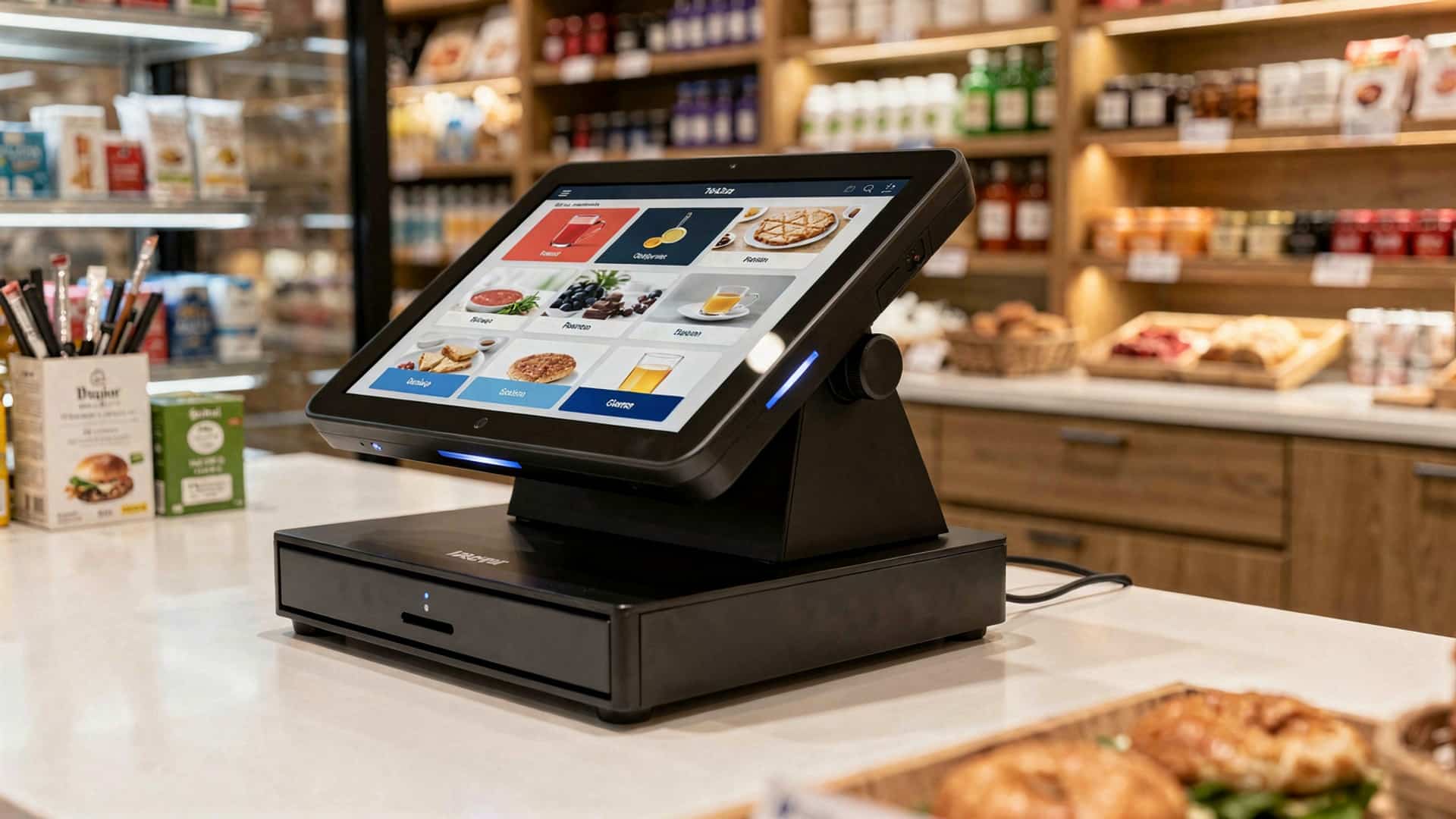
In today’s fast-paced commercial landscape, the backbone of any efficient retail or service operation is its Point-of-Sale (POS) system. At the heart of this system lies the POS terminal, the central processing unit that orchestrates all transactions. This critical piece of POS hardware is far more than just a cash register; it’s a sophisticated computer designed to manage sales, track inventory, process payments. often handle customer relationship management (CRM) tasks. Understanding its capabilities is the first step in building a robust checkout experience.
A POS terminal can take various forms, each suited to different business needs:
- All-in-One Terminals
- Modular Systems
- Mobile POS (mPOS) Devices
These integrated units combine the screen, processor. often a built-in printer or card reader into a single, sleek device. They are popular for their compact footprint and streamlined aesthetics, making them ideal for boutiques, cafes, or small retail spaces where counter space is at a premium.
Offering greater flexibility, modular POS terminals allow businesses to connect separate components (monitor, CPU, peripherals) to create a customized setup. This approach is excellent for businesses that may need to upgrade individual parts over time or require specialized displays or input methods.
Tablets or smartphones equipped with POS software and connected to external peripherals represent the ultimate in portability. Food trucks, pop-up shops, field service businesses, or even busy restaurant servers benefit immensely from mPOS, enabling transactions anywhere, anytime.
For instance, a bustling coffee shop might opt for an all-in-one terminal at its main counter for speed and reliability, while its baristas use mPOS devices on tablets to take orders directly from customers in line, reducing wait times and enhancing service efficiency. The choice of terminal significantly impacts the flow of transactions and overall customer experience, making it a pivotal decision in your POS machine setup.
Streamlining Sales with the Barcode Scanner
Efficiency at the checkout counter is paramount. few devices contribute more to this than the barcode scanner. This essential piece of POS hardware dramatically speeds up the transaction process, minimizes human error. provides real-time data for inventory management. Instead of manually entering product codes, a quick scan instantly retrieves product data and pricing from your POS system database.
There are several types of barcode scanners, each with distinct advantages:
- Handheld Scanners
- Presentation Scanners
- In-Counter Scanners
These are versatile and commonly used in retail environments. Employees can easily pick them up to scan items of various sizes or items not easily moved to the counter. They can be corded (USB) or cordless (Bluetooth), offering flexibility in movement.
Designed to sit on the counter, these scanners allow cashiers to simply pass items over the scanning window. They are excellent for high-volume environments like grocery stores or convenience stores, enabling quick, hands-free scanning.
Integrated directly into the checkout counter, these scanners offer a seamless and ergonomic scanning experience, often combined with a weighing scale for produce or bulk items. They are a staple in supermarkets.
Consider a retail clothing store during a busy sale. Instead of fumbling with price tags and manually inputting item numbers, a cashier can rapidly scan each garment’s barcode. This not only processes the sale faster but also immediately updates the store’s inventory, preventing stockouts and improving reordering accuracy. A well-chosen barcode scanner is a direct investment in operational speed and data integrity for any business using a POS machine.
The Unsung Hero: Receipt Printer for Customer Trust
While digital receipts are gaining traction, the physical receipt remains a cornerstone of customer trust and transaction verification. The receipt printer, though often overlooked, is an indispensable component of any complete POS setup. It provides customers with a tangible record of their purchase, essential for returns, exchanges. personal record-keeping.
The primary types of receipt printers are:
- Thermal Printers
- Pros
- Cons
- Impact (Dot Matrix) Printers
- Pros
- Cons
These are the most common type used with modern POS systems. They work by applying heat to special thermal paper, which darkens to create the text and images.
Fast, quiet, no ink cartridges needed (reducing ongoing costs).
Receipts can fade over time, sensitive to heat and light, specific thermal paper required.
These printers use a print head to strike an ink ribbon against paper, similar to a typewriter.
Can print duplicate copies using carbon paper, receipts are more durable and long-lasting, suitable for kitchens where heat/grease might affect thermal paper.
Slower, noisier, requires ink ribbons, lower print quality for graphics.
Let’s compare these two common types of receipt printers:
| Feature | Thermal Printer | Impact Printer |
|---|---|---|
| Printing Method | Heat applied to thermal paper | Pins strike ink ribbon onto paper |
| Speed | Very Fast | Slower |
| Noise Level | Silent | Noisy |
| Consumables | Thermal paper only | Standard paper, ink ribbons |
| Durability of Receipt | Can fade over time, heat sensitive | Long-lasting, durable |
| Cost (Consumables) | Lower long-term (no ink) | Higher long-term (ribbons + paper) |
| Ideal Use Case | Retail, cafes, quick service | Kitchens (KDS backup), environments needing duplicates |
A restaurant, for example, might use a thermal printer at the front counter for customer receipts and an impact printer in the kitchen for order tickets, ensuring tickets remain readable even in a hot, humid environment. Choosing the right receipt printer ensures smooth operations and maintains customer confidence in every transaction processed through your POS machine.
Secure Transactions: The Essential Payment Terminal (Card Reader)
In an increasingly cashless society, the payment terminal, or card reader, has become an absolutely critical piece of POS hardware. It’s the device that enables businesses to accept credit cards, debit cards. mobile payments, providing convenience and security for both the customer and the merchant. Without a reliable payment terminal, many businesses would struggle to meet customer expectations and process transactions efficiently.
Modern payment terminals support a variety of payment methods:
- EMV Chip Readers
- NFC (Near Field Communication) Readers
- Magnetic Stripe Readers
These readers accept cards with embedded microchips, offering a higher level of security than traditional magnetic stripe cards. EMV (Europay, MasterCard. Visa) technology encrypts transaction data, significantly reducing the risk of fraud.
Also known as “tap-to-pay” or “contactless” readers, these devices allow customers to pay by tapping their smartphone, smartwatch, or contactless card against the reader. Popular services like Apple Pay, Google Pay. Samsung Pay rely on NFC technology for quick and secure transactions.
While EMV and NFC are becoming standard, many payment terminals still include a magnetic stripe reader for older cards or in regions where chip technology isn’t fully adopted. But, merchants bear more liability for fraudulent transactions when only magnetic stripes are used.
When selecting a payment terminal, adherence to Payment Card Industry Data Security Standard (PCI DSS) compliance is non-negotiable. This set of security standards ensures that all companies that process, store, or transmit credit card data maintain a secure environment. A reputable payment processor will provide PCI-compliant terminals that encrypt card data at the point of interaction, protecting sensitive customer data. For any business handling transactions, a secure and versatile payment terminal is not just a convenience; it’s a fundamental requirement for building trust and preventing fraud with your POS machine.
Organizing Cash & Securing Funds: The Cash Drawer
Despite the rise of digital payments, cash transactions remain a significant part of many businesses, especially in retail, restaurants. quick-service establishments. The cash drawer, though seemingly simple, is an indispensable component of the POS hardware ecosystem. It provides a secure, organized place to store cash, coins. checks, facilitating accurate change-making and safeguarding funds.
Key features and considerations for cash drawers include:
- Integration with POS
Most modern cash drawers connect directly to the receipt printer or the POS terminal itself. This allows the POS software to automatically trigger the drawer to open at the end of a cash transaction, ensuring security and streamlining workflow.
// Example of a POS command to open a cash drawer (simplified for illustration) // This command is typically sent from the POS software to the receipt printer, // which then sends a signal to the cash drawer. PRINT "ESC p 0 25 250" // A common ESC/POS command for opening a cash drawer
Given the frequent opening and closing, cash drawers need to be robust, typically constructed from heavy-gauge steel. Look for models with high cycle ratings (e. g. , millions of cycles) to ensure longevity.
Beyond the electronic trigger, cash drawers usually feature a physical lock and key for manual override and added security, especially during non-business hours or when the POS system is offline.
Standard drawers come with removable till inserts, featuring multiple compartments for various denominations of bills and a coin tray. This organization is crucial for efficient cash handling and counting.
Imagine a busy restaurant during peak lunch hour. Without a well-integrated cash drawer, every cash transaction would involve fumbling for change, slowing down service. increasing the risk of errors or theft. A properly functioning cash drawer not only speeds up the checkout process but also provides a clear audit trail when integrated with your POS machine, making end-of-day reconciliation significantly easier and more accurate.
Empowering Customers: The Customer-Facing Display
Transparency and clear communication are vital in building customer trust. The customer-facing display, often a small screen separate from the main POS terminal, serves as a crucial bridge between your business and your patrons. It displays transaction details in real-time, allowing customers to follow along with their purchase, confirm prices. review totals before payment. This simple addition to your POS hardware setup can significantly enhance the customer experience.
The benefits of a customer-facing display extend beyond mere transparency:
- Error Reduction
- Enhanced Trust
- Marketing and Upselling Opportunities
- Payment Confirmation
By showing itemized lists and totals, customers can spot discrepancies immediately, reducing checkout errors and the need for post-purchase corrections.
Seeing the prices and calculations build confidence in the transaction process, fostering a sense of honesty and reliability.
Many advanced customer displays can cycle through promotional messages, display loyalty program details, or suggest complementary products while the customer waits. For example, a bakery might show images of freshly baked pastries or today’s coffee specials on the customer display.
For integrated payment systems, the display can show the exact amount due, guide the customer through payment prompts (e. g. , “Insert Card,” “Confirm Tip”). display payment confirmation messages.
Consider a retail store where a customer is purchasing several items. As each item is scanned, it appears on the customer-facing display along with its price. The customer can see the running total, ensuring they are charged correctly. This level of clarity prevents disputes and empowers the customer, making their interaction with your POS machine more pleasant and efficient. In a competitive market, such small details can make a significant difference in customer satisfaction and repeat business.
Beyond the Counter: The Kitchen Display System (KDS) or Order Display
While not strictly at the point of sale, the Kitchen Display System (KDS) or a similar order display is an invaluable piece of POS hardware for any food service establishment. increasingly for other businesses with complex order fulfillment. It replaces traditional paper tickets in the kitchen or preparation area, digitizing the order flow and dramatically improving efficiency, accuracy. communication between the front of house and back of house.
A KDS typically consists of a monitor (often touch-enabled) in the kitchen, connected to the main POS system. When an order is placed at the counter or tableside, it instantly appears on the KDS screen, categorized by station (e. g. , grill, fry, prep) or order type. Key advantages include:
- Reduced Errors
- Faster Turnaround Times
- Improved Communication
- Inventory Management
- Durability
Digital orders eliminate misread handwriting and ensure all modifications (e. g. , “no onions,” “extra cheese”) are clearly communicated.
Orders appear instantly, allowing kitchen staff to begin preparation without delay. Many KDS systems offer timers to track preparation times, helping to identify bottlenecks.
Staff can mark items as “prepared” or “ready for pickup,” which can update the front-of-house POS or even customer-facing displays.
Some advanced KDS systems can integrate with inventory, flagging when ingredients are low based on orders received.
Kitchen environments are harsh. KDS monitors are typically ruggedized, splash-proof. designed to withstand grease and heat.
Imagine a busy pizza parlor. Instead of shouting orders or relying on grease-stained paper tickets, orders from the front counter or online platforms appear directly on the KDS. The pizza station sees pizza orders, the salad station sees salad orders. As each item is completed, it’s bumped off the screen with a touch, ensuring no order is forgotten and the entire team works in a synchronized manner. This real-time, visual management transforms kitchen operations, making the KDS a powerful extension of your POS machine in any high-volume food service environment.
Conclusion
Establishing the right foundation with essential POS hardware is more than just buying gadgets; it’s about engineering efficiency and enhancing every customer interaction. We’ve explored the seven core devices, from robust POS terminals like those seen driving modern retail, to the lightning-fast barcode scanners that make inventory management a breeze. My personal tip? Don’t just buy what’s popular; truly evaluate your business flow. For instance, a busy food truck needs a durable, mobile setup, while a high-end boutique might prioritize sleek design and integrated payment processing for a seamless experience. The evolving retail landscape, with its demand for contactless payments and omnichannel experiences, means your hardware choices directly impact your ability to adapt and thrive. Investing wisely now, perhaps leveraging insights from Discover 10 Key Benefits Of Modern POS Hardware Solutions, ensures you’re ready for future challenges. Remember, a smoothly operating POS system isn’t just about transactions; it builds trust, saves valuable time. ultimately empowers you to focus on what you do best: growing your business. Go forth and equip your enterprise for unparalleled success!
More Articles
7 Must Have POS Hardware Components to Elevate Your Business Operations
Choosing the Right POS Hardware and Software Bundle 6 Key Tips
Discover 10 Key Benefits Of Modern POS Hardware Solutions
Unlock Growth with the 5 Best POS Hardware for Your Small Business
Understanding Your POS Terminal Device 8 Features You Need

FAQs
What exactly is POS hardware. why is it so crucial for businesses today?
POS hardware refers to the physical devices used to process transactions and manage sales in a business. This includes everything from card readers and receipt printers to barcode scanners and cash drawers. It’s crucial because it streamlines sales, tracks inventory, improves customer service. provides valuable data for business decisions, making operations smoother and more efficient.
Can you give me a quick rundown of the 7 essential POS devices mentioned in the guide?
Absolutely! The guide typically covers devices like the main POS terminal (a computer or tablet), a secure cash drawer, a reliable receipt printer, a quick barcode scanner, an EMV-compliant card reader for secure payments, a customer-facing display. often, a network device like a router for stable connectivity.
My business is pretty small; do I really need all seven of these devices?
Not necessarily all seven right out of the gate. The ‘essential’ list is a comprehensive guide. your specific needs depend on your business size and type. A very small business might start with a tablet, a card reader. a receipt printer, then add more as they grow. The key is to pick what directly supports your current operations and future plans.
How do I figure out which POS hardware is the right fit for my particular type of business?
To pick the right hardware, consider your transaction volume, the types of products you sell (do you need a scanner for barcodes?) , your physical space. whether you need mobility (like for a food truck or pop-up shop). Also, think about your budget and what POS software you plan to use, as hardware often needs to be compatible.
What’s the main difference between a traditional POS setup and a mobile POS (mPOS)?
A traditional POS setup usually involves fixed terminals, like a desktop computer or dedicated POS system, often found at a counter or checkout station. An mPOS, on the other hand, uses portable devices like tablets or smartphones paired with compact peripherals, offering flexibility to process sales anywhere in your store or even on the go.
Beyond just processing sales, how does having good POS hardware actually help improve the customer experience?
Good POS hardware significantly speeds up transactions, reducing wait times and making checkout smoother. Devices like customer-facing displays can clearly show pricing and promotions, building trust. Plus, efficient systems mean staff can focus more on engaging with customers rather than fumbling with old tech, leading to a much better overall experience.
Are there any common mistakes businesses make when choosing their POS hardware?
A big one is not considering future scalability – buying hardware that can’t grow with your business. Another common mistake is overlooking compatibility with your chosen POS software, which can lead to frustrating integration issues. Also, some businesses cut corners on quality, leading to frequent breakdowns, or they forget to factor in necessary accessories like stands or network equipment.