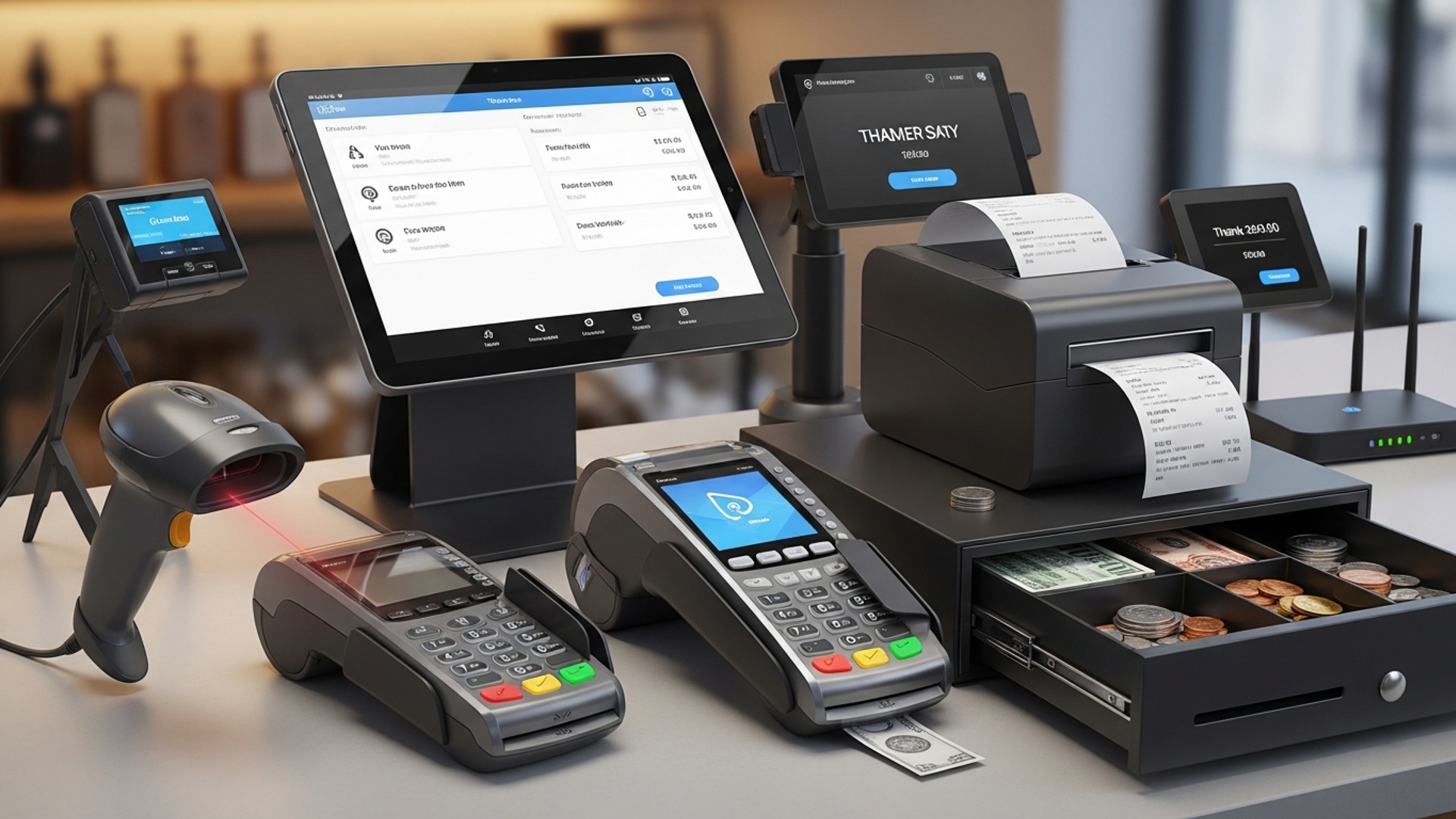
7 Essential POS Hardware Pieces for Your Small Business Success


  • best POS hardware for small business
  • POS machine

7 Essential POS Hardware Pieces for Your Small Business Success illustration

The Brains of the Operation: The POS Terminal (or Tablet)

When discussing the best POS hardware for small business, the central processing unit – often referred to as the POS terminal or a tablet acting as one – is undeniably the most critical component. This is the “brain” that runs your point-of-sale software, managing transactions, tracking inventory. interfacing with all other hardware pieces. For small businesses, the choice often comes down to a dedicated POS terminal or a more flexible tablet-based system.

  • Dedicated POS Terminals
  • These are robust, purpose-built machines designed for high-volume environments. They typically feature larger, often touch-sensitive screens, powerful processors. multiple ports for peripherals. A common use case is a busy restaurant or a high-traffic retail store where durability and consistent performance are paramount. For instance, a coffee shop with a constant queue benefits from a terminal that can rapidly process orders without lag.

  • Tablet-Based POS Systems
  • Increasingly popular, especially among startups and smaller retail operations, tablets (like iPads or Android tablets) offer a cost-effective and highly portable solution. They connect to peripherals wirelessly via Bluetooth or Wi-Fi. A mobile boutique or a food truck, for example, can leverage a tablet POS to take orders and process payments anywhere, enhancing customer experience and operational flexibility. The software runs as an app, making updates and user interfaces intuitive.

    Comparison: Dedicated Terminal vs. Tablet POS

    Feature Dedicated POS Terminal Tablet-Based POS System
    Durability High (industrial-grade) Medium (consumer-grade, often requires protective casing)
    Cost Higher initial investment Lower initial investment
    Portability Low (stationary) High (mobile, handheld)
    Performance Optimized for POS software, powerful Relies on tablet specs, can vary
    Connectivity Numerous physical ports (USB, Ethernet) Primarily wireless (Bluetooth, Wi-Fi), limited physical ports
    Ideal For High-volume retail, restaurants, demanding environments Small boutiques, cafes, food trucks, mobile services

    Choosing between them depends on your business volume, budget. mobility needs. Both options serve as the central hub for your point-of-sale operations.

    Secure Transactions: The Payment Processor (Card Reader)

    In today’s cashless society, a reliable payment processor, commonly known as a card reader or EMV reader, is non-negotiable. This piece of hardware is crucial for accepting credit and debit card payments, including chip cards (EMV), magnetic stripe cards. increasingly, contactless payments (NFC) like Apple Pay or Google Pay. For any small business looking to offer the best POS hardware for small business, this is paramount.

  • EMV (Europay, MasterCard, Visa) Technology
  • EMV chip cards offer enhanced security over traditional magnetic stripe cards by encrypting transaction data, significantly reducing the risk of fraud. When a customer “dips” their chip card into the reader, the transaction generates a unique code, making it nearly impossible for fraudsters to replicate. This not only protects your customers but also shields your business from liability for fraudulent transactions.

  • NFC (Near Field Communication) Contactless Payments
  • These readers allow customers to simply tap their smartphone or contactless card to complete a payment. This technology is incredibly fast, convenient. hygienic, particularly appreciated in quick-service environments. “I remember a customer at my artisan bakery being so delighted we had contactless payment,” recounts Sarah, owner of ‘The Daily Crumb.’ “She was in a rush, tapped her phone. was out the door in seconds. It definitely improved her experience.”

  • Types of Card Readers
    • Countertop Readers
    • Fixed units connected to your POS terminal, ideal for traditional checkout counters.

    • Mobile Readers
    • Small, portable devices that connect wirelessly to a tablet or smartphone, perfect for businesses on the go (e. g. , pop-up shops, delivery services).

    • Integrated Readers
    • Built directly into the POS terminal itself, offering a sleek, all-in-one solution.

    When selecting a payment processor, ensure it supports EMV and NFC, is PCI compliant (Payment Card Industry Data Security Standard). integrates seamlessly with your chosen POS software.

    Tracking Every Sale: The Barcode Scanner

    A barcode scanner is an indispensable tool for any small business dealing with physical inventory, from retail stores to small warehouses. This device swiftly reads UPCs (Universal Product Codes) or QR codes, pulling up product details and prices within your POS system. This significantly speeds up the checkout process, minimizes human error. facilitates accurate inventory management.

  • How it Works
  • When you scan an item, the scanner converts the barcode’s visual pattern into digital data, which is then sent to your POS software. The software identifies the product, adds it to the transaction. simultaneously updates inventory levels. This real-time tracking is invaluable for knowing what’s in stock, identifying fast-moving items. streamlining reordering.

  • Real-World Application
  • Consider a boutique clothing store. Instead of manually typing in product codes or prices for each garment, the sales associate simply scans the tag. The system instantly registers the specific size, color. price, reducing checkout time from minutes to seconds. This precision also prevents discrepancies, such as accidentally ringing up a size M shirt as a size S.

  • Types of Barcode Scanners
    • Handheld Scanners
    • The most common type, offering flexibility for scanning items of various sizes and locations. Many are cordless, allowing for greater mobility.

    • Presentation Scanners
    • Fixed units where items are passed over the scanning window. Ideal for high-volume checkouts where speed is critical, like a grocery store or busy convenience store.

    • 2D Imagers (QR Code Scanners)
    • Capable of reading both 1D (traditional barcodes) and 2D codes (like QR codes), which can store more insights, useful for loyalty programs or advanced inventory tracking.

    For a small business to succeed, efficient inventory management is key. a barcode scanner is the cornerstone of that efficiency. It’s a critical piece of the best POS hardware for small business puzzle.

    Paper Trail and Branding: The Receipt Printer

    Even in an increasingly digital world, the receipt printer remains a vital piece of POS hardware. It provides customers with a physical record of their purchase, serves as proof of transaction. can even be a subtle branding tool. While email receipts are gaining traction, many customers still prefer or require a printed copy.

  • Functionality
  • Receipt printers connect to your POS terminal and quickly print out transaction details, including items purchased, prices, taxes, total amount. often, return policies or promotional messages. They typically use thermal printing technology, which means no ink cartridges are required – the heat-sensitive paper reacts to the printer’s thermal head to create the text and images.

  • Types of Receipt Printers
    • Thermal Printers
    • The most common type due to their speed, quiet operation. lack of ink requirements. They are ideal for most retail and restaurant environments.

    • Impact Printers (Dot Matrix)
    • Less common now. still used in kitchens or environments where heat and moisture might damage thermal paper, as they use ink ribbons and standard paper. They can also print multiple copies simultaneously.

    • Mobile Printers
    • Small, portable thermal printers that connect wirelessly to a tablet or smartphone, perfect for businesses on the move (e. g. , food trucks, field service technicians).

  • Actionable Takeaway
  • Beyond just printing transaction details, leverage your receipt printer for marketing. You can customize receipts to include your logo, website, social media handles, a QR code for reviews, or a small promotion for their next visit. This turns a simple transaction record into a subtle marketing touchpoint.

    When selecting, consider print speed, paper roll size, connectivity options (USB, Ethernet, Bluetooth, Wi-Fi). durability. A robust receipt printer ensures your customers always walk away with a clear record of their purchase.

    Organized Cash Flow: The Cash Drawer

    Despite the rise of digital payments, cash transactions are still a reality for many small businesses, making a secure cash drawer an essential piece of the best POS hardware for small business setup. This simple yet critical component provides a safe place to store cash and coins, helping you manage your daily sales and maintain accurate records.

  • Key Features
    • Security
    • Most cash drawers are robust, made of steel. come with a lock and key mechanism. They are designed to prevent unauthorized access.

    • Organization
    • Internally, they feature multiple compartments (a till) for different denominations of bills and coins, making it easy for cashiers to give change quickly and accurately.

    • Integration
    • Modern cash drawers integrate with your POS system, automatically opening only when a cash transaction is processed or a specific command is sent. This prevents manual errors and enhances security.

  • Real-World Use Case
  • At a busy farmers’ market stall, a vendor processes dozens of cash transactions an hour. A well-organized cash drawer allows them to quickly make change, minimizing customer wait times and reducing the chance of errors. Its secure locking mechanism provides peace of mind when stepping away from the stall briefly.

  • Choosing the Right Cash Drawer
    • Size and Layout
    • Consider the number of bill and coin compartments you need based on your typical cash flow.

    • Connectivity
    • Ensure it’s compatible with your POS terminal. Most connect via an RJ11/RJ12 printer-driven interface.

    • Durability
    • Opt for heavy-duty construction to withstand constant use.

    While often overlooked, a reliable cash drawer is fundamental for managing cash efficiently, enhancing security. ensuring smooth operations, especially for businesses that frequently handle physical currency.

    Empowering Customers: The Customer-Facing Display

    A customer-facing display, sometimes called a pole display or secondary screen, might seem like an optional extra. it significantly enhances transparency and customer experience. This screen allows customers to view itemized lists of their purchases and the total amount due in real-time as items are scanned and added to their transaction. This builds trust and reduces disputes, making it a valuable addition to your POS machine setup.

  • Benefits of a Customer-Facing Display
    • Transparency
    • Customers can visually confirm that the correct items are being rung up at the correct prices, preventing misunderstandings or overcharges.

    • Error Reduction
    • By allowing customers to see the transaction unfold, they can quickly spot and correct any scanning errors or forgotten discounts before payment is processed.

    • Enhanced Trust
    • This transparency fosters a sense of trust between the customer and the business, improving their overall shopping experience.

    • Marketing Opportunities
    • Beyond showing transaction details, many modern customer-facing displays can be used to showcase promotions, loyalty program data, or even advertisements when not actively processing a sale. Imagine a small cafe displaying their daily specials or a loyalty program sign-up prompt while customers wait.

  • Real-World Impact
  • “We installed a customer-facing display at our bakery. the feedback was immediate,” shares Sarah from ‘The Daily Crumb.’ “Customers loved seeing their order tally up. it saved us from awkward conversations about price discrepancies. Plus, we use it to show off our new pastries, which has boosted impulse buys!”

  • Types of Displays
    • Alphanumeric Pole Displays
    • Basic displays that show a single line of text, typically the item price and total.

    • Graphical Pole Displays
    • More advanced, capable of showing multiple lines of text and simple graphics.

    • Full-Color LCD Screens
    • These mirror the cashier’s screen or display custom content, offering the most dynamic and engaging customer experience, often seen with modern tablet-based POS systems.

    For any small business striving for excellent customer service and operational clarity, a customer-facing display is a smart investment that pays dividends in customer satisfaction.

    Seamless Power and Connectivity: The UPS (Uninterruptible Power Supply)

    While not strictly a “POS hardware piece” in the traditional transaction sense, an Uninterruptible Power Supply (UPS) is an absolutely essential backup component for the resilience and continuous operation of your best POS hardware for small business setup. A sudden power outage can cripple your operations, leading to lost sales, frustrated customers. potential data corruption. A UPS provides critical backup power, ensuring your POS system remains operational during short power interruptions.

    What is a UPS? A UPS is a device that contains a battery and power conditioning circuitry. It sits between your POS hardware (terminal, printer, card reader) and the wall outlet. In the event of a power cut, the UPS instantly switches to battery power, providing a few minutes (or sometimes longer, depending on the unit’s capacity) of electricity. This crucial window allows you to:

    • Complete ongoing transactions without interruption.
    • Properly shut down your POS system to prevent data loss or hardware damage.
    • Continue processing payments and printing receipts until power is restored or you can safely close.
  • Real-World Scenario
  • Imagine a busy Saturday afternoon at your small retail store. A sudden flicker or brief power outage occurs. Without a UPS, your POS system crashes, transactions are lost. your card reader becomes inoperable. You’re left with a long line of annoyed customers and the inability to process sales. With a UPS, your system stays online, you finish the current transactions. perhaps even complete a few more before the battery runs down, minimizing disruption and lost revenue.

  • Actionable Advice
    • Sizing
    • Choose a UPS with sufficient wattage and runtime for your specific POS components. You’ll need to calculate the total power consumption of your POS terminal, receipt printer, card reader. any other critical devices you want to keep running.

    • Surge Protection
    • Most UPS units also offer surge protection, safeguarding your valuable POS hardware from damaging power spikes.

    • Regular Testing
    • Periodically test your UPS to ensure its battery is still functional and can hold a charge.

    Investing in a UPS is a proactive measure that protects your business from the unpredictability of power fluctuations, ensuring operational continuity and safeguarding your sales data. It’s an often-overlooked but vital part of a robust POS infrastructure.

    Conclusion

    Ultimately, selecting the right POS hardware isn’t just about ticking boxes; it’s about laying a robust foundation for your small business’s daily operations. My personal tip is to think beyond the initial purchase: consider how each essential piece, from a lightning-fast barcode scanner for inventory management to a reliable receipt printer, will seamlessly integrate into your specific workflow. For instance, I’ve seen cafes dramatically boost efficiency by opting for nimble mobile POS terminals, allowing staff to take orders directly at tables—a current trend leveraging portability and speed. Understanding that modern commerce demands adaptability, ensure your chosen system supports recent developments like contactless payments and digital receipts from the outset. This forward-thinking approach prevents expensive, time-consuming upgrades down the line. Invest wisely today, focusing on quality and compatibility. you’re not just acquiring tools; you’re empowering your team and delighting customers. Choose hardware that truly complements your ambition, setting the stage for sustainable growth and success. For more insights on optimal hardware selections, explore 10 Best POS Hardware Picks for Small Business Growth and Efficiency.

    More Articles

    10 Best POS Hardware Picks for Small Business Growth and Efficiency
    Understanding 4 Different Types of POS Terminal Devices for Businesses
    What Are the Best POS Terminal Devices for Small Businesses Today
    6 Benefits of Choosing a POS Hardware and Software Bundle for Your Business
    6 Smart Tips for Choosing the Right POS Machine for Retail Stores

    FAQs

    Why is having the right POS hardware a big deal for my small business?

    Getting your POS hardware right is super crucial because it directly impacts how smooth your sales process is, how quickly customers can check out. ultimately, their overall experience. Good hardware means fewer glitches, faster transactions. happier customers, which helps your business grow.

    What’s the best main device for my POS system – a tablet or a full computer?

    It really depends on your business. Tablets are fantastic for mobility, smaller spaces. a modern feel, perfect for cafes or pop-up shops. A full computer or dedicated terminal might be better if you need to run more complex software, manage extensive inventory, or have high transaction volumes.

    Do I really need a dedicated card reader or payment terminal?

    Absolutely! A reliable payment terminal is non-negotiable today. It lets you accept credit cards, debit cards. often contactless payments like Apple Pay or Google Pay, which most customers expect. Skipping this means missing out on a huge chunk of potential sales.

    My business is small with only a few items. Do I still need a barcode scanner?

    Even with a small inventory, a barcode scanner can save you a ton of time and prevent errors. Instead of manually typing in product codes, a quick scan ensures accuracy and speeds up checkout, letting you focus more on your customers.

    Can’t I just offer email receipts instead of buying a receipt printer?

    While email receipts are great for customers who prefer them, a physical receipt printer is still crucial. Many customers still want a paper copy for returns, record-keeping, or just convenience. Offering both options ensures you cater to everyone’s preference.

    With so many people paying digitally, is a cash drawer still necessary for my small business?

    Yes, definitely! Even if most payments are digital, you’ll still encounter customers who prefer to pay with cash. A secure cash drawer is essential for safely storing cash, making change. keeping your daily finances organized and accountable.

    What’s the main benefit of having a separate customer-facing display screen?

    A customer display builds trust and transparency. It shows customers exactly what they’re being charged for as items are scanned, the subtotal, taxes. the final amount. This helps prevent misunderstandings and makes the checkout process feel more open and professional.

    5 Types of Essential Point of Sale Equipment Every Retailer Needs


    In the fast-paced world of retail, efficient point of sale equipment plays a crucial role in streamlining operations and enhancing customer experiences. From advanced touchscreen terminals that simplify transactions to barcode scanners that ensure pricing accuracy, these tools are indispensable for modern retailers. With the rise of contactless payments and mobile POS systems, staying ahead in the industry requires investing in technology that integrates seamlessly with inventory management and analytics software. For instance, many businesses now leverage cloud-based POS solutions to track sales in real-time and make data-driven decisions. As retail continues to evolve with trends like omnichannel shopping, equipping your store with the right point of sale equipment is no longer optional—it’s a strategic necessity to remain competitive and meet customer expectations. By adopting innovative tools tailored to your business needs, you can create a more efficient, customer-friendly environment while boosting profitability and operational efficiency.

    5 Types of Essential Point of Sale Equipment Every Retailer Needs illustration

    1. POS Terminal: The Core of Point of Sale Equipment

    A Point of Sale (POS) terminal is the centerpiece of any retail operation. It acts as the primary interface between the retailer and the customer, handling transactions, recording sales. managing inventory. Modern POS terminals often come as standalone systems or integrated hardware and software solutions.

    • Functionality
    • POS terminals process payments (credit cards, debit cards. digital wallets), scan items. print receipts. Many advanced systems also track inventory and generate sales reports.

    • Types
    • Traditional countertop models and mobile POS systems are popular options. Mobile POS systems are portable and cater to businesses needing flexibility, like pop-up shops or market stalls.

    • Key Considerations
    • Retailers should select a POS terminal that aligns with their business size and nature. For instance, a small boutique might benefit from a sleek, cloud-based tablet POS system, while a supermarket may need a robust, high-capacity terminal.

    Real-world Example: Retail giants like Walmart utilize advanced POS systems capable of managing thousands of transactions daily, while small cafes often opt for compact tablet-based solutions for their simplicity and affordability.

    2. Barcode Scanner: Streamlining Transactions

    Barcode scanners are essential for efficiently tracking products, managing inventory. speeding up the checkout process. These devices read barcodes on items and instantly input the product details into the POS system.

    • Types of Barcode Scanners
      • Handheld scanners: Ideal for smaller retail operations due to their portability.
      • Countertop scanners: Fixed devices often used in supermarkets to process items quickly.
      • Wireless scanners: Provide flexibility and are suitable for larger retail spaces.
    • Advantages
    • By automating data entry, barcode scanners reduce human error and improve checkout speed, leading to enhanced customer satisfaction.

    • Compatibility
    • Ensure the barcode scanner integrates seamlessly with your chosen POS system to avoid technical glitches.

    Real-world Example: Apparel stores often use handheld barcode scanners to manage inventory across multiple locations, while high-traffic grocery stores rely on rapid countertop scanners to manage queues effectively.

    3. Receipt Printer: Providing a Tangible Record

    Receipt printers are another vital piece of point of sale equipment. They generate printed receipts that provide customers with proof of purchase and detailed transaction insights.

    • Types of Receipt Printers
      • Thermal printers: These are the most common due to their speed, low maintenance. cost-effectiveness.
      • Impact printers: Often used for printing on multi-part forms, such as restaurant kitchen orders.
      • Inkjet printers: Used for printing high-quality, color receipts.
    • Features to Look For
    • Ensure your receipt printer offers fast printing speeds, durable hardware. connectivity options (USB, Ethernet, or Bluetooth).

    • Importance in Retail
    • Receipts not only serve as proof of payment but also help retailers manage returns and exchanges efficiently.

    Real-world Example: Coffee shops and quick-service restaurants frequently use thermal receipt printers for speed, while high-end boutiques may prefer inkjet printers to include branded designs on receipts.

    4. Cash Drawer: Securing Cash Payments

    Despite the rise of digital payment methods, cash remains a widely used payment option. A sturdy and reliable cash drawer is essential for securely storing cash, coins. checks during transactions.

    • Functionality
    • Cash drawers are typically connected to the POS terminal and open automatically when a cash transaction occurs. They are also used for storing receipts and transaction summaries.

    • Key Features
    • Look for durable construction, multiple compartments for cash and coins. a secure locking mechanism.

    • Choosing the Right Cash Drawer
    • Retailers should consider their transaction volume. High-traffic stores may require larger, more durable cash drawers, while small businesses can opt for compact models.

    Real-world Example: Farmers’ markets and small local retailers often rely on compact cash drawers for easy setup and mobility, whereas large department stores use heavy-duty, high-capacity models for security and functionality.

    5. Customer Display: Enhancing Transparency and Experience

    Customer-facing displays are a crucial but often overlooked component of point of sale equipment. They show transaction details in real-time, ensuring transparency and enhancing the customer experience.

    • Benefits
    • By displaying itemized lists of purchases and totals, customer displays help prevent disputes, improve trust. promote a seamless checkout experience.

    • Types of Displays
      • Simple numeric displays: Show basic transaction totals.
      • LCD or digital displays: Present detailed item details, promotions, or even ads.
    • Additional Features
    • Some advanced displays integrate with loyalty programs, allowing customers to view accumulated points or rewards during checkout.

    Real-world Example: High-end retail stores often use digital displays to highlight special deals and branding, while independent retailers may choose basic numeric displays to uphold transparency with customers.

    Conclusion

    Choosing the right point of sale equipment is no longer just about functionality; it’s about building an efficient system that supports your business growth while enhancing the customer experience. From robust touchscreen systems to fast and reliable receipt printers, every piece of equipment plays a critical role in streamlining operations. By investing in modern, integrated POS systems, you can minimize errors, improve inventory tracking. boost sales efficiency. For example, retailers embracing mobile POS systems are already seeing the benefits of increased flexibility and reduced wait times at checkout. This trend aligns with today’s consumer demand for convenience and quick service. Also, don’t overlook the importance of secure cash drawers and multifunctional barcode scanners, which can save you time and protect your revenue. Remember, staying informed about innovative POS technologies gives you a competitive edge. As someone who has seen the difference seamless POS setups can make, I encourage you to prioritize scalability and future-proofing when selecting your equipment. Your POS system is more than a tool; it’s an investment in your business’s success. Start with the essentials, adapt to the latest trends. watch your business thrive.

    More Articles

    5 Essential Tips for Choosing the Right POS Machine for Retail Stores
    8 Innovative POS Hardware Tools to Boost Your Business Operations
    Top 8 POS Cash Drawers and Printers for Reliable Store Operations
    6 Advantages of Using POS Machines for Retail Businesses

    FAQs

    What is point of sale equipment?

    Point of sale equipment refers to the tools and hardware used at checkout to process transactions in retail stores.

    Why do retailers need a barcode scanner?

    A barcode scanner simplifies inventory tracking and speeds up the checkout process by quickly reading product data.

    Is a receipt printer still necessary?

    Yes, receipt printers are essential for providing customers with proof of purchase and for keeping records of transactions.

    What’s the role of a cash drawer in modern POS systems?

    Cash drawers are essential for handling cash transactions securely, even in stores that primarily use card payments.

    Do all retailers need a touchscreen monitor?

    Not all retailers. touchscreen monitors are great for stores using modern POS software, as they allow easy navigation and faster operations.

    How does a card reader benefit my store?

    Card readers let you accept credit and debit card payments, ensuring customers have convenient payment options.

    Can these tools work together?

    Yes, these POS tools are designed to integrate seamlessly, providing a smooth checkout experience for retailers and customers.

    10 Essential Types of Point of Sale Equipment Every Store Needs


    Modern retail environments demand efficiency, accuracy. seamless customer experiences, making point of sale equipment indispensable for every store. From touchscreen terminals that streamline transactions to barcode scanners ensuring inventory precision, these tools are at the heart of daily operations. Amid rising trends like mobile POS systems and cloud-based platforms, businesses are increasingly investing in versatile solutions that cater to evolving consumer needs. A robust POS setup not only enhances operational speed but also integrates analytics, payment processing. inventory tracking, ensuring stores stay competitive. For instance, retailers adopting RFID technology in scanners are reducing checkout times and improving stock management. As digital payment options expand, hardware like contactless card readers and mobile wallets are becoming essentials rather than add-ons. Whether it’s a bustling supermarket or a boutique clothing store, equipping your business with the right tools can redefine efficiency and elevate the shopping experience, driving both satisfaction and profits.

    10 Essential Types of Point of Sale Equipment Every Store Needs illustration

    1. POS Terminal

    • The POS terminal is the core component of any point of sale equipment setup. It acts as the main hub where transactions are processed and managed.
    • Modern POS terminals are typically touchscreen devices running specialized POS software, allowing easy access to sales, inventory. customer data.
    • They are designed to integrate with other peripherals like barcode scanners, receipt printers. card readers.
  • Use Case
  • A retail clothing store can use a POS terminal to quickly process customer purchases while also tracking sales trends and managing inventory in real-time.

    2. Barcode Scanners

    • Barcode scanners are used to read product barcodes, significantly speeding up checkout processes and reducing human error.
    • They come in handheld, stationary. wireless models, making them suitable for various retail environments.
    • Barcode scanners are essential for managing inventory and verifying product pricing during sales transactions.
  • Use Case
  • A grocery store can use barcode scanners to efficiently ring up multiple items and ensure accurate pricing.

    3. Receipt Printers

    • Receipt printers are vital for generating printed receipts for customers. They are often connected to the POS terminal.
    • There are two main types of receipt printers: thermal printers, which use heat to print on special paper. impact printers, which use ink ribbons.
    • Thermal printers are preferred for their speed, quiet operation. cost-effectiveness.
  • Use Case
  • A café can use a thermal receipt printer to quickly provide customers with a record of their transactions.

    4. Cash Registers

    • Despite the growing trend of cashless payments, cash registers remain an essential piece of point of sale equipment for businesses handling cash transactions.
    • Modern cash registers often come integrated with POS software, improving functionality.
    • They also provide a secure way to store cash, reducing the risk of theft.
  • Use Case
  • A small bakery can use a cash register for secure, fast cash transactions while recording sales data.

    5. Card Readers

    • Card readers are indispensable for accepting credit and debit card payments, which have become the preferred payment method for many customers.
    • Advanced card readers support contactless payments, such as NFC (Near Field Communication) technology, enabling faster checkout experiences.
    • They are often integrated with mobile POS systems for added portability.
  • Use Case
  • An electronics store can use card readers to accept payments via cards, mobile wallets, or contactless devices like smartphones.

    6. POS Software

    • POS software is the brain of the entire point of sale equipment system, managing sales, inventory, customer data. reporting.
    • Cloud-based POS software is widely used as it allows businesses to access data from anywhere and ensures regular updates and data backups.
    • Customizable POS software can cater to specific industries, such as retail, hospitality, or restaurants.
  • Use Case
  • A boutique store can use POS software to monitor sales trends, manage inventory. streamline customer loyalty programs.

    7. Customer Display Screens

    • Customer display screens allow shoppers to view transaction details in real time, fostering transparency.
    • These displays can also be used for promotional purposes, showcasing offers or advertisements during idle moments.
    • Modern customer displays are often integrated into touch-based POS systems for a seamless experience.
  • Use Case
  • A fast-food restaurant can use a customer display screen to show order details and promote combo meal discounts.

    8. Scales

    • Scales are necessary for businesses that sell products by weight, such as grocery stores, delis. butcher shops.
    • Integrated scales connect directly to the POS system, automatically sending weight data for accurate pricing.
    • They ensure compliance with legal metrology standards for weight-based sales.
  • Use Case
  • A fruit and vegetable store can use scales to weigh produce and calculate the price instantly at checkout.

    9. Mobile POS Systems

    • Mobile POS systems are compact and portable, designed to provide flexibility by enabling transactions anywhere within the store or even on the go.
    • They often run on tablets or smartphones loaded with POS software and integrate with card readers and receipt printers.
    • These systems are especially useful for pop-up shops, food trucks, or businesses with limited counter space.
  • Use Case
  • A street vendor selling handmade crafts can use a mobile POS system to process card payments and email receipts.

    10. Inventory Management Systems

    • An inventory management system is crucial for tracking stock levels, reordering products. avoiding overstocking or stockouts.
    • Integrated inventory systems sync with POS equipment to update stock levels in real-time with every sale.
    • Advanced systems can also provide analytics to forecast demand and optimize inventory management.
  • Use Case
  • A hardware store can use an inventory management system to maintain optimal stock levels and keep track of high-demand items.

    Conclusion

    Equipping your store with the right point of sale (POS) equipment is no longer an option—it’s a necessity to ensure seamless operations and deliver an exceptional customer experience. From barcode scanners that provide lightning-fast checkouts to touchscreen terminals that simplify staff training and inventory management, each piece of POS equipment works together to streamline your business processes. By understanding the critical role of each tool, you can build a system tailored to your store’s unique needs. Investing in modern technologies such as cloud-based systems and mobile POS devices ensures that your store stays competitive in today’s fast-paced retail environment. For instance, recent trends highlight the growing importance of contactless payment solutions, allowing businesses to cater to the demand for speed and safety. Also, choosing a reliable cash drawer and receipt printer, like those discussed here, can prevent critical disruptions during peak hours. As a personal tip, always prioritize scalability. Starting with a versatile POS system allows your store to adapt as it grows. Remember, your POS setup is more than just hardware—it’s a reflection of how much you value efficiency and customer satisfaction. Stay committed to choosing the best tools. your business will be set up for long-term success.

    More Articles

    6 Must-Have POS Hardware Tools for Every Small Business
    8 Benefits of Choosing a POS Hardware and Software Bundle
    7 Ways POS Terminal Devices Improve Small Business Operations
    10 Must-Have Restaurant POS Hardware Tools for Seamless Dining Service
    6 Key Benefits of Using Barcode Scanners for POS Systems

    FAQs

    What is POS equipment and why is it essential for stores?

    POS equipment refers to the hardware and tools that help process transactions, manage sales. handle customer interactions. It’s essential for smooth store operations and better customer experiences.

    Do I really need a cash register in a modern store?

    Yes, cash registers are still helpful, especially for stores that process cash transactions. But, many modern stores combine them with digital POS systems for added functionality.

    What’s the role of barcode scanners in a POS setup?

    Barcode scanners make it easier to track inventory and speed up the checkout process by quickly identifying products and their prices.

    Why should I invest in a receipt printer?

    Receipt printers allow you to provide customers with proof of purchase, which is essential for returns, warranties. building trust with your customers.

    Are touch screen monitors worth it for POS systems?

    Yes, touch screen monitors simplify operations by providing an intuitive interface for cashiers and store staff, making transactions faster and more accurate.

    Do all stores need a customer-facing display?

    Not all stores require it. a customer-facing display enhances transparency by allowing customers to see their transaction details in real time.

    How does a card reader benefit my store?

    Card readers are essential for processing credit and debit card payments, which are increasingly preferred by customers over cash.

    What is the importance of inventory management software in POS systems?

    Inventory management software helps you keep track of stock levels, avoid overstocking or running out of products. streamline your store’s operations.

    6 Essential POS Cash Drawer and Printer Combos for Every Business


    Efficient point-of-sale systems are the backbone of modern businesses, streamlining transactions and enhancing customer experience. A well-integrated POS cash drawer and printer combo is crucial for optimizing operations, whether it’s a bustling café or a high-volume retail store. Recent advancements, such as thermal printers for faster, quieter receipts and ergonomic cash drawers with reinforced locking mechanisms, demonstrate how technology is addressing security and speed. Many solutions now offer compatibility with cloud-based POS systems, catering to businesses embracing digital transformation. For example, USB-ready and Bluetooth-enabled models ensure seamless connectivity, reducing downtime and improving efficiency. As businesses strive to meet growing consumer expectations, investing in reliable, feature-rich POS cash drawer and printer combos has become more than a necessity—it’s a competitive edge. By understanding the latest trends and innovations, businesses can make informed choices that save time, safeguard earnings. boost overall performance.

    6 Essential POS Cash Drawer and Printer Combos for Every Business illustration

    Understanding the Importance of POS Cash Drawer and Printer Combos

    • POS (Point of Sale) systems are critical for efficient business operations. They streamline transactions, inventory management. customer interactions.
    • A POS cash drawer and printer combo is a key component of any retail or service-based business, comprising a secure space for cash and a printer for receipts.
    • This combo ensures faster checkout processes, seamless integration. a professional appearance for businesses.

    Key Features of POS Cash Drawer and Printer Combos

    • Connectivity Options
    • Many combos offer USB, Ethernet, or Bluetooth connectivity to integrate with POS terminals conveniently.

    • Durability
    • High-quality materials like steel and robust locking mechanisms ensure the drawer’s durability and security.

    • Speed
    • Thermal receipt printers in these combos are designed for high-speed printing, reducing wait times for customers.

    • Customization
    • Receipt printers enable logo printing, customizable formats. detailed transaction details, enhancing customer service.

    • Compatibility
    • These combos are designed to work seamlessly with a variety of POS software and hardware setups.

    Real-World Applications

    • Retail Stores
    • POS cash drawer and printer combos are commonly used in retail stores for handling cash transactions efficiently while ensuring accurate record-keeping.

    • Restaurants
    • In food service environments, these combos streamline order processing and receipt printing, enhancing customer satisfaction.

    • Healthcare Clinics
    • Clinics use these combos to manage billing processes and print receipts for patient transactions.

    • Small Businesses
    • Entrepreneurs and small-scale businesses benefit from cost-effective combos that simplify their POS setup.

    6 Essential POS Cash Drawer and Printer Combos for Every Business

    Model Features Best for
    Star Micronics TSP143III & Cash Drawer Combo Fast thermal printing, USB connectivity, sturdy cash drawer Retail and fast-paced environments
    Epson TM-T20II & APG Vasario Cash Drawer Compact design, energy-efficient, multi-interface Small businesses and startups
    Square Register Kit All-in-one POS system with integrated cash drawer and printer Modern retail and boutique setups
    SNBC BTP-R880NP Thermal Printer & Standard Cash Drawer High-speed printing, Ethernet connectivity Restaurants and busy service industries
    HP Engage One Prime POS System Premium design, durability, integrated printer Healthcare and professional services
    POS-X EVO HiSpeed Printer & Heavy-Duty Drawer Reliable performance, large storage space High-volume retail operations

    Factors to Consider When Choosing a Combo

    • Budget
    • Ensure the chosen combo fits your financial plan without compromising quality.

    • Business Size
    • Larger businesses may require heavy-duty setups, while small startups can opt for compact options.

    • POS Software Compatibility
    • Verify that the combo integrates seamlessly with your existing software and hardware systems.

    • Connectivity Needs
    • Choose combos with USB, Ethernet, or wireless options depending on your setup requirements.

    • Customer Experience
    • Opt for fast printers and secure cash drawers to enhance overall customer satisfaction.

    Advantages of Using POS Cash Drawer and Printer Combos

    • Improved transaction speeds with thermal receipt printers.
    • Enhanced security for cash handling with durable drawers.
    • Seamless integration with POS terminals for efficient operations.
    • Professional receipt printing for branding and detailed customer communication.
    • Cost-effectiveness as part of an all-in-one POS solution.

    Top Brands in the POS Industry

    • Star Micronics
    • Renowned for high-speed printers and durable cash drawers.

    • Epson
    • A leader in energy-efficient receipt printers with multi-interface capabilities.

    • Square
    • Known for innovative all-in-one POS systems with integrated combos.

    • HP
    • Premium POS systems with sleek designs and reliable performance.

    • APG Cash Drawer
    • Offers a wide range of durable cash drawers suitable for different business needs.

    Conclusion

    Selecting the right POS cash drawer and printer combo can significantly impact the efficiency and customer satisfaction of your business. From reliable performance to seamless integration with modern POS systems, these essential tools are more than just hardware—they’re the backbone of streamlined operations. As we’ve explored in this guide, understanding your business needs, such as transaction volume, space constraints. compatibility, is crucial in making the right investment. For example, a compact setup like the Epson TM-T20II paired with an ergonomic cash drawer is ideal for small retailers, while a more robust combo might suit high-traffic businesses. Today’s market trends lean towards smart, interconnected hardware that supports cloud-based POS systems, offering businesses the flexibility to adapt and grow. My advice? Think ahead. Choose a combo that not only meets your current needs but also aligns with future expansions. From personal experience, investing in durable, high-speed printers has saved me countless hours in busy retail environments, proving that quality upfront often leads to long-term savings. So, take the leap and invest wisely. Remember, your POS hardware isn’t just equipment—it’s a tool for delivering exceptional customer experiences. With the right setup, your business will run smoother, faster. more profitably. Start now. let technology work for you!

    More Articles

    6 Best Practices for Setting Up a POS Cash Drawer and Printer
    8 Innovative POS Hardware Solutions to Transform Your Business
    Top 5 POS Hardware Essentials for Small Business Success
    10 Features to Look for in a POS Machine for Retail Success
    7 Useful Tips for Choosing the Perfect POS Terminal Device

    FAQs

    What does a POS cash drawer and printer combo include?

    It typically includes a cash drawer, a receipt printer. sometimes additional accessories like cables to connect to the POS system.

    Why should I get a combo instead of buying them separately?

    Combos are designed to work seamlessly together, saving you the hassle of compatibility issues and often coming at a more cost-effective price.

    Are these combos suitable for small businesses?

    Yes, these combos are great for small businesses as they offer reliable performance and simplify the setup process.

    Do POS combos support all POS software systems?

    Most combos are compatible with popular POS software. it’s always a good idea to check specifications before purchasing.

    How do I decide which combo is right for my business?

    Consider factors like your budget, printing speed, cash drawer size. compatibility with your existing POS system.

    Can these combos handle high customer volume?

    Yes, many POS cash drawer and printer combos are designed for durability and performance, making them suitable for busy environments.

    Are these combos easy to install?

    Most combos are designed for easy setup and come with user manuals to guide you through the installation process.

    6 Essential Point of Sale Equipment Every Business Should Invest In


    Modern businesses operate in an era where seamless transactions and efficient customer experiences are critical, making the right point of sale equipment an essential investment. From sleek touchscreen terminals to versatile barcode scanners, these tools not only streamline operations but also align with emerging trends like mobile payment integrations and cloud-based systems. For instance, the surge in contactless payment options has made NFC-enabled card readers indispensable for businesses aiming to stay competitive. Also, robust POS software paired with advanced receipt printers ensures quick checkouts while providing actionable sales insights. Investing in reliable equipment isn’t just about improving daily workflows; it’s about future-proofing your business in a rapidly evolving retail landscape. With technology advancements shaping customer expectations, selecting the right tools tailored to your operations can drive efficiency, enhance customer satisfaction. ultimately boost profitability. Smart POS solutions are no longer optional—they’re the foundation of a thriving, modern business.

    6 Essential Point of Sale Equipment Every Business Should Invest In illustration

    1. POS Terminals

    POS terminals are the backbone of any point of sale system. These devices serve as the central hub for processing transactions, tracking sales. managing inventory. Modern POS terminals are highly versatile, integrating seamlessly with other point of sale equipment and software.

    • Features
    • POS terminals often include user-friendly touchscreens, built-in receipt printers. capabilities for inventory tracking and customer data management.

    • Benefits
    • Streamlines the checkout process, minimizes errors. provides detailed sales analytics.

    • Example
    • A retail clothing store can use a POS terminal to scan barcodes, apply discounts. track customer purchase history.

    2. Barcode Scanners

    Barcode scanners are essential for businesses that deal with physical products. These devices quickly and accurately capture product details by scanning barcodes, reducing the need for manual data entry.

    • Types
    • There are handheld, stationary. wireless barcode scanners, catering to different business environments.

    • Benefits
    • Improves checkout speed, enhances inventory management accuracy. reduces human error.

    • Use Case
    • A grocery store uses a barcode scanner to scan items at checkout, ensuring fast and accurate billing.

    3. Receipt Printers

    Receipt printers are a must-have for providing customers with a tangible copy of their transaction. These devices are often integrated with POS terminals to print itemized receipts quickly.

    • Types
    • Receipt printers come in thermal, dot matrix. inkjet varieties, with thermal printers being the most popular due to their speed and efficiency.

    • Benefits
    • Enhances the customer experience and serves as proof of purchase for returns or warranty claims.

    • Example
    • A café uses a thermal receipt printer to provide customers with a detailed receipt showing their coffee and snack purchase.

    4. Cash Drawers

    Despite the growth of digital payments, cash remains a preferred payment method for many customers. Cash drawers provide a secure and organized way to handle cash transactions.

    • Features
    • Most cash drawers feature multiple compartments for bills and coins, along with a locking mechanism for added security.

    • Benefits
    • Keeps cash safe, organized. easily accessible during transactions.

    • Use Case
    • A bookstore uses a cash drawer integrated with their POS system to reconcile daily sales and store cash securely.

    5. Payment Card Readers

    Payment card readers are critical for businesses looking to accept digital payments. These devices read debit and credit card data, offering customers multiple payment options.

    • Types
    • Card readers can be contactless, chip-enabled, or magnetic stripe readers, with many devices offering all three options.

    • Benefits
    • Facilitates fast, secure payments and accommodates customer preferences for cashless transactions.

    • Example
    • An electronics store uses a chip-enabled card reader to process secure and seamless credit card payments.

    6. Customer-Facing Displays

    Customer-facing displays enhance transparency during transactions by allowing customers to follow the checkout process in real-time. These displays often show the items being scanned, prices. the total amount due.

    • Features
    • High-resolution screens, adjustable angles. the ability to display promotional messages or surveys.

    • Benefits
    • Improves customer trust, reduces billing disputes. provides opportunities for upselling through promotional content.

    • Use Case
    • A quick-service restaurant uses a customer-facing display to show the order summary, ensuring accuracy and allowing customers to confirm their purchase.

    Conclusion

    Investing in essential point-of-sale equipment is not just a matter of convenience—it’s a strategic move to elevate your business operations and customer experience. From reliable barcode scanners to versatile touchscreen systems, each piece of hardware plays a critical role in streamlining tasks, reducing errors. enhancing sales processes. For instance, integrating advanced barcode scanners can significantly speed up transactions while minimizing pricing discrepancies, a trend that continues to dominate in retail and hospitality industries. Meanwhile, modern cash drawers paired with efficient receipt printers offer the dual benefit of secure cash handling and seamless receipt generation, pivotal for both customer satisfaction and financial accuracy. As businesses shift towards tech-driven solutions, it’s worth considering POS hardware-software bundles that provide compatibility and scalability. I remember a small bakery owner who adopted such a bundle and saw her cash handling time cut in half, enabling her to focus on customer engagement. With evolving technology like cloud-based POS systems, you can future-proof your operations while maintaining adaptability in a competitive market. Taking the leap to invest in well-integrated POS equipment is an investment in smoother daily operations and long-term growth. So, act today and give your business the solid foundation it deserves to thrive. The possibilities are waiting. success begins with the right tools at your fingertips.

    More Articles

    6 Essential Hardware Devices Every POS System Should Have
    8 Tips for Choosing the Best Barcode Scanner for Your POS System
    6 Simple Steps to Build a Perfect POS Hardware and Software Bundle
    Guide 5 Reasons to Choose a POS Hardware and Software Bundle

    FAQs

    What are the basics of POS equipment every business needs?

    The essential POS equipment includes a cash register, barcode scanner, receipt printer, POS terminal, card reader. a reliable POS software system.

    Why do I need a barcode scanner for my POS system?

    A barcode scanner speeds up the checkout process, reduces human errors. helps keep track of inventory efficiently.

    What’s the purpose of a receipt printer in a POS setup?

    Receipt printers allow businesses to provide customers with a physical record of their transactions, which can be useful for returns or warranties.

    Do small businesses really need a POS terminal?

    Yes, a POS terminal is crucial as it acts as the central hub for processing sales and managing transactions seamlessly.

    Can I skip the card reader if most customers pay in cash?

    It’s not recommended. A card reader ensures you’re prepared for customers who prefer card payments or mobile wallet transactions, which are increasingly popular.

    Is POS software necessary if I have the hardware?

    Absolutely! POS software is what ties all your equipment together, handles transactions, tracks inventory. provides valuable data analytics.

    What should I look for when choosing POS equipment?

    Choose equipment that’s user-friendly, compatible with your business needs, scalable. backed by reliable customer support.

    How can investing in POS equipment benefit my business long-term?

    Investing in quality POS equipment improves operational efficiency, enhances customer experience. helps you manage your business more effectively.

    Learn 7 Essential POS Hardware Components for Efficient Business Operations


    In today’s fast-paced retail and service environments, efficient operations hinge on more than just software; robust POS hardware forms the critical backbone of every transaction. Modern businesses, from bustling cafes to large-scale retailers, rely on integrated point-of-sale systems to facilitate seamless customer experiences, manage inventory in real-time. ensure secure payment processing. The evolution from basic cash registers to sophisticated, interconnected devices supporting contactless payments and omnichannel strategies demands a comprehensive understanding of each component’s role. Overlooking the foundational elements of your POS setup can lead to operational bottlenecks, data inaccuracies. compromised customer satisfaction. Mastering these essential hardware components empowers businesses to optimize workflows, enhance security. maintain a competitive edge in a constantly evolving market.

    Learn 7 Essential POS Hardware Components for Efficient Business Operations illustration

    The POS Terminal: The Command Center of Your Business

    At the heart of any modern retail or hospitality operation lies the Point of Sale (POS) terminal. This essential piece of POS hardware is effectively the “brain” of your system, acting as the central interface where sales transactions are initiated, processed. finalized. It’s where your staff interacts with the system to ring up items, apply discounts, manage returns. access critical business data.

    There are several forms of POS terminals, each offering distinct advantages:

    • Traditional Registers
    • These are often purpose-built, robust machines designed for high-volume environments. They typically feature integrated screens, keypads. sometimes even built-in receipt printers or card readers. Their durability and dedicated nature make them reliable workhorses.

    • Tablet-Based POS Systems
    • Gaining immense popularity, these systems leverage commercial tablets (like iPads or Android tablets) running specialized POS software. They offer unmatched portability, a sleek aesthetic. are generally more cost-effective to set up. Think of a bustling cafe where staff can take orders tableside, or a boutique store where an associate can check out a customer anywhere on the floor.

    • All-in-One POS Systems
    • These units combine the display, computer. sometimes even the printer or card reader into a single, compact device. They offer a clean, space-saving footprint and are often designed for aesthetic appeal, fitting well into modern store designs.

    Choosing the right POS terminal is crucial as it dictates the user experience for your staff and customers. For instance, a small food truck might thrive with a portable tablet POS, while a large supermarket would require robust, fixed traditional registers for speed and reliability. The right POS hardware ensures smooth operations, minimizing queues and maximizing efficiency.

    Barcode Scanners: Speeding Up Sales and Inventory

    Barcode scanners are indispensable pieces of POS hardware that significantly enhance the speed and accuracy of transactions. Their primary function is to read the universal product codes (UPCs) or other barcodes printed on products, instantly retrieving item details and pricing from your POS system’s database. This eliminates manual entry errors and drastically reduces checkout times.

    The variety of barcode scanners available allows businesses to choose the best fit for their specific needs:

    • Handheld Scanners
    • These are perhaps the most common, offering flexibility for scanning items of various sizes and shapes. They can be wired (USB) or wireless (Bluetooth/Wi-Fi), allowing staff to move around. A clothing store, for example, might use a wireless handheld scanner to quickly scan items in a fitting room.

    • Presentation Scanners
    • Designed to remain stationary on a counter, these scanners allow customers or cashiers to simply pass items over the scanning window. They are excellent for high-volume environments like grocery stores or convenience stores where speed is paramount.

    • In-Counter Scanners
    • Integrated directly into the checkout counter, these high-performance scanners offer omnidirectional scanning, meaning items can be scanned from almost any angle without precise alignment. They are typically found in large supermarkets or department stores.

    • 1D vs. 2D Scanners
    • While 1D scanners read traditional linear barcodes (like UPCs), 2D scanners can read more complex matrix barcodes (like QR codes). 2D scanners are becoming more prevalent as businesses use QR codes for loyalty programs, digital coupons, or even product insights.

    Implementing reliable barcode scanners as part of your POS hardware setup streamlines inventory management and sales processing, directly contributing to a more efficient and profitable business.

    Payment Terminals: Securely Processing Transactions

    In today’s cashless society, a robust payment terminal is arguably the most critical component of your POS hardware. This device is responsible for securely accepting electronic payments, including credit cards, debit cards. increasingly, mobile payments. The evolution of payment technology has made these terminals more sophisticated and secure than ever.

    Key types and features include:

    • EMV Chip Readers
    • EMV (Europay, MasterCard. Visa) chip cards offer enhanced security features compared to traditional magnetic stripe cards. EMV readers process transactions by reading data directly from the chip, reducing the risk of fraud. Most modern terminals are EMV compliant.

    • NFC/Contactless Readers
    • Near Field Communication (NFC) technology allows customers to make payments by simply tapping their card or smartphone (e. g. , Apple Pay, Google Pay) on the terminal. This provides a fast, convenient. hygienic payment experience.

    • Magnetic Stripe Readers
    • While less secure than EMV, most terminals still include a magnetic stripe reader to accommodate older cards or specific transaction types.

    • Integrated vs. Standalone
    • Integrated payment terminals connect directly to your POS system, allowing transaction data to flow seamlessly between devices. Standalone terminals operate independently and require manual entry of transaction totals into the POS, which can lead to errors. For efficiency and accuracy, integrated solutions are highly recommended.

    Choosing PCI DSS (Payment Card Industry Data Security Standard) compliant POS hardware and payment processing solutions is non-negotiable for protecting sensitive customer data and avoiding costly security breaches. A secure and versatile payment terminal builds customer trust and ensures you can accommodate a wide range of payment preferences.

    Receipt Printers: Tangible Transaction Records

    Despite the push towards digital solutions, receipt printers remain a fundamental piece of POS hardware for many businesses. They provide customers with a physical record of their purchase, which is essential for returns, exchanges. personal record-keeping. For businesses, receipts can also serve as proof of sale for accounting and warranty purposes.

    The primary types of receipt printers are:

    • Thermal Printers
    • These are the most common type for POS systems due to their speed, quiet operation. lack of ink cartridges (they use heat to print on special thermal paper). They are ideal for high-volume environments like retail stores and restaurants. But, thermal receipts can fade over time when exposed to heat or light.

    • Impact (Dot Matrix) Printers
    • These printers use an ink ribbon and pins to strike the paper, similar to a typewriter. They are slower and noisier than thermal printers but are excellent for printing multi-part forms (e. g. , kitchen orders where a copy is needed for the kitchen and another for the server) and are less susceptible to fading.

    • Inkjet Printers
    • Less common for standard POS receipts due to their slower speed and higher cost per print, inkjet printers are sometimes used when color printing or higher quality graphics are required, such as for printing coupons or special promotional messages on receipts.

    When selecting a receipt printer, consider factors like print speed, cost of consumables (paper rolls, ink ribbons), durability. connectivity options (USB, Ethernet, Bluetooth, Wi-Fi). While offering digital receipts via email or SMS is a growing trend, having a reliable receipt printer as part of your POS hardware ensures you can cater to all customer preferences and operational needs.

    Cash Drawers: Secure Cash Management

    Even with the rise of digital payments, cash remains a significant form of tender for many businesses, making a secure cash drawer an indispensable component of your POS hardware. Its primary role is to provide a safe and organized place to store cash and other valuables (like checks or gift certificates) during business hours, preventing theft and facilitating accurate cash management.

    Cash drawers typically come in two main types:

    • Automatic (Printer-Driven) Cash Drawers
    • These are the most common and efficient type. They connect to your receipt printer (or directly to the POS terminal) and automatically pop open only when a cash transaction is completed and the receipt is printed. This automation ensures that the drawer is only opened when necessary, enhancing security.

    • Manual Cash Drawers
    • These drawers require a key or a manual release lever to open. While simpler, they offer less integration with the POS system and can be less secure in high-volume settings where they might be left unlocked or opened unnecessarily.

    Key features to look for in a cash drawer include robust construction (often steel), a secure locking mechanism. adjustable till inserts with various compartments for different denominations of bills and coins. Proper cash drawer integration with your POS hardware is vital for maintaining accurate cash balances, streamlining end-of-day reconciliation. deterring internal and external theft. Implementing strict cash handling procedures alongside this essential POS hardware component is crucial for business integrity.

    Customer Displays: Enhancing Transparency and Engagement

    A customer display, sometimes referred to as a pole display or customer-facing display, is an often-underestimated piece of POS hardware that significantly enhances transparency and customer trust during transactions. Its primary purpose is to clearly show customers the items being rung up, their prices, any discounts applied. the running total, all in real-time.

    There are generally two types of customer displays:

    • Pole Displays (VFD/LED)
    • These are traditional, compact displays that typically show one or two lines of text, ideal for displaying item prices and the total. They are simple, durable. cost-effective, making them suitable for most retail and quick-service environments.

    • Larger LCD/Touchscreen Displays
    • More modern systems utilize larger LCD screens, often touch-enabled, which can display much more than just prices. These can show product images, promotional videos, loyalty program data, or even allow customers to confirm their order or sign for transactions directly on the screen. Think of a fast-food restaurant where you can see your entire order being built on the screen.

    Beyond simply showing transaction details, customer displays offer several benefits:

    • Reduced Errors
    • Customers can immediately spot any discrepancies, preventing disputes before the transaction is finalized.

    • Enhanced Trust
    • Transparency in pricing builds confidence and a positive customer experience.

    • Marketing Opportunities
    • Larger screens can be used to display targeted promotions, advertisements, or insights about loyalty programs, engaging customers while they wait.

    Integrating a customer display into your POS hardware setup is a simple yet effective way to improve customer satisfaction and streamline the checkout process, making it a valuable investment for any business.

    Network Hardware: The Unsung Hero of Connectivity

    While not a direct transactional component, reliable network hardware is an absolutely essential, foundational element of any modern POS system, particularly for cloud-based solutions or multi-station setups. It’s the infrastructure that enables all your other POS hardware components to communicate with each other, with your POS software. with the internet for payment processing, inventory updates. cloud synchronization.

    Key pieces of network hardware include:

    • Routers
    • These devices direct network traffic between your local network and the internet. A robust router is crucial for ensuring a stable and secure internet connection for your cloud POS software and payment terminals.

    • Switches
    • For businesses with multiple POS terminals, back-office computers, or other networked devices (like kitchen printers), a network switch allows these devices to connect and communicate efficiently within the local network.

    • Wi-Fi Access Points
    • If your POS system utilizes tablet-based terminals, wireless payment terminals, or other mobile devices, reliable Wi-Fi access points are critical for seamless connectivity throughout your business premises.

    Without a stable and secure network, even the most sophisticated POS hardware is rendered ineffective. Imagine a busy Saturday morning when your internet connection drops, halting all credit card transactions and cloud-based inventory updates. This highlights the critical importance of investing in high-quality, business-grade network hardware. It ensures that your POS system can always process sales, update data. communicate reliably, underpinning the entire efficiency of your business operations.

    Conclusion

    Understanding the seven essential POS hardware components isn’t just about knowing names; it’s about strategically empowering your business for seamless operations and sustained growth. From the rapid-fire thermal receipt printer ensuring customer flow during peak hours, to the robust and secure cash drawer, each element plays a critical, interconnected role in your daily transactions. My personal tip? Don’t just buy; strategize your hardware choices. Consider how a modern, mobile POS terminal, for instance, can enhance customer interaction on the go, a recent trend I’ve seen transform small cafes into bustling, efficient hubs. Think beyond basic functionality and envision how these tools integrate, perhaps with your inventory management or contactless payment options, mirroring the global shift towards integrated cloud-based systems. By choosing wisely, you’re not merely purchasing equipment; you’re making a vital investment in efficiency, elevated customer satisfaction. future adaptability. It’s truly exciting to witness businesses flourish when they leverage the right technology, so take pride in building a robust POS system that propels your success forward!

    More Articles

    Guide to the Best POS Hardware for Small Business Success
    Top 7 POS Terminal Devices to Boost Your Business Efficiency
    How to Choose the Best Barcode Scanner for Your POS System
    5 Essential POS Hardware and Software Bundles Every Business Needs
    6 Benefits of a Touchscreen POS System for Modern Businesses

    FAQs

    What’s the main piece of equipment I absolutely need for my POS setup?

    The central hub of your POS is definitely the POS Terminal itself, whether it’s a computer, tablet, or an all-in-one device. It runs the software and connects all the other parts, making it the brain of your entire operation.

    Do I really need a barcode scanner if I have a small shop?

    Absolutely! Even for a small shop, a barcode scanner is a game-changer. It drastically speeds up checkout, reduces human error when entering product codes or prices. makes inventory management much easier. It’s all about efficiency and accuracy.

    With everything going digital, are receipt printers still necessary?

    While digital receipts are great, a receipt printer is still super crucial. Many customers prefer a physical copy. it serves as a reliable backup for transaction records. Plus, for certain returns or exchanges, a printed receipt can make the process smoother for both you and the customer.

    My business is mostly cashless. Do I still need a cash drawer?

    Even if you primarily accept cards, a cash drawer is often still a must-have. You’ll likely encounter some cash transactions, need a secure place for petty cash, or have a backup for change. It provides security and organization for any physical money your business handles.

    What exactly is a payment terminal. why can’t I just swipe cards on my computer?

    A payment terminal (or card reader) is a specialized device designed to securely process credit and debit card payments. It’s built with specific security features like EMV chip readers and contactless payment capabilities that your standard computer doesn’t have, protecting both your business and your customers from fraud.

    Why bother with a customer display screen? Isn’t the receipt enough?

    A customer display screen adds a lot of transparency and trust. It lets customers see items scanned and prices as they’re added, reducing discrepancies and making them feel more involved. It can also show promotional messages or loyalty points, enhancing their overall experience.

    What’s a signature pad for. is it really essential?

    A signature pad captures customer signatures digitally, which is increasingly useful for card transactions, loyalty program sign-ups, or confirming service agreements. It helps you go paperless, securely store records. can be vital for disputing chargebacks, making it a key component for modern, efficient operations.