
Efficient store operations hinge on reliable technology. POS cash drawers and printers are integral to keeping transactions seamless. As retail environments evolve with modern demands, businesses need hardware that combines speed, durability. security to enhance checkout experiences. Today’s top POS solutions integrate advanced connectivity options like Bluetooth and Wi-Fi, enabling smooth synchronization with POS systems, while compact designs cater to space-saving layouts. Brands like Epson and Star Micronics are leading innovations in receipt printing with thermal and inkless technologies, ensuring cost-efficient performance. Meanwhile, robust cash drawers with tamper-resistant features and automatic triggers ensure secure handling of cash. With increasing adoption of cloud-based POS systems and mobile payment solutions, finding hardware that adapts to these trends is essential for streamlined operations. Whether you’re upgrading legacy equipment or establishing new setups, selecting the right combination of POS cash drawer and printer can redefine productivity and customer satisfaction in your store.
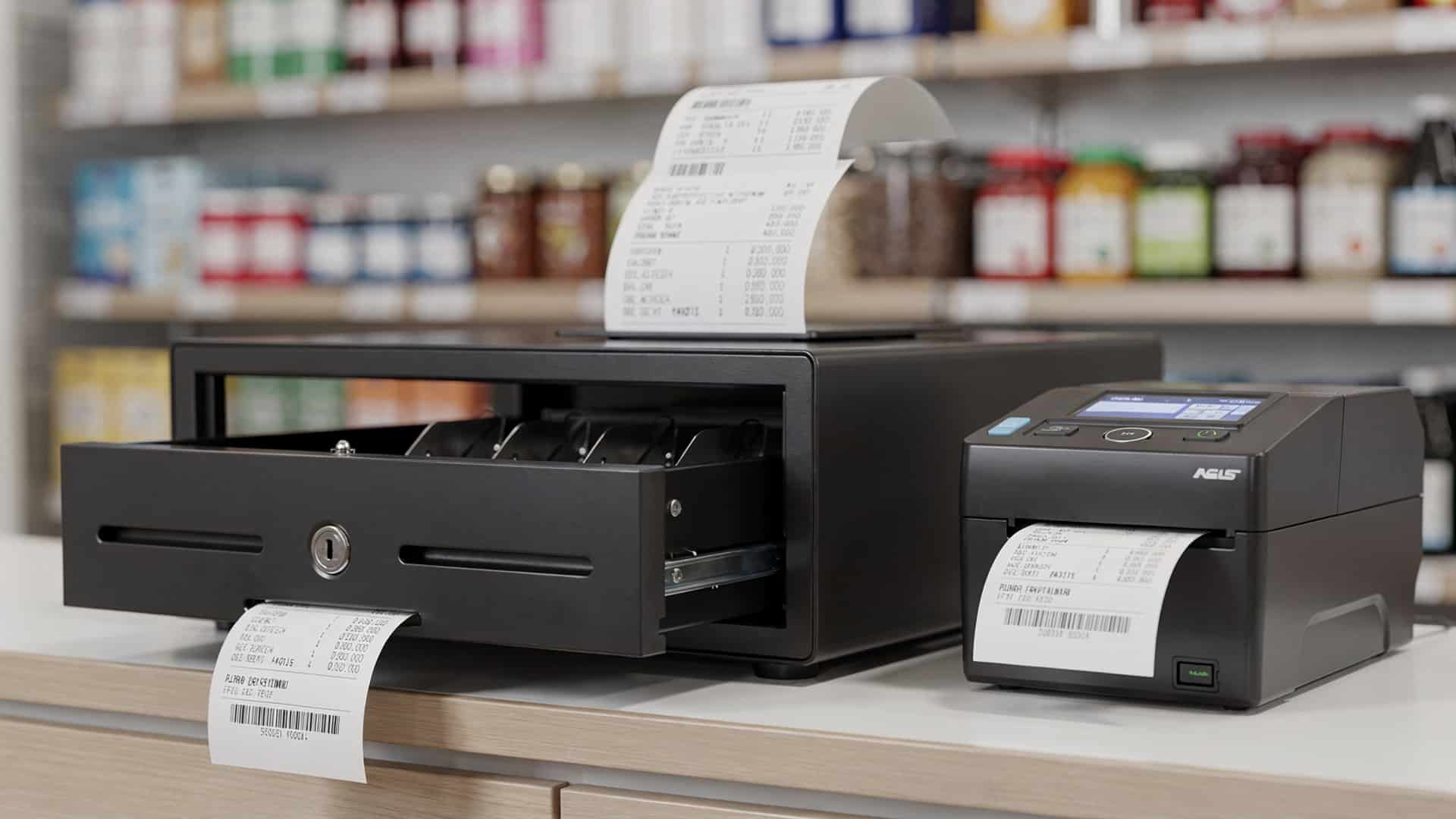
Features to Consider When Choosing a POS Cash Drawer and Printer
- Connectivity
- Durability
- Size and Space
- Security
- Speed and Performance
- Integration Capabilities
- Cost-effectiveness
Ensure compatibility with your POS system, whether through USB, Ethernet, Bluetooth, or wireless options.
Opt for robust materials like reinforced steel for cash drawers and long-lasting thermal print heads for printers.
Select a device that fits seamlessly into your counter space without compromising functionality.
Look for lockable drawers with multiple settings and tamper-proof designs for secure cash handling.
High-speed printers can reduce customer wait times, while smooth drawer mechanisms ensure quick transactions.
Check if the hardware syncs with your POS software for a unified system experience.
Evaluate the price against the features offered to make an informed choice.
1. APG Vasario Series Cash Drawer
- Overview
- Key Features
- Four-function lock for enhanced security.
- Steel ball-bearing design for smooth operation.
- Multiple size options to fit any counter setup.
- Use Case
The APG Vasario Series is known for its versatility and unmatched durability, making it a top choice in retail environments.
Ideal for small to medium-sized retail stores, quick-service restaurants. boutiques.
2. Star Micronics TSP143III Thermal Printer
- Overview
- Key Features
- Multiple interface options, including USB, Ethernet. Bluetooth.
- High-speed printing at 250 mm per second.
- Drop-in and print design for easy paper loading.
- Use Case
The Star Micronics TSP143III is a reliable thermal receipt printer offering high-speed performance and seamless integration.
Perfect for high-traffic environments like supermarkets, cafes. department stores.
3. Epson TM-T20III Thermal Receipt Printer
- Overview
- Key Features
- Printing speed of up to 250 mm per second.
- Compact footprint to save counter space.
- Energy Star certification for eco-friendly usage.
- Use Case
The Epson TM-T20III combines affordability with superior performance, making it a favorite among budget-conscious businesses.
Suitable for small businesses, retail outlets. low-traffic restaurants.
4. Square Register with Integrated Printer and Cash Drawer
- Overview
- Key Features
- Touchscreen interface for easy operation.
- Compact design with a built-in printer for space-saving convenience.
- Seamless integration with Square’s POS software.
- Use Case
Square’s integrated solution combines the register, cash drawer. receipt printer into a sleek, all-in-one system.
Best for modern retail stores, cafes. service providers looking for a streamlined experience.
5. Posiflex CR4000 Cash Drawer
- Overview
- Key Features
- Heavy-duty steel construction for enhanced durability.
- Adjustable compartments for flexible cash and coin storage.
- Interface support for various POS terminals.
- Use Case
Posiflex CR4000 is a high-capacity cash drawer designed for businesses handling large volumes of cash.
Ideal for supermarkets, hypermarkets. large retail settings.
6. Bixolon SRP-350III Thermal Receipt Printer
- Overview
- Key Features
- Fast print speed of 300 mm per second.
- Energy-efficient power consumption.
- Support for multiple operating systems, including Android and iOS.
- Use Case
Bixolon’s SRP-350III offers consistent printing quality and is compatible with an array of POS systems.
Widely used in retail chains, hospitality. ticket printing applications.
7. HP Heavy Duty Cash Drawer
- Overview
- Key Features
- Dual media slots for checks and receipts.
- Heavy-gauge steel construction for extended service life.
- Compatibility with HP POS terminals.
- Use Case
HP’s robust cash drawer is engineered to handle high transaction volumes with ease.
Best for large retail chains, grocery stores. high-volume restaurants.
8. Citizen CT-S310II Thermal Printer
- Overview
- Key Features
- Printing speed of up to 160 mm per second.
- Energy Star-certified for reduced environmental impact.
- Tool-free maintenance for effortless usability.
- Use Case
Citizen CT-S310II is a reliable, eco-friendly thermal printer known for its compact and durable design.
Ideal for small to medium retail businesses and hospitality applications.
Comparison of POS Cash Drawers and Printers
| Model | Key Features | Best Suited For |
|---|---|---|
| APG Vasario Series | Durable, multiple lock functions, smooth operation | Small to medium retail stores |
| Star Micronics TSP143III | High-speed printing, versatile connectivity | Supermarkets and cafes |
| Epson TM-T20III | Budget-friendly, compact design | Small businesses and low-traffic environments |
| Square Register | All-in-one solution, touchscreen interface | Modern retail stores |
| Posiflex CR4000 | Heavy-duty construction, adjustable compartments | Supermarkets and large retail outlets |
| Bixolon SRP-350III | Fast printing, energy-efficient | Retail chains and hospitality industry |
| HP Heavy Duty | Dual media slots, durable steel design | Grocery stores and high-volume businesses |
| Citizen CT-S310II | Eco-friendly, easy to maintain | Medium-sized businesses |
Conclusion
Investing in the right POS cash drawers and printers is about more than just keeping your transactions organized—it’s a commitment to smoother operations and happier customers. As discussed, modern stores require technology that blends reliability with speed, especially in high-traffic settings where efficiency is key. For instance, cash drawers with durable locking mechanisms not only secure your funds but also provide peace of mind during busy hours. Meanwhile, printers equipped with features like fast print speeds and wireless connectivity ensure that your business keeps pace with today’s tech-savvy customer expectations. Current trends show a shift toward compact and versatile hardware, with wireless options becoming more popular due to their ability to reduce clutter and improve workspace functionality. From personal experience, I’ve found that integrating printers with your POS software can streamline processes and eliminate errors that might otherwise slow you down. Staying updated with the latest devices, such as touchscreen-enabled systems, can also future-proof your operations and position your store as a modern, customer-focused establishment. Remember, the right tools empower your team, which ultimately builds trust and loyalty among your customers. Start small, assess your needs. don’t hesitate to upgrade. Every investment in better hardware takes you one step closer to seamless operations and long-term success.
More Articles
5 Reasons Your Business Needs a Reliable POS Cash Drawer and Printer
6 Essential POS Hardware Pieces Every Retail Store Needs
7 Key Features to Look for in a POS Terminal Device
8 Benefits of Choosing a POS Hardware and Software Bundle
6 Must-Have POS Hardware Tools for Every Small Business

FAQs
What is a POS cash drawer?
A POS cash drawer is a secure box used for storing cash in retail or store operations, typically connected to a point-of-sale system.
Why are reliable printers vital for store operations?
Reliable printers ensure smooth receipt printing, minimizing errors and delays, which helps maintain customer satisfaction and efficient transactions.
What features should I look for in a cash drawer?
Key features include durability, secure locking mechanisms, compatibility with POS systems. ease of use.
How do I know if a POS printer is compatible with my system?
Check for supported connection types like USB, Ethernet, or Bluetooth. ensure the printer works with your POS software.
Are cash drawers universal or do they need to match the POS setup?
Not all cash drawers are universal. You’ll need to ensure the drawer matches your POS setup and connection type.
What are thermal printers. are they better for stores?
Thermal printers use heat to print, eliminating the need for ink. They’re fast, quiet. often more reliable for high-volume retail environments.
Do all POS systems need a printer and cash drawer?
Not necessarily. Some systems are fully digital. most brick-and-mortar stores benefit from having both for seamless cash and paper receipt handling.
Can cash drawers and printers be upgraded later?
Yes, you can upgrade them. make sure any new equipment is compatible with your existing POS system.