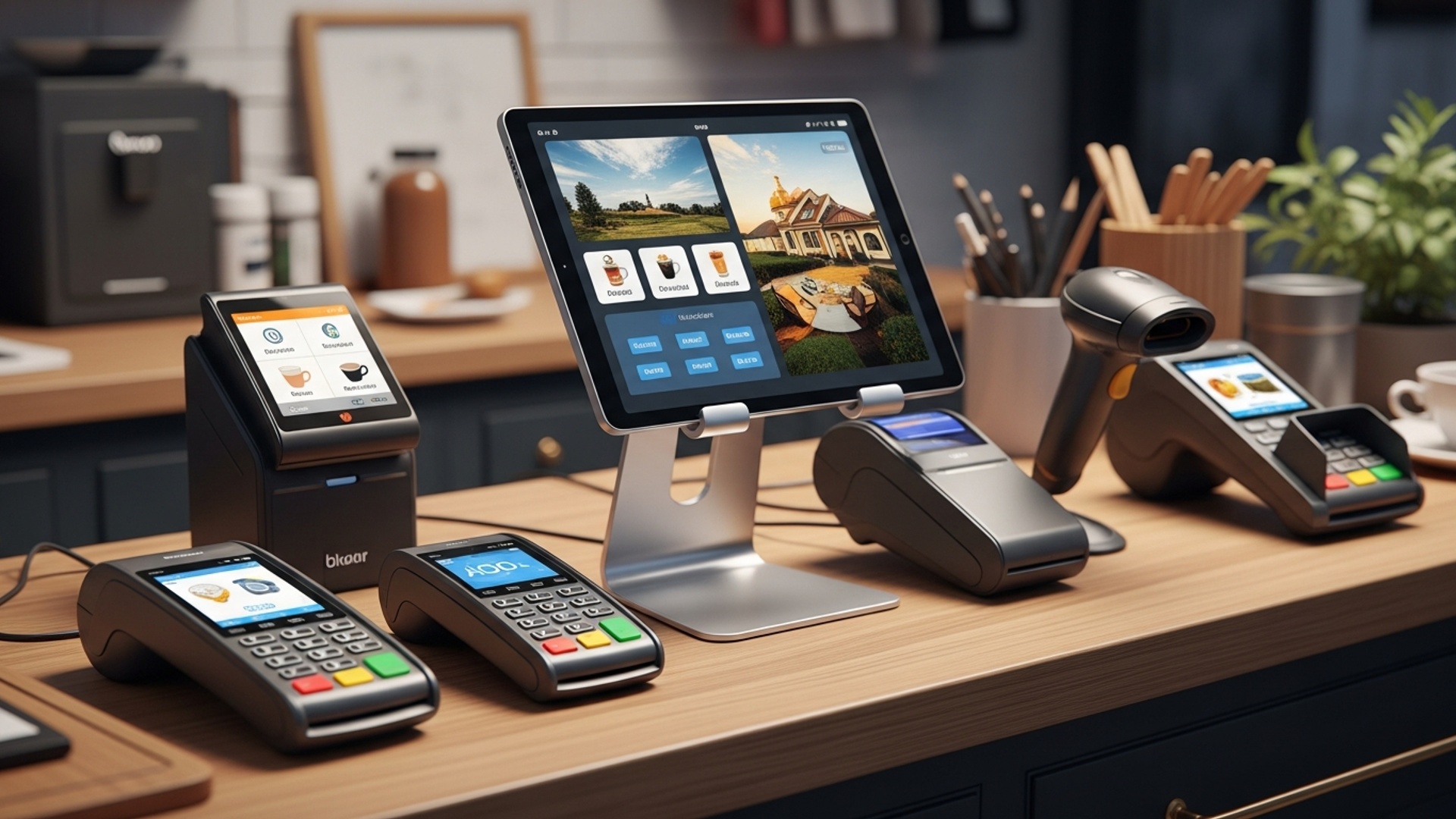
The modern retail environment demands more than just basic transaction processing; it requires strategic tools that actively drive revenue. A sophisticated POS machine for retail is no longer merely a point of sale terminal. a powerful operational hub engineered to boost your store’s sales significantly. These advanced systems transcend simple payment acceptance, offering real-time inventory synchronization to prevent missed sales due to stockouts, a critical development for maximizing product availability. By capturing invaluable customer data and purchase history, a contemporary POS machine empowers retailers to craft hyper-personalized marketing offers and loyalty programs, directly enhancing customer engagement and spend. This integrated approach, which includes seamless omnichannel management and detailed sales analytics, transforms operational efficiency into tangible sales growth by optimizing every aspect of the shopping experience.

1. Streamlined Checkout Experiences Drive Repeat Business
In the fast-paced world of retail, the checkout process is often the final, lasting impression a customer has of your store. A modern POS machine for retail transforms this critical moment from a potential bottleneck into a smooth, efficient interaction that encourages repeat visits. Gone are the days of manual price lookups, slow card readers. calculating change by hand. Today’s point-of-sale systems integrate seamlessly, ensuring quick and accurate transactions.
Consider a busy Saturday afternoon at a boutique. A customer has selected several items and approaches the counter. With an advanced POS system, the cashier can:
- Quickly scan barcodes for instant price retrieval.
- Process various payment methods – credit/debit cards, mobile payments (Apple Pay, Google Pay), gift cards. even loyalty points – all through one integrated terminal.
- Email or text receipts, reducing paper waste and capturing valuable customer contact details for future marketing.
This efficiency minimizes wait times, reduces errors. creates a positive, modern shopping experience. A pleasant checkout isn’t just about speed; it’s about making customers feel valued and respected, significantly boosting their likelihood of returning.
2. Precision Inventory Management Prevents Lost Sales
One of the most frustrating experiences for a customer is finding an item they want, only to be told it’s out of stock. For retailers, this represents a lost sale and a potentially dissatisfied customer. A robust POS machine for retail offers real-time inventory tracking, revolutionizing how stores manage their stock.
Here’s how it works:
- Every sale recorded by the POS system automatically deducts the item from your inventory count.
- When new stock arrives, it’s easily added to the system, instantly updating available quantities.
- Retailers can set reorder points and receive automated alerts when stock levels fall below a certain threshold, prompting timely replenishment.
- Visibility across multiple store locations allows staff to quickly check stock availability elsewhere, offering to ship items or direct customers to another branch, salvaging potential sales.
This level of precision ensures you always know what you have, what’s selling. what you need. It reduces overstocking (tying up capital) and understocking (missing sales opportunities), directly impacting your bottom line. For instance, a small electronics store used to manually count stock weekly. After implementing a POS system with integrated inventory, they reduced their “out-of-stock” incidents by 40% within three months, leading to a noticeable uplift in sales.
3. Data-Driven Insights Optimize Product Offerings
The true power of a modern POS system extends far beyond processing transactions. It acts as a rich data repository, collecting invaluable details about your sales, products. customers. Analyzing this data provides actionable insights that can significantly boost sales by optimizing your product offerings and marketing strategies.
Imagine being able to answer questions like:
- Which products are my top sellers. which are underperforming?
- What are the peak sales hours or days?
- Are certain product combinations frequently purchased together (e. g. , a specific coffee maker and a bag of specialty beans)?
- What is the average transaction value. how can I increase it?
A sophisticated POS system generates detailed reports that can reveal these patterns. For example, a clothing retailer might discover that their “eco-friendly” line sells exceptionally well on weekends, prompting them to increase weekend promotions for those items. Conversely, slow-moving items can be identified for clearance sales, freeing up shelf space and capital. This data-driven approach moves beyond guesswork, allowing you to make informed decisions that resonate with your customer base and drive sales.
// Example of a simple sales report query often run by a POS system for analysis
SELECT product_name, SUM(quantity_sold) AS total_quantity_sold, SUM(total_price) AS total_revenue
FROM sales_transactions
WHERE transaction_date BETWEEN '2023-01-01' AND '2023-01-31'
GROUP BY product_name
ORDER BY total_revenue DESC;
4. Enhanced Customer Relationship Management (CRM) Builds Loyalty
Loyalty is the cornerstone of sustainable retail success. a POS system is an indispensable tool for fostering it. Many advanced POS solutions come with integrated CRM capabilities or integrate seamlessly with dedicated CRM platforms. This allows retailers to gather and leverage customer data to personalize experiences and build lasting relationships.
Here’s how a POS machine for retail can elevate your CRM efforts:
- Capture Customer insights
- Track Purchase History
- Implement Loyalty Programs
- Personalized Marketing
During checkout, you can easily capture customer names, email addresses, phone numbers. preferences.
The system records what each customer buys, when. how much they spend. This is gold for understanding individual preferences.
POS systems can manage points-based rewards, tiered loyalty programs, or exclusive discounts for returning customers. When a customer makes a purchase, their points are automatically updated.
With purchase history data, you can segment customers and send targeted promotions. For instance, a bookstore can send recommendations for new releases by a customer’s favorite author.
A real-world example is a local coffee shop that uses its POS to track customer purchases. After a customer buys 10 lattes, the system automatically triggers a free coffee on their next visit. This simple, automated loyalty program, managed entirely through the POS, significantly increased repeat business and customer satisfaction.
5. Seamless Omnichannel Experience Boosts Accessibility
Today’s shoppers expect a consistent and convenient experience whether they’re browsing online, in-store, or on their mobile devices. This “omnichannel” approach is crucial for modern retail. a connected POS system is at its heart. By integrating your physical store’s sales with your e-commerce platform, a POS machine for retail ensures a cohesive shopping journey that maximizes sales opportunities.
Key benefits of an omnichannel POS integration:
- “Buy Online, Pick Up In-Store” (BOPIS)
- Unified Inventory
- Consistent Pricing & Promotions
- Returns and Exchanges
Customers can purchase items online and collect them from your physical store, leveraging both channels. The POS system updates inventory in real-time for both online and in-store stock.
No more separate stock counts for online and offline. A single, unified inventory ensures accuracy and prevents overselling.
Ensure that sales, discounts. loyalty programs are applied uniformly across all channels, avoiding customer confusion and frustration.
Customers can return online purchases in-store, or vice-versa, with the POS system easily handling the transaction and inventory adjustments.
This integration removes friction points, making it easier for customers to shop how and where they prefer, ultimately leading to more completed sales and higher customer satisfaction. Consider a customer who browses your website, adds items to their cart, then decides to visit your store to see the products in person before purchasing. A unified POS system ensures their online cart can be retrieved in-store. their loyalty points are applied seamlessly.
6. Empowered Staff Enhance Sales and Service
Your sales associates are the frontline of your retail business, directly influencing customer experience and sales. A modern POS system equips them with the tools and details they need to be more efficient, knowledgeable. effective, translating directly into increased sales.
How a POS empowers your team:
- Instant Product details
- Mobile POS (mPOS)
- Streamlined Training
- Efficient Task Management
Staff can quickly look up product details, availability, alternative options. customer reviews directly from the POS terminal, aiding in upselling and cross-selling.
Using tablets or smartphones with mPOS apps, staff can assist customers anywhere on the sales floor, process sales. even check them out away from the main counter, eliminating queues and improving service.
User-friendly interfaces reduce training time for new employees, allowing them to become productive faster.
Some POS systems offer features for managing staff schedules, tracking performance. simplifying daily opening/closing procedures, freeing up time for sales activities.
An empowered sales team can provide a superior shopping experience, offering informed recommendations and efficient service, which naturally leads to higher conversion rates and greater sales volumes. In a furniture store, for instance, a sales associate can use a tablet-based POS to show a customer different fabric options for a sofa, check real-time stock. even process a deposit right from the showroom floor, rather than making the customer walk to a fixed counter.
7. Reduced Errors and Shrinkage Protect Your Profits
Human error and inventory shrinkage (due to theft, damage, or administrative mistakes) can significantly erode a retail store’s profits. A sophisticated POS system introduces layers of accuracy and control that minimize these losses, directly contributing to higher net sales.
Key ways a POS mitigates errors and shrinkage:
- Automated Pricing
- Accurate Inventory Counts
- Transaction Audit Trails
- Cash Management Features
Barcode scanning eliminates manual price entry errors, ensuring customers are charged correctly and preventing revenue loss from undercharging.
Real-time inventory tracking reduces discrepancies that can arise from manual systems, making it harder for items to go missing without detection.
Every transaction is logged, providing a clear audit trail that helps identify suspicious activity, voids, returns, or unauthorized discounts.
Many POS systems offer integrated cash drawers and detailed reporting on cash inflows and outflows, making reconciliation easier and reducing opportunities for cash discrepancies.
By preventing errors and providing better oversight, a POS system ensures that the revenue generated from sales accurately reflects in your accounts. that fewer goods are lost, thus protecting and enhancing your overall profitability. A retailer using an outdated cash register might experience frequent discrepancies ; upgrading to a modern POS system with integrated cash handling features can drastically reduce these discrepancies and improve financial accountability.
8. Flexible Payment Options Broaden Customer Reach
In today’s diverse market, offering a variety of payment options is not just a convenience; it’s a necessity. Customers expect to pay using their preferred method. limiting choices can lead to abandoned carts or lost sales. A modern POS system is designed to integrate with a wide array of payment processors and technologies, ensuring you can cater to every customer.
Consider the benefits of a versatile POS for payment processing:
- Credit and Debit Cards
- Mobile Wallets
- Gift Cards
- “Buy Now, Pay Later” (BNPL) Options
Standard EMV chip readers and contactless (NFC) capabilities for secure, fast transactions.
Support for Apple Pay, Google Pay, Samsung Pay. other digital wallets that are increasingly popular.
Integrated gift card programs allow customers to purchase and redeem gift cards seamlessly.
Some advanced POS systems integrate with BNPL providers like Afterpay or Klarna, allowing customers to finance purchases, especially for higher-value items. This can significantly increase conversion rates and average order values.
By accepting a broader range of payment methods, you remove barriers to purchase, making it easier for more customers to complete their transactions. This flexibility directly translates into more completed sales and a wider customer base. A small apparel store, after integrating a BNPL option through its POS, saw a 15% increase in average transaction value for purchases over $100, as customers felt more comfortable making larger commitments.
Conclusion
A modern POS machine is far more than a simple cash register; it’s the operational heart of your retail business, actively driving sales and enhancing customer loyalty. By embracing capabilities like integrated inventory tracking and personalized customer insights, retailers can make informed decisions that directly impact their bottom line. For instance, consider how robust data analytics from your POS can highlight peak selling times or popular product pairings, allowing you to optimize staffing and promotions—a strategy I’ve seen transform smaller boutiques into bustling hubs. In today’s competitive landscape, where seamless experiences and diverse payment options, including tap-to-pay, are expected, a powerful POS system ensures you’re not just keeping up. leading. My personal tip is to regularly dive into your sales reports; uncover those hidden trends and leverage them. This isn’t merely about processing transactions; it’s about building a smarter, more profitable store. Invest wisely in this technology and watch your retail store thrive.
More Articles
Choosing the Right Retail POS Machine 6 Key Features You Need
7 Top POS Machines for Retail Stores to Maximize Your Sales
Discover 10 Key Benefits Of Modern POS Hardware Solutions
Top 5 Features Your Retail POS Machine Must Have Today
Your Guide to Essential POS Hardware 7 Devices Every Business Needs

FAQs
How does a POS system actually make my customers happier?
A POS system dramatically speeds up transactions, cutting down wait times at the checkout. This creates a smoother, quicker shopping experience, leaving customers more satisfied and much more likely to return to your store.
Can a POS machine really help me manage my stock better?
Absolutely! It tracks every sale and return in real-time, giving you accurate inventory updates. This prevents frustrating stockouts of popular items and helps you avoid overstocking slow movers, ensuring you always have what your customers want, when they want it.
What kind of sales insights can I get from a POS system?
A good POS machine provides detailed reports on sales trends, popular products, peak shopping times. even employee performance. This data is invaluable for making smart decisions about merchandising, promotions. staffing to maximize your sales potential.
How can a POS machine help me build customer loyalty?
Many POS systems have built-in customer relationship management (CRM) features or integrate with loyalty programs. You can track customer purchase history, offer personalized discounts. run loyalty schemes, all of which encourage repeat business and stronger customer relationships.
Does a POS system reduce common retail mistakes?
Yes, significantly. It automates pricing and calculations, minimizing human error in transactions. Plus, it handles various payment types securely and efficiently, making sure every sale is accurate and hassle-free for both you and your customers.
Can a POS system help my staff be more productive?
Definitely. By simplifying tasks like sales, returns. inventory checks, your employees can serve customers more efficiently and spend less time on manual processes. Some systems even track individual sales performance, helping you identify top performers and areas for training.
So, how does all this ultimately translate to more sales for my store?
By combining faster service, better inventory control, data-driven decisions, enhanced customer loyalty. reduced operational errors, a POS system creates a more efficient and customer-friendly shopping environment. This overall improvement directly leads to increased customer satisfaction, repeat business. ultimately, higher sales figures.