Upgrade Your Retail Store 6 Top Features of a POS Machine


The modern retail landscape demands more than just basic transactions; it requires seamless customer journeys and data-driven decisions to thrive. A sophisticated POS machine for retail is no longer merely a cash register but the nerve center for achieving this agility and operational excellence. It empowers stores to manage real-time inventory across multiple channels, process diverse payment types from tap-to-pay to digital wallets. gather crucial sales analytics that drive strategic growth, moving far beyond basic checkout functionalities. As consumer expectations for personalized experiences and frictionless shopping continue to rise, leveraging a feature-rich POS system becomes paramount for sustained competitive advantage in today’s dynamic market.

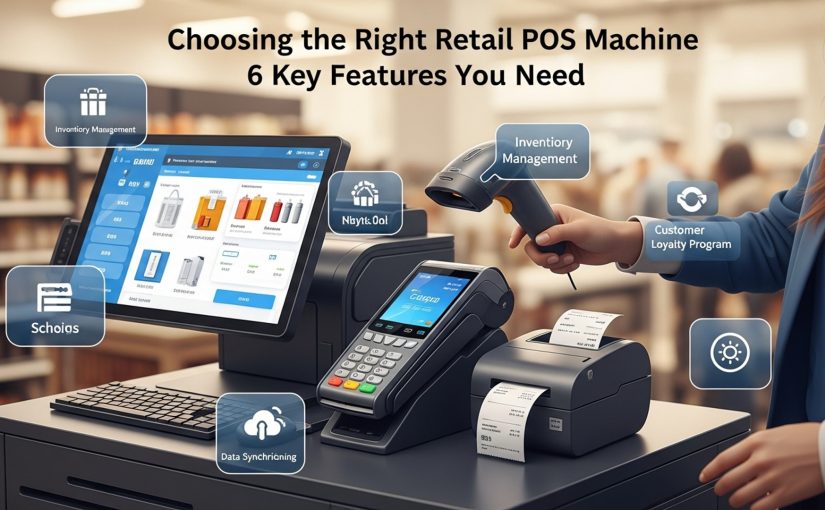
Upgrade Your Retail Store 6 Top Features of a POS Machine illustration

Streamlined Sales and Transaction Processing

At the heart of any successful retail operation is its ability to process sales efficiently and accurately. A modern POS machine for retail transcends the traditional cash register by offering a suite of features designed to make every transaction seamless and secure. This isn’t merely about ringing up sales; it’s about enhancing the entire customer experience at the checkout.

Consider a bustling grocery store during peak hours. Without an optimized POS, long queues can quickly form, leading to customer frustration and potential lost sales. An advanced POS system, But, empowers staff to swiftly scan items, apply discounts, manage loyalty points. process various payment methods in mere seconds. This efficiency is critical for maintaining customer satisfaction and maximizing throughput, directly influencing daily revenue.

Key functionalities that elevate sales processing include:

    • Multi-Payment Acceptance: Beyond cash and traditional credit/debit cards, top-tier POS systems support EMV chip cards, NFC contactless payments (Apple Pay, Google Pay), digital wallets, store credit. gift cards. This flexibility caters to diverse customer preferences and reduces friction at checkout.
    • Split Payments and Layaway: Customers can split payments across multiple cards or payment types, or even amongst several individuals. For higher-value items, layaway options can be managed directly through the POS, tracking payments and inventory holds.
    • Returns and Exchanges: A sophisticated POS machine for retail simplifies the complex process of returns and exchanges. It can quickly look up past transactions, verify purchases, process refunds or store credits. automatically adjust inventory levels in real-time. This reduces manual errors and improves customer trust.
    • Discount and Promotion Management: Easily implement and manage a wide array of promotions, from percentage-off and fixed-amount discounts to ‘Buy One Get One’ offers and loyalty program redemptions. The system can automatically apply the best available discounts, ensuring consistency and preventing manual calculation errors.

For example, a clothing boutique uses its POS machine for retail to offer personalized discounts to loyalty members based on their purchase history, processed instantly at checkout. This not only speeds up the transaction but also reinforces customer loyalty by providing immediate value.

Robust Inventory Management

Effective inventory management is the backbone of retail profitability, preventing both stockouts and overstock situations. A powerful POS machine for retail integrates advanced inventory tracking capabilities, providing retailers with real-time visibility into their stock levels across all locations, whether in-store or online.

Imagine a small electronics shop that frequently sells out of popular accessories. Without a precise inventory system, ordering decisions might be based on guesswork, leading to missed sales opportunities or tying up capital in slow-moving items. A modern POS machine for retail constantly updates stock counts with every sale, return, or transfer, giving store owners the data needed to make informed purchasing decisions.

Core features for superior inventory control:

    • Real-time Stock Tracking: Every item sold, returned, or received is immediately reflected in the system. This provides an accurate, up-to-the-minute view of what’s in stock, minimizing discrepancies and preventing overselling.
    • Automated Reordering: Set minimum stock levels. the POS can automatically generate purchase orders when inventory falls below a predefined threshold. Some systems even integrate with suppliers for direct order placement, streamlining the replenishment process.
    • Multi-Location Inventory: For businesses with multiple stores or a warehouse, the POS centralizes inventory data, allowing for easy transfers between locations, identification of surplus stock. optimized distribution.
    • Variant and Bundle Management: Easily manage products with multiple variants (e. g. , size, color) and create product bundles or kits. The system accurately deducts components from inventory when a bundle is sold.
    • Cycle Counting and Audits: Facilitate regular inventory audits and cycle counts directly through the POS, comparing physical counts to system records and identifying discrepancies quickly.

For instance, a bookshop using a sophisticated POS machine for retail can track every title, including different editions. receive alerts when popular series are running low. This allows them to reorder precisely what’s needed, avoiding both empty shelves and excess inventory that takes up valuable space.

Powerful Customer Relationship Management (CRM)

Building strong customer relationships is paramount for repeat business and sustained growth in retail. A modern POS machine for retail extends its capabilities beyond transactions to include robust CRM features, transforming one-time buyers into loyal patrons. By capturing and analyzing customer data, retailers can personalize experiences and implement highly effective marketing strategies.

Consider a boutique coffee shop where regulars appreciate personalized service. Without a CRM integrated into the POS, staff might struggle to remember customer preferences or past orders. A POS with strong CRM capabilities, But, allows staff to greet customers by name, recall their favorite drink, or even suggest new items based on their purchase history, fostering a sense of community and personal connection.

Key CRM functionalities embedded in a POS system:

    • Customer Profiles: Create detailed profiles for each customer, including contact insights, purchase history, preferences, loyalty program status. even notes from past interactions.
    • Loyalty Programs: Easily set up and manage loyalty programs, allowing customers to earn points, receive discounts, or access exclusive offers. The POS automatically tracks points accrual and redemption.
    • Targeted Marketing: Utilize customer data to segment audiences and send personalized email or SMS campaigns. For example, send a birthday discount, promote products similar to past purchases, or announce sales relevant to their interests.
    • Feedback Collection: Some POS systems allow for integrated customer feedback collection at the point of sale or via digital receipts, providing valuable insights into customer satisfaction.

A sporting goods store, for example, leverages its POS machine for retail to identify customers who frequently purchase running shoes. They can then send targeted emails about new running apparel or upcoming local marathons, significantly increasing the likelihood of return visits and purchases.

Comprehensive Reporting and Analytics

In today’s data-driven world, making informed business decisions is crucial for retail success. A sophisticated POS machine for retail doesn’t just process transactions; it acts as a powerful data hub, collecting invaluable insights that can be transformed into actionable insights through comprehensive reporting and analytics features.

Imagine a small bookstore owner trying to comprehend why sales dipped last month. Without detailed reports, they might only see the total revenue figure, leaving them to guess at the underlying causes. A modern POS, But, can generate granular reports on sales trends, product performance, employee productivity. customer behavior, providing clear answers and guiding strategic adjustments.

Essential reporting and analytics capabilities:

    • Sales Reports: Detailed breakdowns of sales by day, week, month, product, category, payment type, or employee. Identify peak selling times, best-performing products. overall revenue trends.
    • Inventory Reports: Insights into inventory turnover rates, slow-moving items, stock aging. profitability per item. This helps optimize purchasing and reduce carrying costs.
    • Customer Reports: review customer purchasing habits, average transaction value, frequency of visits. the effectiveness of loyalty programs. Identify your most valuable customers.
    • Employee Performance Reports: Track individual employee sales, average transaction size. discounts applied. This aids in performance reviews, incentive programs. identifying training needs.
    • Financial Reports: Integrate with accounting software to provide comprehensive financial summaries, including gross profit, net sales. tax reports, simplifying bookkeeping and compliance.

A small bakery uses its POS machine for retail to review sales data, discovering that specialty croissants sell best on weekend mornings. This insight allows them to adjust their baking schedule and marketing efforts to maximize sales during these peak times, demonstrating the power of data-driven decisions.

Efficient Employee Management

Your employees are the face of your retail business. their efficiency directly impacts customer experience and operational costs. A modern POS machine for retail includes robust features for employee management, helping you optimize staff scheduling, track performance. maintain security.

Consider a busy clothing store with multiple part-time staff. Manually tracking hours, managing commissions. restricting access to sensitive functions can be time-consuming and prone to errors. An integrated POS system streamlines these processes, ensuring accurate payroll, transparent performance tracking. enhanced security.

Key employee management features:

    • Time Clock Functionality: Employees can clock in and out directly through the POS, providing accurate records for payroll. This eliminates manual time cards and reduces discrepancies.
    • Role-Based Permissions: Assign different access levels and permissions to staff members based on their roles. For example, cashiers might only have access to sales functions, while managers can manage inventory, discounts. reports. This enhances security and prevents unauthorized actions.
    • Performance Tracking: Monitor individual employee sales, average transaction values. discounts given. This data is invaluable for performance reviews, identifying top performers. pinpointing areas where additional training might be needed.
    • Commission Tracking: For businesses that pay commissions, some POS systems can automatically calculate commissions based on individual sales, simplifying payroll processing.

For instance, a jewelry store utilizes its POS machine for retail to track individual salesperson performance, identifying those who consistently achieve higher sales figures for specific product categories. This insights helps management allocate staff more effectively and recognize high achievers through performance bonuses.

Seamless Integrations and Scalability

The true power of a modern POS machine for retail lies not just in its individual features. in its ability to integrate seamlessly with other essential business tools and to scale alongside your growth. A standalone POS, no matter how feature-rich, can only do so much; its real value is unlocked when it becomes the central hub of your retail ecosystem.

Imagine a growing online apparel brand that decides to open a physical storefront. Without integrated systems, they would face the daunting task of manually syncing inventory, sales data. customer details between their e-commerce platform and their new brick-and-mortar store. An integrated POS machine for retail, But, connects these disparate systems, creating a unified operational view and ensuring consistency across all sales channels.

Critical aspects of integrations and scalability:

    • E-commerce Integration: Synchronize inventory, sales. customer data between your physical store and your online store (e. g. , Shopify, WooCommerce). This ensures accurate stock levels across all channels and provides a unified view of customer interactions.
    • Accounting Software Integration: Automatically push sales data, returns. payment data directly to accounting software (e. g. , QuickBooks, Xero). This dramatically reduces manual data entry, minimizes errors. simplifies financial reconciliation.
    • Payment Processor Integration: Directly connect with various payment gateways, offering flexibility in choosing payment providers and often securing better processing rates.
    • Marketing and Loyalty Platform Integration: Link with email marketing services (e. g. , Mailchimp) or dedicated loyalty platforms to automate targeted campaigns based on POS data.
    • API Access and Customizations: For businesses with unique needs, open APIs allow for custom integrations with specialized software or proprietary systems, ensuring the POS can be tailored to specific operational requirements.
    • Scalability: A robust POS system is designed to grow with your business. Whether you’re adding new products, opening additional locations, or expanding into e-commerce, the system should be able to handle increased transaction volumes and data without performance degradation.

A pet supply store, for example, integrates its POS machine for retail with its e-commerce platform. When a customer buys a specific brand of dog food online, the store’s physical inventory is immediately updated. If the customer then visits the physical store, their purchase history is accessible via the POS, allowing staff to recommend complementary products or remind them about their loyalty points, creating a truly omnichannel experience.

Conclusion

Embracing the top six features of a modern POS machine isn’t just an upgrade; it’s a strategic pivot for your retail store. By integrating functionalities like real-time inventory tracking, robust CRM. insightful sales analytics, you’re not merely processing transactions but transforming raw data into actionable intelligence. For instance, imagine instantly knowing which items are flying off the shelves during a flash sale, allowing for immediate reordering to prevent lost sales – a crucial advantage in today’s fast-paced market. My personal tip? Don’t get overwhelmed by all the options. Focus on the features that directly address your biggest operational headaches, whether it’s managing returns more efficiently or personalizing customer loyalty programs. The latest touchscreen systems, for example, streamline staff training and significantly speed up checkout times, directly enhancing the customer experience. Upgrading your POS is an investment that empowers smarter decisions, boosts efficiency. ultimately, fuels sustainable growth. Don’t just adapt to the future of retail; actively shape it. For a deeper dive into selecting the perfect system, explore Top 10 POS Machine Features That Transform Your Retail Store Operations.

More Articles

Master 8 Smart Strategies for Selecting the Right POS Machine for Retail
Discover 5 Amazing Benefits of Touchscreen POS Systems for Businesses
Discover 10 Best POS Hardware Solutions for Small Business Success
How To Choose 6 Essential Point of Sale Equipment Pieces for Your Store

FAQs

So, what exactly is a POS machine. why should my retail store bother getting one?

A POS (Point of Sale) machine is the central hub for all your sales transactions. It’s much more than just a cash register; it helps process payments, track inventory, manage customers. generate sales reports, making your store run smoother and smarter.

How does a POS system actually speed up the checkout process for customers?

POS systems are designed for quick transactions. They can scan barcodes, automatically calculate totals and taxes, apply discounts. process various payment methods really fast, cutting down on wait times and improving the customer experience.

Can a POS machine help me keep better track of all the stuff I have in my store?

Absolutely! One of its best features is real-time inventory tracking. Every time an item is sold, returned, or received, the system updates your stock levels. This helps you avoid running out of popular items or overstocking slow movers.

I want to know how my business is performing. Does a POS provide any helpful insights?

Yes, it generates powerful sales reports. You can see things like your best-selling products, peak sales hours, employee performance. overall revenue trends. This data is super valuable for making informed business decisions.

What kind of payment options can a modern POS system handle?

Modern POS machines are very versatile. They can process cash, credit and debit cards, mobile payments like Apple Pay or Google Pay. even gift cards. This flexibility makes it convenient for all your customers.

What if I have customer loyalty programs? Can a POS help with that?

Definitely. Many POS systems have built-in customer relationship management (CRM) features. You can store customer insights, track their purchase history, manage loyalty points. even send targeted promotions, helping you build stronger customer relationships.

Is it complicated for my staff to learn how to use these machines?

Most modern POS systems are designed with user-friendliness in mind. They often have intuitive touchscreens and straightforward interfaces, making them relatively easy for new staff to learn quickly with minimal training.

Top 10 POS Machine Features That Transform Your Retail Store Operations


In today’s dynamic retail landscape, the traditional cash register has evolved into a sophisticated operational nexus, making the right POS machine for retail a critical differentiator. Modern systems transcend simple transaction processing, now integrating advanced capabilities like AI-driven inventory forecasting that prevents stockouts and optimizes ordering, or seamless omnichannel fulfillment that unifies online and in-store experiences. Recent developments in cloud-based platforms provide real-time performance analytics, empowering retailers to personalize customer interactions and make data-backed decisions instantaneously. This shift isn’t merely about faster checkouts; it’s about transforming every facet of your store’s efficiency and customer engagement.

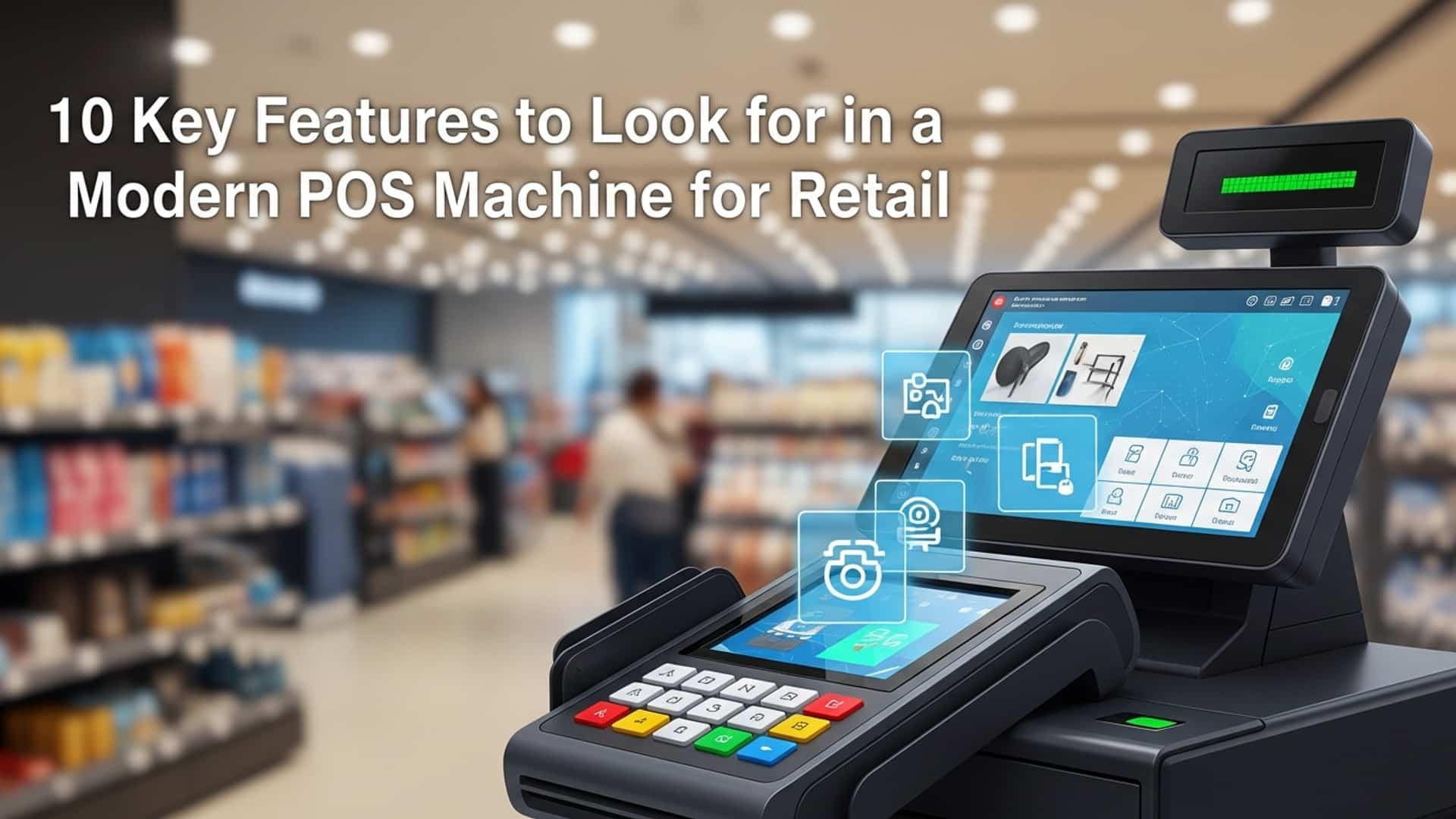
Top 10 POS Machine Features That Transform Your Retail Store Operations illustration

1. Streamlined and Intuitive User Interface (UI)

Modern retail environments demand speed and efficiency. at the heart of this is the user experience of your point-of-sale system. An intuitive user interface (UI) on a POS machine for retail is no longer a luxury but a fundamental requirement. These interfaces are typically touch-screen optimized, featuring clear icons, logical workflows. minimal steps to complete a transaction.

  • How it Transforms Operations
    • Reduced Training Time
    • New employees can quickly grasp the system’s functions, significantly cutting down on onboarding costs and time.

    • Minimized Errors
    • A straightforward UI reduces the likelihood of cashier mistakes, ensuring accurate pricing and inventory updates.

    • Accelerated Transactions
    • Faster processing at the checkout means shorter lines and a more pleasant experience for customers, especially during peak hours.

  • Real-world Application
  • Consider a busy coffee shop during the morning rush. A barista can effortlessly navigate through menu items, apply discounts. process payments within seconds using a well-designed POS machine for retail, keeping the queue moving and customers happy. This stands in stark contrast to older, button-heavy systems that required memorization and complex keystrokes.

    2. Real-time Integrated Inventory Management

    One of the most powerful features a modern POS machine for retail offers is its integrated real-time inventory management. This capability ensures that as soon as a sale is made, stock levels are automatically updated across all sales channels – be it your physical store, e-commerce website, or even other store locations. It’s a digital nerve center for your product catalog.

  • How it Transforms Operations
    • Prevents Stockouts and Overstocking
    • By knowing exactly what you have on hand, you can make informed reordering decisions, avoiding lost sales from empty shelves or wasted capital on excess inventory.

    • Optimizes Ordering
    • The system can often generate purchase orders automatically based on pre-set reorder points, streamlining supplier relationships.

    • Enhances Customer Satisfaction
    • Staff can instantly confirm product availability for a customer, preventing frustrating trips for out-of-stock items.

  • Real-world Application
  • Imagine a fashion boutique with both a physical store and an online presence. A customer purchases a dress online. Instantly, the POS machine for retail system updates the in-store inventory, preventing a salesperson from accidentally selling the last physical dress to a walk-in customer. Conversely, if a dress sells in-store, its online availability is immediately updated, preventing overselling.

    3. Robust Customer Relationship Management (CRM) & Loyalty Programs

    Understanding your customers is paramount to retail success. a modern POS machine for retail excels in this area. Integrated CRM functionalities allow you to capture valuable customer data, such as purchase history, contact insights. preferences, directly at the point of sale. This data then fuels personalized marketing and effective loyalty programs.

  • How it Transforms Operations
    • Builds Customer Loyalty
    • By rewarding repeat business and recognizing individual preferences, you foster a stronger connection with your clientele.

    • Increases Repeat Business
    • Targeted promotions and personalized offers based on past purchases are significantly more effective than generic marketing.

    • Enables Data-Driven Marketing
    • Segment your customer base and launch campaigns that resonate, leading to higher conversion rates and better ROI.

  • Real-world Application
  • A bookstore uses its POS machine for retail to track the genres a customer typically buys. When a new release by their favorite author comes out, the system automatically sends a personalized email or SMS notification, often including a special discount for loyalty members. This direct, relevant communication significantly increases the likelihood of another purchase.

    4. Advanced Reporting and Analytics

    Beyond simply processing transactions, a powerful POS machine for retail acts as a data powerhouse. Its advanced reporting and analytics features transform raw sales figures into actionable insights, providing a comprehensive overview of your store’s performance. These reports can cover sales trends, product profitability, employee performance. peak shopping hours.

  • How it Transforms Operations
    • Empowers Data-Driven Decision-Making
    • Move beyond guesswork. comprehend exactly what’s selling, when. to whom, informing inventory, staffing. marketing strategies.

    • Identifies Best-Selling Products
    • Quickly pinpoint your top performers and those that are underperforming, allowing for optimized merchandising and purchasing.

    • Optimizes Staffing
    • examine transaction volumes by hour or day to schedule staff more effectively, ensuring adequate coverage during busy periods and reducing labor costs during slow times.

  • Real-world Application
  • A boutique owner reviews the daily sales report generated by their POS machine for retail. They notice a significant spike in sales for a particular accessory line every Friday afternoon. This insight allows them to ensure that accessory section is fully stocked and staffed for Fridays, potentially even running a short-term promotion to capitalize on the trend.

    5. Seamless Omnichannel Integration

    In today’s retail landscape, customers expect a seamless experience whether they’re shopping in-store, online, or via social media. Omnichannel integration, facilitated by a sophisticated POS machine for retail, connects all these touchpoints, creating a unified ecosystem for inventory, customer data. order fulfillment. This feature is crucial for modern retailers looking to offer a cohesive brand experience.

  • How it Transforms Operations
    • Consistent Customer Experience
    • Customers can start a purchase online and finish in-store, or return an online order to a physical location without friction.

    • Expands Sales Channels
    • Enables services like Buy Online, Pick Up In-Store (BOPIS) or Ship From Store, leveraging your physical locations as fulfillment centers.

    • Improves Operational Efficiency
    • Eliminates data silos between online and offline operations, reducing manual data entry and potential errors.

  • Real-world Application
  • A customer orders a specific gaming console online from a large electronics retailer. They choose the BOPIS option. The POS machine for retail system at their chosen local store immediately receives the order, allocates the inventory. notifies the customer when it’s ready for pickup, all while updating the central inventory system in real time.

    6. Mobile POS (mPOS) Capabilities

    The traditional stationary checkout counter is no longer the only way to process sales. Mobile POS (mPOS) capabilities allow your staff to conduct transactions, check inventory. assist customers from anywhere on the sales floor, using tablets or smartphones connected to the main POS machine for retail system. This flexibility dramatically alters the customer interaction model.

  • How it Transforms Operations
    • Reduces Checkout Lines
    • Staff can “line bust” during busy periods, processing sales directly from a mobile device, eliminating long waits.

    • Enhances Customer Service
    • Sales associates can complete a sale for a customer on the spot, rather than directing them to a fixed register, offering a more personalized and convenient experience.

    • Increases Flexibility
    • Ideal for pop-up shops, outdoor events, or seasonal sales where a traditional setup isn’t practical.

  • Real-world Application
  • During a major holiday sale, a department store deploys staff with mPOS tablets. When a customer decides to purchase a high-value item, an associate can process the payment, apply any discounts. email a receipt right there on the floor, avoiding the lengthy queues forming at the main cash registers. This is a critical function that truly elevates the utility of a modern POS machine for retail system.

    7. Secure and Diverse Payment Processing

    The ability to securely accept a wide array of payment methods is fundamental for any modern retailer. A sophisticated POS machine for retail will support traditional credit/debit cards (with EMV chip technology), contactless payments (NFC like Apple Pay, Google Pay). even alternative payment methods. Crucially, it integrates robust security features to protect both the business and the customer.

  • How it Transforms Operations
    • Catters to Customer Preferences
    • Offering diverse payment options improves customer convenience and satisfaction, potentially increasing sales.

    • Reduces Fraud Risk
    • Features like EMV compliance and tokenization encrypt sensitive card data, significantly lowering the risk of data breaches and chargebacks.

    • Ensures Compliance
    • Helps businesses adhere to Payment Card Industry Data Security Standard (PCI DSS) requirements, avoiding hefty fines and reputational damage.

  • Real-world Application
  • A customer at a grocery store wants to pay using their smartphone. The POS machine for retail terminal, equipped with NFC technology, allows them to simply tap and complete the transaction in seconds, securely and efficiently. For another customer, inserting their EMV chip card processes the transaction with the highest level of encryption available.

    8. Efficient Employee Management

    Beyond managing sales and inventory, a modern POS machine for retail can be a powerful tool for managing your most valuable asset: your employees. These systems often include features for time tracking, sales performance monitoring, commission tracking. granular access control for different staff roles.

  • How it Transforms Operations
    • Simplifies Payroll
    • Accurate clock-in/out records reduce manual payroll calculations and disputes, saving administrative time and costs.

    • Motivates Staff
    • Clear tracking of individual sales and commissions can incentivize employees to perform better.

    • Enhances Security
    • Role-based permissions ensure that staff only have access to the functions and data relevant to their responsibilities, reducing internal theft and errors.

  • Real-world Application
  • In a electronics store, the POS machine for retail tracks each salesperson’s individual sales figures. At the end of the month, the manager can easily generate a report to calculate commissions accurately and identify top performers who might be eligible for bonuses or further training opportunities.

    9. Streamlined Returns and Exchanges

    Returns and exchanges are an inevitable part of retail. how efficiently you handle them can significantly impact customer satisfaction and operational costs. A modern POS machine for retail system automates and streamlines this process, making it quick, accurate. often hassle-free for both the customer and the staff.

  • How it Transforms Operations
    • Improves Customer Satisfaction
    • Fast and easy returns contribute to a positive customer experience, encouraging future purchases despite the return.

    • Maintains Accurate Inventory
    • Returned items are immediately re-entered into inventory, preventing discrepancies and lost stock.

    • Reduces Processing Time
    • Automated processes minimize manual data entry and potential errors associated with returns, freeing up staff for other tasks.

  • Real-world Application
  • A customer returns a shirt they purchased last week. Even if they’ve lost their physical receipt, the salesperson can quickly look up their purchase history using their loyalty program membership or phone number on the POS machine for retail. The system then processes the refund or exchange, updates inventory. even offers store credit if preferred, all in a matter of moments.

    10. Scalability and Third-Party Integrations (APIs)

    Investing in a POS machine for retail is a significant decision. ensuring it can grow with your business is critical. Modern POS systems are built with scalability in mind, meaning they can easily accommodate additional terminals, new store locations. increased transaction volumes without a complete overhaul. Moreover, their ability to integrate with other essential business software via Application Programming Interfaces (APIs) creates a truly unified and efficient operational ecosystem.

  • How it Transforms Operations
    • Future-Proofs Your Investment
    • Your POS system can adapt to your business’s expansion, avoiding costly migrations to new systems down the line.

    • Creates a Unified Business Ecosystem
    • Seamlessly connect your POS with accounting software (e. g. , QuickBooks), e-commerce platforms (e. g. , Shopify), ERP systems. marketing tools.

    • Automates Data Flow
    • Eliminates manual data entry between different systems, reducing errors and freeing up staff for more strategic tasks.

  • Real-world Application
  • A small retail startup experiences rapid growth, opening two new locations within a year. Their existing POS machine for retail system easily allows them to add new terminals and configure settings for the new stores. Crucially, it integrates via API with their existing accounting software, automatically syncing daily sales data and inventory changes, preventing hours of manual data entry and ensuring financial accuracy across all outlets.

    Conclusion

    Ultimately, selecting the right POS machine features isn’t just about ticking boxes; it’s about strategically empowering your retail operations. Don’t simply chase the latest gadget; instead, I’ve always advised focusing on how features like real-time inventory management, seamless CRM integration. robust analytics truly cohere to give you a holistic view of your business. For instance, a cloud-based system that integrates contactless payment options, mirroring the surge in digital transactions post-2020, ensures you’re not just processing sales but also capturing vital customer data for personalized marketing. My personal tip? Prioritize features that offer predictive insights, not just historical data. Understanding sales trends and inventory needs before they become urgent transforms reactive management into proactive growth. This forward-thinking approach, coupled with strong data security protocols—a non-negotiable in today’s digital landscape—will not only streamline your daily tasks but also provide a competitive edge. Embrace these transformative tools. watch your retail store thrive in an ever-evolving market. For further reading on payment processing innovation, consider exploring resources like [Payment Systems Review](https://www. paymentsreview. com).

    More Articles

    Understanding Cloud POS Systems: Benefits for Small Businesses
    The Future of Retail: AI and Machine Learning in POS
    Maximizing Customer Loyalty with Integrated POS CRM Features
    Data Security Best Practices for Your Retail POS System
    Contactless Payments: A Must-Have for Modern Retailers

    FAQs

    How does a modern POS system really help me keep track of my inventory?

    A top-tier POS system offers real-time inventory tracking, automatically updating stock levels with every sale or return. It also provides alerts for low stock and helps you identify best-sellers, which means less manual counting, fewer stockouts. smarter purchasing decisions to optimize your inventory.

    Can a POS system actually improve my customer relationships and loyalty?

    Absolutely! Many advanced POS systems include robust CRM features. They let you capture customer data, track purchase history, manage loyalty programs. even send targeted promotions. This personalized approach helps you comprehend your customers better and build stronger, lasting relationships, encouraging repeat business.

    What kind of insights can I get from a POS system’s sales reports and analytics?

    You can get a wealth of actionable data! The best POS systems provide detailed reports on sales trends, popular products, peak selling times, employee performance. profit margins. These insights are crucial for making informed decisions about merchandising, staffing, marketing campaigns. overall business strategy.

    Do these new POS machines handle all the different ways customers want to pay these days?

    Yes, the best POS systems are built for versatility in payment processing. They support a wide range of methods including traditional credit/debit cards, mobile payments (like Apple Pay, Google Pay), contactless payments. even integrated gift card programs. This ensures a smooth, convenient. secure checkout experience for all your customers.

    How can a POS system make managing my team easier?

    Many POS systems include valuable employee management features. This can involve tracking individual sales performance, managing time clocks, setting user permissions based on roles. simplifying commission calculations. It helps streamline operations, improves accountability. provides data to recognize and reward top performers.

    I have a few stores; can one POS system manage all of them efficiently?

    Definitely! Cloud-based POS systems are ideal for multi-store operations. They allow you to manage inventory, sales, customer data. reporting across all your locations from a central dashboard. This gives you a unified, real-time view of your entire business, simplifying management and ensuring consistency.

    Does a modern POS system play nice with other software I use, like accounting or e-commerce?

    The top POS systems offer seamless integration capabilities with other essential business tools. This includes popular accounting software (like QuickBooks or Xero), e-commerce platforms. marketing automation tools. This eliminates manual data entry, reduces errors. ensures all your systems are working together efficiently for a more cohesive operation.

    Are these advanced POS systems complicated to learn for my staff?

    Not at all! Modern POS systems are designed with user-friendliness as a priority. They often feature intuitive touchscreen interfaces, clear menus. simple workflows, making them quick for new staff to learn and use effectively with minimal training. This helps reduce errors and speeds up transactions.

    5 Essential Features to Look For in a Barcode Scanner for POS


    In today’s fast-paced retail environment, where contactless transactions and seamless customer journeys are paramount, the humble barcode scanner for POS has evolved into a critical operational linchpin. Beyond simply reading traditional UPCs, modern point-of-sale systems demand scanners capable of instantly deciphering everything from 1D barcodes to complex 2D QR codes on digital coupons or loyalty apps, often under challenging lighting or with damaged labels. As businesses increasingly adopt self-checkout kiosks and omnichannel strategies, selecting a device that guarantees swift, accurate data capture directly impacts inventory management, transaction speed. ultimately, customer satisfaction. Ignoring key features means risking bottlenecks and operational inefficiencies at the most crucial touchpoint.

    5 Essential Features to Look For in a Barcode Scanner for POS illustration

    1. Durability and Ergonomics: Built to Last and Comfortable to Use

    When selecting a barcode scanner for POS, the physical design and construction are paramount. A point-of-sale environment, whether a busy retail store, a bustling restaurant, or a warehouse checkout, is often demanding. Scanners are frequently dropped, bumped. handled by various staff members throughout the day. Therefore, investing in a durable device is not just about longevity; it’s about minimizing downtime and maintenance costs.

    • Drop Specifications
    • Look for scanners that specify their drop resistance from a certain height (e. g. , 1. 5 meters or 5 feet) onto concrete. This indicates the device’s ability to withstand accidental falls without sustaining critical damage, a common occurrence for any barcode scanner for POS.

    • IP Rating (Ingress Protection)
    • An IP rating tells you how well the scanner is protected against dust and liquids. For instance, an IP52 rating means it’s protected from limited dust ingress and dripping water. Higher ratings like IP65 indicate complete dust protection and resistance to water jets, ideal for environments like kitchens or outdoor sales where spills and dust are more prevalent.

    • Ergonomics
    • Beyond brute strength, how a scanner feels in hand is crucial for staff comfort and productivity. A lightweight, well-balanced design with a comfortable grip reduces user fatigue during long shifts. Features like a trigger button that’s easy to press repeatedly and a natural scanning angle contribute significantly to an efficient workflow. Consider cordless options that offer freedom of movement, further enhancing the user experience for a barcode scanner for POS.

  • Real-world Application
  • Imagine a busy grocery store checkout during peak hours. A durable scanner can withstand multiple drops from the counter, ensuring continuous operation. An ergonomic design means cashiers can scan hundreds of items without wrist strain, leading to faster service and happier employees.

    2. Scan Technology: Decoding the Right Barcodes for Your Business

    The type of barcode scanner technology you choose directly impacts what kinds of barcodes it can read and how efficiently it does so. There are primarily two categories of barcodes – 1D and 2D – and different technologies to scan them.

    • 1D Barcodes (Linear Barcodes)
    • These are the traditional barcodes you see on most retail products (e. g. , UPC, EAN). They store data horizontally.

    • 2D Barcodes (Matrix Barcodes)
    • These are more complex, like QR codes or Data Matrix codes. store data both horizontally and vertically. They can hold significantly more data and are increasingly used for loyalty programs, digital coupons on mobile phones. inventory tracking.

    The main scanning technologies available for a barcode scanner for POS are:

    Technology Type Description Pros Cons Best For
    Laser Scanners Use a laser beam to read 1D barcodes. Fast and accurate for 1D barcodes, good range. Cannot read 2D barcodes, can struggle with damaged/poorly printed 1D codes. High-volume 1D scanning, traditional retail.
    CCD (Charge-Coupled Device) Scanners Use an array of light-emitting diodes (LEDs) to capture an image of the barcode. Typically for 1D barcodes. More durable than laser (no moving parts), good for contact scanning or close range. Limited scan range, generally 1D only, requires good contrast. Entry-level POS, specific 1D applications.
    Imager Scanners (2D Imagers) Capture a digital image of the barcode using a camera and then process it. Reads both 1D and 2D barcodes, can scan from screens (mobile phones), omnidirectional scanning (no need to align), reads damaged codes better. Generally higher cost than 1D-only scanners. Future-proof POS, mobile payments, loyalty programs, inventory management requiring 2D codes.
  • Actionable Takeaway
  • If your business only deals with traditional product barcodes, a laser or CCD barcode scanner for POS might suffice. But, for future-proofing your operations, especially with the rise of digital coupons, mobile loyalty cards. diverse inventory needs, a 2D imager is a highly recommended choice. This ensures your barcode scanner for POS can handle any current or future scanning requirement.

    3. Connectivity and Integration: Seamless Communication with Your POS System

    A barcode scanner is only as good as its ability to communicate effectively with your Point of Sale (POS) system. Understanding the various connectivity options is essential to ensure seamless integration and reliable data transfer.

    • USB (Universal Serial Bus)
    • This is the most common and straightforward connection for a wired barcode scanner for POS. USB scanners are plug-and-play, meaning they generally don’t require complex setup. They draw power directly from the POS terminal, eliminating the need for an external power supply. It’s a reliable choice for fixed workstations.

    • Bluetooth
    • For wireless flexibility, Bluetooth scanners are excellent. They pair with a Bluetooth-enabled POS terminal, tablet, or smartphone. This allows staff to move freely, scanning items directly in shopping carts, at different ends of a counter, or even in a backroom for quick price checks. Ensure the Bluetooth version is compatible and offers a stable connection range.

    • Wireless (RF – Radio Frequency)
    • Some scanners use dedicated RF technology and come with a proprietary base station that connects to the POS via USB. This can offer a more robust and longer-range wireless connection than standard Bluetooth, often preferred in larger retail spaces or warehouses where range is critical. The base station usually doubles as a charging cradle.

  • Integration Considerations
    • Compatibility
    • Always verify that the barcode scanner for POS is compatible with your specific POS software and hardware. While most modern scanners emulate a keyboard (HID mode) and simply “type” the barcode data into any active field, some require specific drivers or configuration.

    • Power Management
    • For wireless scanners, battery life and charging solutions are vital. Consider how long the battery lasts on a single charge and how easily it can be recharged during a shift.

  • Use Case
  • In a boutique clothing store, a Bluetooth barcode scanner for POS allows associates to scan items directly on the sales floor while helping customers, instantly checking stock or pricing without leaving their side. In a busy cafe, a USB scanner at the counter provides a rock-solid, always-on connection for rapid transactions.

    4. Scanning Speed and Accuracy: Maximizing Throughput and Minimizing Errors

    In any POS environment, time is money. errors can be costly. The speed and accuracy of your barcode scanner for POS directly impact customer satisfaction and operational efficiency.

    • Scan Speed
    • This refers to how quickly the scanner can capture and decode a barcode. High-volume environments demand scanners that can process items rapidly, reducing customer wait times. Look for specifications like “scans per second” or “frames per second” (for imagers). While higher numbers are generally better, the real-world performance also depends on the scanner’s ability to read poorly printed or damaged codes quickly.

    • First-Pass Read Rate
    • This is a crucial metric, indicating the percentage of barcodes read correctly on the first attempt. A high first-pass read rate means fewer rescans, less frustration for both customers and staff. ultimately, faster transactions. Factors like scan technology, ambient light immunity. the scanner’s ability to read various barcode qualities influence this rate.

    • Accuracy
    • Beyond speed, absolute accuracy is non-negotiable. An incorrect scan can lead to wrong pricing, inventory discrepancies. customer service issues. Modern barcode scanners for POS are highly accurate. always ensure the chosen model has a robust decoding algorithm to prevent misreads.

  • Actionable Takeaway
  • Don’t just look at the raw speed numbers. Consider demonstrations or trials if possible to evaluate a scanner’s real-world first-pass read rate with your specific product barcodes. A scanner that consistently reads barcodes on the first try, even if slightly slower in “scans per second,” will often be more efficient overall than a “faster” scanner that frequently requires multiple attempts.

    5. Feedback Mechanisms and Advanced Features: Enhancing User Experience and Versatility

    While the core function of a barcode scanner for POS is to read barcodes, modern devices offer a suite of features that significantly enhance the user experience and expand their utility beyond basic checkout.

    • Feedback Mechanisms
    • A good barcode scanner for POS provides clear confirmation when a scan is successful. This is typically done through:

      • Audible Beep
      • A distinct sound to confirm a successful read. Many scanners allow for adjustable volume or mute options.

      • Visual Indicator
      • An LED light (often green) that illuminates upon a successful scan. This is particularly useful in noisy environments where an audible beep might be missed.

      • Vibrational Feedback
      • Some handheld scanners offer a subtle vibration, providing tactile confirmation, ideal for quiet environments or for users with hearing impairments.

    • Omnidirectional Scanning
    • This feature, primarily found in 2D imagers and some presentation scanners, allows the barcode to be read regardless of its orientation. Users don’t need to align the barcode precisely with the scanner, dramatically speeding up the scanning process, especially in high-volume settings like supermarkets.

    • Mobile Screen Scanning
    • With the proliferation of smartphones, customers increasingly present digital coupons, loyalty cards, or e-tickets on their device screens. A 2D imager barcode scanner for POS that can reliably read barcodes from these backlit displays is crucial for modern retail, preventing frustrating manual entry or the need for a separate device.

    • Hands-Free vs. Handheld Modes
    • Many scanners offer versatility. A handheld scanner can be used for larger items or those difficult to lift onto the counter. A presentation scanner (often omnidirectional) can sit on the counter, allowing staff to simply pass items over it. Some models even come with a stand, allowing them to switch between handheld and hands-free modes.

  • Expert Insight
  • “The best barcode scanner for POS is one that adapts to your workflow, not the other way around,” notes a retail technology consultant. “Features like omnidirectional scanning and mobile screen reading aren’t just conveniences; they’re essential for keeping pace with consumer expectations and maintaining efficient operations.”

    Conclusion

    Ultimately, selecting the right barcode scanner for your POS isn’t merely about checking boxes; it’s about future-proofing your business and enhancing every customer interaction. Don’t underestimate the impact of a scanner that struggles with crumpled labels or a customer’s phone screen – a common frustration I’ve personally observed in busy retail environments. As modern payment methods evolve and QR codes become ubiquitous for loyalty programs and digital receipts, prioritizing 2D scanning capabilities and seamless integration is paramount, making your checkout process swift and error-free. My personal tip? Always conduct a real-world test with your most common items and even a few challenging ones before committing. This practical step ensures the scanner truly meets your specific operational demands. Investing wisely now in a durable, versatile. high-performance scanner, like those discussed, is a direct investment in your business’s efficiency and customer satisfaction. Embrace this crucial component of your POS system. watch your checkout lines move faster, boosting both sales and your team’s morale. For further guidance on optimizing your setup, delve into How to Choose the Best Barcode Scanner for Your POS System.

    More Articles

    Guide to the Best POS Hardware for Small Business Success
    Top 7 POS Terminal Devices to Boost Your Business Efficiency
    Top 5 Best POS Hardware Choices for Your Small Business Guide
    Learn 6 Key Features of a Modern POS Machine for Retail
    5 Essential POS Hardware and Software Bundles Every Business Needs

    FAQs

    Why should I care about 1D vs. 2D scanning for my POS?

    It’s a pretty vital distinction! 1D scanners only read traditional linear barcodes, like UPCs. 2D scanners, But, can also read QR codes, Data Matrix. other square or rectangular barcodes. With QR codes popping up everywhere for payments and loyalty programs, a 2D scanner is much more future-proof and versatile for a modern POS.

    My store gets really busy; how fast should a good barcode scanner be?

    Speed and accuracy are crucial for busy checkouts! Look for scanners that offer fast decoding capabilities and omnidirectional scanning. This means the scanner can read barcodes quickly from almost any angle without needing perfect alignment, drastically speeding up transactions and keeping lines moving.

    What kind of durability features are crucial for a scanner used at a sales counter?

    Think about the everyday hustle and bustle! You want a scanner that can handle accidental drops, spills. constant use. Look for specs like a good drop rating (e. g. , surviving drops from 5 feet) and possibly an IP rating for dust and water resistance. A sturdy build means fewer replacements and less downtime.

    How do these scanners actually connect to my point-of-sale system?

    There are a few common ways. Most wired scanners connect via USB, which is simple and reliable. For wireless freedom, many scanners use Bluetooth to connect to your POS terminal, offering flexibility to move around. Some advanced systems might even use Wi-Fi. USB and Bluetooth are the most common for direct scanner-to-POS connections.

    Should I get a handheld scanner or one that just sits on the counter?

    It really depends on your products and workflow! Handheld scanners are great for scanning large or bulky items that can’t easily be brought to the counter, offering more flexibility. Presentation or ‘hands-free’ scanners, which sit on a stand, are fantastic for quickly scanning many small items, as cashiers can just pass items over the scanning window. Many models offer both capabilities in one unit, switching between modes.

    Are there any comfort or ease-of-use things I should look for?

    Absolutely! Your staff will be using this scanner all day, every day. Look for a lightweight design, an ergonomic grip that feels comfortable in hand. intuitive aiming features. A scanner that’s easy and comfortable to use helps prevent fatigue and speeds up scanning during long shifts.

    What if some of my product barcodes are faded or hard to read?

    A high-quality scanner will have excellent decoding capabilities. This means it can read poorly printed, damaged, or even slightly obscured barcodes more reliably. Look for advanced imaging technology that can handle low-contrast barcodes or those on reflective or curved surfaces, minimizing manual entry and frustration.

    Learn 6 Key Features of a Modern POS Machine for Retail


    The modern retail landscape has evolved dramatically, transforming the humble cash register into a sophisticated POS machine for retail—a strategic command center essential for success. Today’s consumers demand frictionless experiences, from swift contactless payments to integrated loyalty programs, making a robust POS system indispensable. Recent innovations, like cloud-based real-time inventory management and advanced data analytics, empower retailers to optimize stock, personalize customer interactions. mitigate fraud. This critical shift positions the POS not merely as a transaction terminal but as the core engine driving operational efficiency, enhanced customer journeys. sustainable growth in a fiercely competitive market. Learn 6 Key Features of a Modern POS Machine for Retail illustration

    1. Cloud-Based Architecture: Unlocking Flexibility and Scalability

    One of the most transformative features of a modern POS machine for retail is its cloud-based architecture. Unlike traditional, legacy systems that store data on local servers within your store, a cloud-based POS stores all its insights on remote servers, accessible via the internet. This fundamental shift brings a host of benefits that are crucial for today’s dynamic retail environment.

    • What it means
    • Imagine your entire sales, inventory. customer data living securely online, rather than on a bulky computer in your back office. This means you can access and manage your retail operations from any device, anywhere, as long as you have an internet connection.

    • Key Advantages
      • Unparalleled Accessibility
      • Whether you’re at home, on vacation, or managing multiple store locations, you can monitor sales, check inventory. run reports in real-time. This flexibility is a game-changer for busy retail owners.

      • Effortless Scalability
      • Expanding your business, adding new terminals, or even opening a pop-up shop becomes incredibly simple. With a cloud-based POS machine for retail, you just log in and configure new devices, without the need for complex server setups.

      • Automatic Updates & Maintenance
      • Say goodbye to manual software installations and costly IT support for system upgrades. Cloud POS providers handle updates automatically, ensuring your system always has the latest features and security patches.

      • Enhanced Data Security & Backup
      • Reputable cloud POS providers invest heavily in data security, often exceeding what individual retailers can achieve. Your data is typically encrypted, backed up regularly. protected against local hardware failures or disasters.

      • Reduced Upfront Costs
      • Many cloud-based systems operate on a subscription model, eliminating the need for large upfront investments in servers and complex software licenses.

    • Real-World Application
    • Consider a boutique owner, Sarah, who runs two stores and frequently attends trade shows. With her cloud-based POS machine for retail, she can process sales at a trade show booth using just a tablet, check stock levels across both her physical stores from her phone. assess sales reports from her laptop at home – all seamlessly integrated. This level of operational agility was nearly impossible with older, on-premise systems.

    2. Omnichannel Capabilities: Seamless Customer Journeys

    In today’s retail landscape, customers don’t just shop in one place. They browse online, visit physical stores, use social media. expect a consistent experience across all these touchpoints. A modern POS machine for retail is at the heart of delivering this seamless omnichannel experience.

    • What it means
    • Omnichannel capability refers to the ability to unify all your sales channels – online, in-store, mobile. social – so they work together as a single, cohesive system. It’s about putting the customer at the center, ensuring their journey is smooth and consistent, regardless of how they interact with your brand.

    • Key Components & Benefits
      • Synchronized Inventory
      • Real-time inventory updates across all channels prevent overselling online or stockouts in-store. If a customer sees an item online, they know it’s truly available in their local store.

      • Unified Customer Profiles
      • A modern POS machine for retail captures customer data, purchase history. preferences whether they buy online or in-store. This allows for personalized marketing and better service.

      • Click-and-Collect (BOPIS)
      • Customers can buy online and pick up in-store, a highly popular option that drives foot traffic and impulse purchases. Your POS system tracks the order and facilitates a quick, easy pickup.

      • Ship-from-Store
      • If your distribution center is out of stock, a customer’s online order can be fulfilled directly from a physical store, reducing lost sales and improving delivery times.

      • Cross-Channel Returns & Exchanges
      • A customer can buy an item online and return it in-store, or vice versa, without any hassle. This flexibility significantly enhances customer satisfaction.

    • Expert Insight
    • According to a study by Harvard Business Review, omnichannel customers spend 10% more online and 4% more in-store compared to single-channel customers. This highlights the immense value of integrating your retail operations.

    • Real-World Application
    • Think of a customer who browses a pair of shoes on your website, adds them to their cart, then comes into your physical store to try them on. Your sales associate, using the POS machine for retail, can pull up their online cart, finalize the sale. even suggest complementary products based on their browsing history. This connected experience makes the customer feel valued and understood.

    3. Advanced Inventory Management: Precision and Profitability

    Beyond simply counting stock, a modern POS machine for retail offers sophisticated inventory management features that are critical for optimizing stock levels, reducing waste. maximizing profitability. This isn’t just about knowing what you have; it’s about knowing what you need, when you need it. where it is.

    • What it means
    • Advanced inventory management involves real-time tracking of every item, from the moment it enters your store to when it’s sold or returned. It uses data to inform purchasing decisions, minimize carrying costs. prevent both overstocking and stockouts.

    • Key Features
      • Real-Time Stock Levels
      • Instantly know the exact quantity of every product available across all locations, preventing the frustration of telling a customer an item is in stock only to find it’s not.

      • Automated Reordering & Purchase Orders
      • Based on sales trends, predefined thresholds. vendor lead times, the POS machine for retail can automatically generate purchase orders, streamlining the replenishment process and ensuring popular items are always available.

      • Vendor Management
      • Track vendor performance, order history. pricing directly within the POS system, making supplier relations more efficient.

      • Bundle & Kit Creation
      • Easily create product bundles (e. g. , a camera kit with a lens and bag) or kits, allowing you to manage inventory for individual components while selling them as a package.

      • Multi-Location Inventory Transfers
      • Seamlessly move stock between different store locations, optimizing inventory distribution and fulfilling customer requests from any store.

      • Loss Prevention & Shrinkage Tracking
      • Identify discrepancies between physical and recorded inventory, helping to pinpoint sources of loss due to theft, damage, or administrative errors.

    • Actionable Takeaway
    • By leveraging these features, retailers can significantly reduce capital tied up in excess stock, minimize markdowns on slow-moving items. ensure they never miss a sale due to an empty shelf. For instance, a small bookstore owner used their POS system to identify that a particular genre of books consistently sold out by mid-month. By setting up automated reorder triggers, they never ran out again, leading to a 15% increase in sales for that category.

    4. Integrated Customer Relationship Management (CRM): Building Loyalties

    Customer loyalty is the bedrock of sustained retail success. A modern POS machine for retail often integrates robust CRM functionalities, allowing businesses to grasp, engage with. retain their customers more effectively than ever before.

    • What it means
    • Integrated CRM means that your POS system isn’t just processing transactions; it’s also a powerful tool for building and managing customer relationships. Every interaction and piece of customer data captured at the point of sale is used to create a comprehensive profile, enabling personalized experiences.

    • Key Features & Benefits
      • Detailed Customer Profiles
      • Capture contact insights, purchase history, preferences, loyalty points. even notes from previous interactions. This data allows for highly personalized service.

      • Loyalty Programs Management
      • Easily implement and manage points-based systems, tiered rewards, or exclusive discounts. The POS tracks customer points, redemption. eligibility automatically.

      • Targeted Marketing Campaigns
      • Segment customers based on their purchasing habits or preferences and launch personalized email or SMS campaigns directly from your POS or integrated marketing tools. For example, send a discount on pet supplies to customers who frequently buy pet food.

      • Personalized Recommendations
      • Based on past purchases or browsing history, sales associates can make relevant product recommendations, enhancing the customer’s shopping experience and increasing average transaction value.

      • Smooth Returns & Exchanges
      • With a complete customer history, processing returns or exchanges becomes quick and hassle-free, even without a physical receipt, further improving customer satisfaction.

    • Real-World Application
    • Consider a local coffee shop using a modern POS machine for retail. When a regular customer, John, comes in, the barista can instantly see that John usually orders a latte and has accumulated enough loyalty points for a free drink. “Hey John, your usual latte today? And it looks like your next one is on us!” This simple interaction, powered by integrated CRM, fosters a sense of recognition and appreciation, turning casual buyers into loyal patrons.

    5. Robust Reporting & Analytics: Data-Driven Decisions

    The ability to collect, assess. act upon data is what separates thriving retailers from those struggling to keep up. A modern POS machine for retail transforms raw transaction data into actionable insights through its robust reporting and analytics capabilities.

    • What it means
    • This feature goes far beyond simple end-of-day sales totals. It encompasses a suite of tools that visualize sales trends, identify best-performing products, assess employee efficiency. provide a clear financial snapshot of your business, all in real-time or near real-time.

    • Key Reports & Metrics You Can Expect
      • Sales Performance Reports
      • Daily, weekly, monthly. yearly sales breakdowns by product, category, employee. time of day. Identify peak hours, slow periods. top-selling items.

      • Inventory Turnover Reports
      • comprehend how quickly different products are selling, helping you optimize stock levels and identify slow-moving items.

      • Customer Purchasing Trend Reports
      • Gain insights into what specific customer segments are buying, informing your marketing and product development strategies.

      • Gross Margin Analysis
      • interpret the profitability of individual products or categories, allowing for strategic pricing adjustments.

      • Employee Performance Reports
      • Track individual sales, average transaction value. productivity, which can inform training and incentive programs.

      • Return & Discount Reports
      • Monitor the frequency and reasons for returns. track the impact of discounts and promotions.

    • Actionable Takeaway
    • These reports are not just numbers; they are powerful tools for strategic decision-making. For example, a sports gear retailer noticed through their POS analytics that sales of winter coats spiked significantly in late summer, contrary to their expectations. This insight allowed them to adjust their seasonal ordering, capitalize on early demand. increase profits by optimizing their promotional timing. Without a modern POS machine for retail providing this granular data, such opportunities might have been missed. By regularly reviewing these insights, retailers can optimize staffing schedules, refine product assortments, tailor marketing efforts. adjust pricing strategies to boost their bottom line.

    6. Secure Payment Processing & EMV/Contactless Support: Trust and Convenience

    In an era where data breaches are a significant concern and customers expect lightning-fast transactions, the payment processing capabilities of a POS machine for retail are paramount. A modern system prioritizes security, speed. support for the latest payment methods.

    • What it means
    • This feature ensures that every transaction is processed securely, protecting both the customer’s sensitive financial data and the retailer from fraud. It also means offering a variety of convenient payment options that cater to modern consumer preferences, such as tap-to-pay.

    • Key Features & Importance
      • EMV Chip Card Compatibility
      • EMV (Europay, MasterCard. Visa) chip cards offer enhanced security compared to traditional magnetic stripe cards. A POS machine for retail that supports EMV significantly reduces the retailer’s liability for fraudulent transactions.

      • NFC/Contactless Payments
      • Near Field Communication (NFC) technology enables “tap-to-pay” options like Apple Pay, Google Pay. contactless credit/debit cards. This provides unparalleled speed and convenience, enhancing the customer experience.

      • PCI DSS Compliance
      • The Payment Card Industry Data Security Standard (PCI DSS) is a set of security standards designed to ensure that all companies that process, store, or transmit credit card details maintain a secure environment. A modern POS system ensures your business remains compliant, protecting you from hefty fines and reputational damage.

      • End-to-End Encryption & Tokenization
      • These advanced security measures scramble sensitive card data from the moment it’s captured until it reaches the payment processor, making it unreadable to potential hackers. Tokenization replaces actual card numbers with unique, random codes (tokens), further safeguarding details.

      • Support for Various Payment Methods
      • Beyond credit and debit cards, a versatile POS machine for retail supports gift cards, loyalty points redemption, mobile wallets. sometimes even alternative payment options, catering to a wider customer base.

    • Importance of Security
    • According to a report by Nilson Report, card fraud losses worldwide exceeded $31 billion in 2020. Investing in a secure POS system isn’t just about compliance; it’s about protecting your business and building customer trust.

    • Real-World Application
    • Imagine a customer at a busy grocery store checkout. Instead of fumbling for their wallet, they simply tap their smartphone or watch on the POS terminal. The transaction is complete in seconds, thanks to NFC technology. Simultaneously, the POS system, using EMV and encryption, ensures that their payment insights is securely transmitted, giving both the customer and the retailer peace of mind. This blend of speed, convenience. robust security is non-negotiable for any successful retail operation today.

      Conclusion

      Understanding the core features of a modern POS system isn’t just about knowing what they do; it’s about recognizing how they empower your retail business to thrive in today’s dynamic market. From seamless inventory tracking that prevents stockouts to integrated CRM for personalized customer experiences, these capabilities are your strategic advantage. My personal tip for retailers is to view your POS not merely as a transaction terminal. as the central nervous system of your operation, especially with recent trends pushing for omnichannel integration and advanced analytics. By leveraging functionalities like contactless payment processing and real-time sales reporting, you’re not just improving efficiency; you’re future-proofing your business against evolving consumer demands. Remember, while understanding these software features is crucial, ensuring you have the right POS hardware choices truly brings them to life. Take this knowledge and proactively assess your current setup, or confidently choose a new system that aligns with your growth aspirations. The journey to a more efficient and customer-centric retail experience begins with a smart POS.

      More Articles

      Top 5 Best POS Hardware Choices for Your Small Business Guide
      5 Essential Restaurant POS Hardware Components Every Business Needs to Master
      A Guide to 8 Essential POS Terminal Device Features You Need

      FAQs

      Why should I care if my POS system is cloud-based?

      A cloud-based POS means you can access your sales data, inventory. reports from anywhere, on any device. It’s super flexible, secure. lets you even use mobile devices as checkout points, which is great for busy floors or pop-up shops.

      How does a modern POS make managing inventory less of a headache?

      It gives you real-time updates on what’s in stock, automatically adjusts counts with every sale or return. can even alert you when items are running low. Some systems can even help with ordering, making sure you always have what customers want without overstocking.

      Can these new POS machines actually help me get closer to my customers?

      Absolutely! They often have built-in CRM features. This means you can track customer purchase history, manage loyalty programs, offer personalized discounts. even capture contact info for targeted marketing. It helps you interpret who your best customers are and keep them coming back.

      What kind of valuable sales info can I pull from a modern POS?

      You get a ton of insights! Think detailed reports on your best-selling products, peak sales times, employee performance. even profit margins. This data helps you make smarter decisions about staffing, promotions. what to stock.

      Are modern POS systems ready for all the different ways people pay these days?

      You bet. They’re designed to handle everything from traditional credit cards to contactless payments like Apple Pay and Google Pay, chip cards. even gift cards. Most are integrated, meaning fewer errors and faster transactions.

      Will a new POS machine play nice with my other business software, like my online store?

      Definitely. A key feature is its ability to integrate with other platforms. This means it can sync with your e-commerce site, accounting software. even marketing tools, creating a more streamlined operation and avoiding double data entry.

      Is it really easy to figure out how to use one of these newer POS systems?

      For the most part, yes! Modern POS systems are designed with user-friendliness in mind. They often have intuitive touchscreens and simple interfaces, meaning less training time for your staff and fewer mistakes at checkout.

    Learn 6 Key Features of a Modern POS Machine for Retail


    The modern retail landscape has evolved dramatically, transforming the humble cash register into a sophisticated POS machine for retail—a strategic command center essential for success. Today’s consumers demand frictionless experiences, from swift contactless payments to integrated loyalty programs, making a robust POS system indispensable. Recent innovations, like cloud-based real-time inventory management and advanced data analytics, empower retailers to optimize stock, personalize customer interactions. mitigate fraud. This critical shift positions the POS not merely as a transaction terminal but as the core engine driving operational efficiency, enhanced customer journeys. sustainable growth in a fiercely competitive market. Learn 6 Key Features of a Modern POS Machine for Retail illustration

    1. Cloud-Based Architecture: Unlocking Flexibility and Scalability

    One of the most transformative features of a modern POS machine for retail is its cloud-based architecture. Unlike traditional, legacy systems that store data on local servers within your store, a cloud-based POS stores all its insights on remote servers, accessible via the internet. This fundamental shift brings a host of benefits that are crucial for today’s dynamic retail environment.

    • What it means
    • Imagine your entire sales, inventory. customer data living securely online, rather than on a bulky computer in your back office. This means you can access and manage your retail operations from any device, anywhere, as long as you have an internet connection.

    • Key Advantages
      • Unparalleled Accessibility
      • Whether you’re at home, on vacation, or managing multiple store locations, you can monitor sales, check inventory. run reports in real-time. This flexibility is a game-changer for busy retail owners.

      • Effortless Scalability
      • Expanding your business, adding new terminals, or even opening a pop-up shop becomes incredibly simple. With a cloud-based POS machine for retail, you just log in and configure new devices, without the need for complex server setups.

      • Automatic Updates & Maintenance
      • Say goodbye to manual software installations and costly IT support for system upgrades. Cloud POS providers handle updates automatically, ensuring your system always has the latest features and security patches.

      • Enhanced Data Security & Backup
      • Reputable cloud POS providers invest heavily in data security, often exceeding what individual retailers can achieve. Your data is typically encrypted, backed up regularly. protected against local hardware failures or disasters.

      • Reduced Upfront Costs
      • Many cloud-based systems operate on a subscription model, eliminating the need for large upfront investments in servers and complex software licenses.

    • Real-World Application
    • Consider a boutique owner, Sarah, who runs two stores and frequently attends trade shows. With her cloud-based POS machine for retail, she can process sales at a trade show booth using just a tablet, check stock levels across both her physical stores from her phone. assess sales reports from her laptop at home – all seamlessly integrated. This level of operational agility was nearly impossible with older, on-premise systems.

    2. Omnichannel Capabilities: Seamless Customer Journeys

    In today’s retail landscape, customers don’t just shop in one place. They browse online, visit physical stores, use social media. expect a consistent experience across all these touchpoints. A modern POS machine for retail is at the heart of delivering this seamless omnichannel experience.

    • What it means
    • Omnichannel capability refers to the ability to unify all your sales channels – online, in-store, mobile. social – so they work together as a single, cohesive system. It’s about putting the customer at the center, ensuring their journey is smooth and consistent, regardless of how they interact with your brand.

    • Key Components & Benefits
      • Synchronized Inventory
      • Real-time inventory updates across all channels prevent overselling online or stockouts in-store. If a customer sees an item online, they know it’s truly available in their local store.

      • Unified Customer Profiles
      • A modern POS machine for retail captures customer data, purchase history. preferences whether they buy online or in-store. This allows for personalized marketing and better service.

      • Click-and-Collect (BOPIS)
      • Customers can buy online and pick up in-store, a highly popular option that drives foot traffic and impulse purchases. Your POS system tracks the order and facilitates a quick, easy pickup.

      • Ship-from-Store
      • If your distribution center is out of stock, a customer’s online order can be fulfilled directly from a physical store, reducing lost sales and improving delivery times.

      • Cross-Channel Returns & Exchanges
      • A customer can buy an item online and return it in-store, or vice versa, without any hassle. This flexibility significantly enhances customer satisfaction.

    • Expert Insight
    • According to a study by Harvard Business Review, omnichannel customers spend 10% more online and 4% more in-store compared to single-channel customers. This highlights the immense value of integrating your retail operations.

    • Real-World Application
    • Think of a customer who browses a pair of shoes on your website, adds them to their cart, then comes into your physical store to try them on. Your sales associate, using the POS machine for retail, can pull up their online cart, finalize the sale. even suggest complementary products based on their browsing history. This connected experience makes the customer feel valued and understood.

    3. Advanced Inventory Management: Precision and Profitability

    Beyond simply counting stock, a modern POS machine for retail offers sophisticated inventory management features that are critical for optimizing stock levels, reducing waste. maximizing profitability. This isn’t just about knowing what you have; it’s about knowing what you need, when you need it. where it is.

    • What it means
    • Advanced inventory management involves real-time tracking of every item, from the moment it enters your store to when it’s sold or returned. It uses data to inform purchasing decisions, minimize carrying costs. prevent both overstocking and stockouts.

    • Key Features
      • Real-Time Stock Levels
      • Instantly know the exact quantity of every product available across all locations, preventing the frustration of telling a customer an item is in stock only to find it’s not.

      • Automated Reordering & Purchase Orders
      • Based on sales trends, predefined thresholds. vendor lead times, the POS machine for retail can automatically generate purchase orders, streamlining the replenishment process and ensuring popular items are always available.

      • Vendor Management
      • Track vendor performance, order history. pricing directly within the POS system, making supplier relations more efficient.

      • Bundle & Kit Creation
      • Easily create product bundles (e. g. , a camera kit with a lens and bag) or kits, allowing you to manage inventory for individual components while selling them as a package.

      • Multi-Location Inventory Transfers
      • Seamlessly move stock between different store locations, optimizing inventory distribution and fulfilling customer requests from any store.

      • Loss Prevention & Shrinkage Tracking
      • Identify discrepancies between physical and recorded inventory, helping to pinpoint sources of loss due to theft, damage, or administrative errors.

    • Actionable Takeaway
    • By leveraging these features, retailers can significantly reduce capital tied up in excess stock, minimize markdowns on slow-moving items. ensure they never miss a sale due to an empty shelf. For instance, a small bookstore owner used their POS system to identify that a particular genre of books consistently sold out by mid-month. By setting up automated reorder triggers, they never ran out again, leading to a 15% increase in sales for that category.

    4. Integrated Customer Relationship Management (CRM): Building Loyalties

    Customer loyalty is the bedrock of sustained retail success. A modern POS machine for retail often integrates robust CRM functionalities, allowing businesses to grasp, engage with. retain their customers more effectively than ever before.

    • What it means
    • Integrated CRM means that your POS system isn’t just processing transactions; it’s also a powerful tool for building and managing customer relationships. Every interaction and piece of customer data captured at the point of sale is used to create a comprehensive profile, enabling personalized experiences.

    • Key Features & Benefits
      • Detailed Customer Profiles
      • Capture contact insights, purchase history, preferences, loyalty points. even notes from previous interactions. This data allows for highly personalized service.

      • Loyalty Programs Management
      • Easily implement and manage points-based systems, tiered rewards, or exclusive discounts. The POS tracks customer points, redemption. eligibility automatically.

      • Targeted Marketing Campaigns
      • Segment customers based on their purchasing habits or preferences and launch personalized email or SMS campaigns directly from your POS or integrated marketing tools. For example, send a discount on pet supplies to customers who frequently buy pet food.

      • Personalized Recommendations
      • Based on past purchases or browsing history, sales associates can make relevant product recommendations, enhancing the customer’s shopping experience and increasing average transaction value.

      • Smooth Returns & Exchanges
      • With a complete customer history, processing returns or exchanges becomes quick and hassle-free, even without a physical receipt, further improving customer satisfaction.

    • Real-World Application
    • Consider a local coffee shop using a modern POS machine for retail. When a regular customer, John, comes in, the barista can instantly see that John usually orders a latte and has accumulated enough loyalty points for a free drink. “Hey John, your usual latte today? And it looks like your next one is on us!” This simple interaction, powered by integrated CRM, fosters a sense of recognition and appreciation, turning casual buyers into loyal patrons.

    5. Robust Reporting & Analytics: Data-Driven Decisions

    The ability to collect, assess. act upon data is what separates thriving retailers from those struggling to keep up. A modern POS machine for retail transforms raw transaction data into actionable insights through its robust reporting and analytics capabilities.

    • What it means
    • This feature goes far beyond simple end-of-day sales totals. It encompasses a suite of tools that visualize sales trends, identify best-performing products, assess employee efficiency. provide a clear financial snapshot of your business, all in real-time or near real-time.

    • Key Reports & Metrics You Can Expect
      • Sales Performance Reports
      • Daily, weekly, monthly. yearly sales breakdowns by product, category, employee. time of day. Identify peak hours, slow periods. top-selling items.

      • Inventory Turnover Reports
      • comprehend how quickly different products are selling, helping you optimize stock levels and identify slow-moving items.

      • Customer Purchasing Trend Reports
      • Gain insights into what specific customer segments are buying, informing your marketing and product development strategies.

      • Gross Margin Analysis
      • interpret the profitability of individual products or categories, allowing for strategic pricing adjustments.

      • Employee Performance Reports
      • Track individual sales, average transaction value. productivity, which can inform training and incentive programs.

      • Return & Discount Reports
      • Monitor the frequency and reasons for returns. track the impact of discounts and promotions.

    • Actionable Takeaway
    • These reports are not just numbers; they are powerful tools for strategic decision-making. For example, a sports gear retailer noticed through their POS analytics that sales of winter coats spiked significantly in late summer, contrary to their expectations. This insight allowed them to adjust their seasonal ordering, capitalize on early demand. increase profits by optimizing their promotional timing. Without a modern POS machine for retail providing this granular data, such opportunities might have been missed. By regularly reviewing these insights, retailers can optimize staffing schedules, refine product assortments, tailor marketing efforts. adjust pricing strategies to boost their bottom line.

    6. Secure Payment Processing & EMV/Contactless Support: Trust and Convenience

    In an era where data breaches are a significant concern and customers expect lightning-fast transactions, the payment processing capabilities of a POS machine for retail are paramount. A modern system prioritizes security, speed. support for the latest payment methods.

    • What it means
    • This feature ensures that every transaction is processed securely, protecting both the customer’s sensitive financial data and the retailer from fraud. It also means offering a variety of convenient payment options that cater to modern consumer preferences, such as tap-to-pay.

    • Key Features & Importance
      • EMV Chip Card Compatibility
      • EMV (Europay, MasterCard. Visa) chip cards offer enhanced security compared to traditional magnetic stripe cards. A POS machine for retail that supports EMV significantly reduces the retailer’s liability for fraudulent transactions.

      • NFC/Contactless Payments
      • Near Field Communication (NFC) technology enables “tap-to-pay” options like Apple Pay, Google Pay. contactless credit/debit cards. This provides unparalleled speed and convenience, enhancing the customer experience.

      • PCI DSS Compliance
      • The Payment Card Industry Data Security Standard (PCI DSS) is a set of security standards designed to ensure that all companies that process, store, or transmit credit card details maintain a secure environment. A modern POS system ensures your business remains compliant, protecting you from hefty fines and reputational damage.

      • End-to-End Encryption & Tokenization
      • These advanced security measures scramble sensitive card data from the moment it’s captured until it reaches the payment processor, making it unreadable to potential hackers. Tokenization replaces actual card numbers with unique, random codes (tokens), further safeguarding details.

      • Support for Various Payment Methods
      • Beyond credit and debit cards, a versatile POS machine for retail supports gift cards, loyalty points redemption, mobile wallets. sometimes even alternative payment options, catering to a wider customer base.

    • Importance of Security
    • According to a report by Nilson Report, card fraud losses worldwide exceeded $31 billion in 2020. Investing in a secure POS system isn’t just about compliance; it’s about protecting your business and building customer trust.

    • Real-World Application
    • Imagine a customer at a busy grocery store checkout. Instead of fumbling for their wallet, they simply tap their smartphone or watch on the POS terminal. The transaction is complete in seconds, thanks to NFC technology. Simultaneously, the POS system, using EMV and encryption, ensures that their payment insights is securely transmitted, giving both the customer and the retailer peace of mind. This blend of speed, convenience. robust security is non-negotiable for any successful retail operation today.

      Conclusion

      Understanding the core features of a modern POS system isn’t just about knowing what they do; it’s about recognizing how they empower your retail business to thrive in today’s dynamic market. From seamless inventory tracking that prevents stockouts to integrated CRM for personalized customer experiences, these capabilities are your strategic advantage. My personal tip for retailers is to view your POS not merely as a transaction terminal. as the central nervous system of your operation, especially with recent trends pushing for omnichannel integration and advanced analytics. By leveraging functionalities like contactless payment processing and real-time sales reporting, you’re not just improving efficiency; you’re future-proofing your business against evolving consumer demands. Remember, while understanding these software features is crucial, ensuring you have the right POS hardware choices truly brings them to life. Take this knowledge and proactively assess your current setup, or confidently choose a new system that aligns with your growth aspirations. The journey to a more efficient and customer-centric retail experience begins with a smart POS.

      More Articles

      Top 5 Best POS Hardware Choices for Your Small Business Guide
      5 Essential Restaurant POS Hardware Components Every Business Needs to Master
      A Guide to 8 Essential POS Terminal Device Features You Need

      FAQs

      Why should I care if my POS system is cloud-based?

      A cloud-based POS means you can access your sales data, inventory. reports from anywhere, on any device. It’s super flexible, secure. lets you even use mobile devices as checkout points, which is great for busy floors or pop-up shops.

      How does a modern POS make managing inventory less of a headache?

      It gives you real-time updates on what’s in stock, automatically adjusts counts with every sale or return. can even alert you when items are running low. Some systems can even help with ordering, making sure you always have what customers want without overstocking.

      Can these new POS machines actually help me get closer to my customers?

      Absolutely! They often have built-in CRM features. This means you can track customer purchase history, manage loyalty programs, offer personalized discounts. even capture contact info for targeted marketing. It helps you interpret who your best customers are and keep them coming back.

      What kind of valuable sales info can I pull from a modern POS?

      You get a ton of insights! Think detailed reports on your best-selling products, peak sales times, employee performance. even profit margins. This data helps you make smarter decisions about staffing, promotions. what to stock.

      Are modern POS systems ready for all the different ways people pay these days?

      You bet. They’re designed to handle everything from traditional credit cards to contactless payments like Apple Pay and Google Pay, chip cards. even gift cards. Most are integrated, meaning fewer errors and faster transactions.

      Will a new POS machine play nice with my other business software, like my online store?

      Definitely. A key feature is its ability to integrate with other platforms. This means it can sync with your e-commerce site, accounting software. even marketing tools, creating a more streamlined operation and avoiding double data entry.

      Is it really easy to figure out how to use one of these newer POS systems?

      For the most part, yes! Modern POS systems are designed with user-friendliness in mind. They often have intuitive touchscreens and simple interfaces, meaning less training time for your staff and fewer mistakes at checkout.