
The modern retail environment demands more than just a simple cash register; selecting the optimal POS machine for retail is a strategic decision directly impacting operational efficiency and customer loyalty. As omnichannel experiences and contactless payments become standard, a robust POS system must seamlessly integrate inventory management, detailed sales analytics. CRM functionalities, transforming from a mere transaction tool into a powerful business intelligence hub. Ignoring evolving capabilities like real-time data or scalable cloud solutions can leave businesses struggling to adapt in a fiercely competitive market.
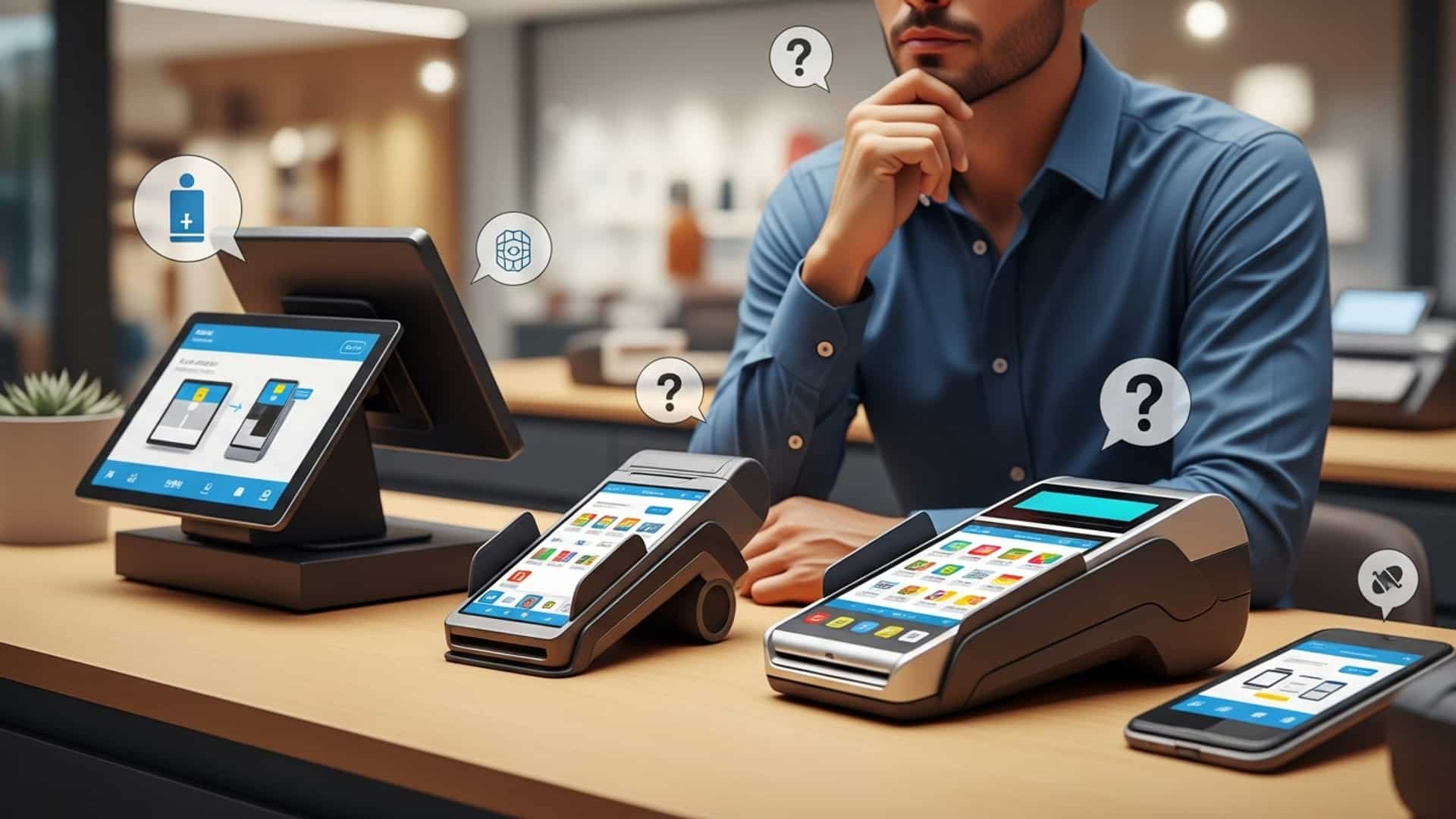
1. Assess Your Unique Retail Business Needs
Choosing the right POS machine for retail isn’t a one-size-fits-all endeavor. The first. arguably most critical, step is to deeply comprehend the specific operational dynamics and future aspirations of your retail business. A successful point-of-sale (POS) system acts as the central nervous system for your store, impacting everything from customer transactions to inventory management.
Start by asking yourself a series of detailed questions about your current operations and future goals:
- What type of retail store do you operate? (e. g. , boutique, grocery, electronics, fashion, cafe, quick-service restaurant with retail components). Each type has unique workflow requirements.
- What is your average transaction volume? High-volume stores need speed and robust hardware, while lower-volume stores might prioritize ease of use and advanced reporting.
- How do you currently manage inventory? A modern POS should integrate seamlessly with or offer superior inventory tracking, including variations (size, color), stock alerts. multi-location management if applicable.
- What kind of customer interactions do you prioritize? Do you need loyalty programs, gift card support, or advanced customer relationship management (CRM) features to personalize the shopping experience?
- Do you operate multiple locations or an e-commerce store? Centralized management across channels is vital for cohesive operations and data analysis.
- What are your payment processing needs? Do you accept EMV chip cards, contactless payments (NFC), mobile payments, or require specific integrations with preferred payment processors?
For instance, a small clothing boutique might prioritize intuitive product cataloging with variant options and a strong customer loyalty program, whereas a bustling grocery store would focus on rapid checkout speeds, robust barcode scanning. efficient scale integration. By meticulously mapping out these needs, you create a clear blueprint for the ideal POS machine for retail that will truly empower your business.
2. Cloud-Based vs. On-Premise POS Systems: A Critical Comparison
One of the most foundational decisions when selecting a POS machine for retail is whether to opt for a cloud-based (SaaS) or an on-premise system. Each model offers distinct advantages and disadvantages that can significantly impact your operational flexibility, cost. data security. Understanding these differences is key to making an informed choice.
These systems operate via the internet, with software and data stored on remote servers managed by the provider. You access the system through a web browser or a dedicated app.
Also known as legacy or traditional POS, these systems have software installed directly on your store’s computers or servers. You own the software license and are responsible for its maintenance and data storage.
Here’s a comparison to help illustrate the differences:
| Feature | Cloud-Based POS | On-Premise POS |
|---|---|---|
| Data Storage | Remote servers (vendor’s responsibility) | Local servers/computers (your responsibility) |
| Accessibility | Anywhere with internet access (mobile, tablet, desktop) | Primarily within the store’s network |
| Cost Structure | Subscription-based (monthly/annual fees) | Larger upfront cost for software and hardware, ongoing maintenance |
| Updates & Maintenance | Automatic updates, vendor handles maintenance | Manual updates, IT staff/contractor required |
| Scalability | Easily scales up/down with business growth | Requires hardware/software upgrades as business grows |
| Security | Vendor responsible for data security, backups, PCI compliance | Your responsibility for backups, security, PCI compliance |
| Offline Capability | Often limited or partial; requires internet for full functionality | Full functionality even without internet (though external services like payment processing may be affected) |
For many modern retailers, especially those with multiple locations or a strong e-commerce presence, cloud-based systems like Square, Shopify POS, or Lightspeed offer unparalleled flexibility and lower IT overhead. But, businesses in areas with unreliable internet or those with highly specific, custom integrations might still prefer the control offered by an on-premise solution.
3. Evaluate Hardware and Software Integration Capabilities
A truly effective POS machine for retail is more than just a piece of software; it’s a cohesive ecosystem of hardware and software working in harmony. When evaluating options, you need to consider how well these components integrate and whether they support the peripherals essential to your store’s operations.
Hardware Considerations:
- Touchscreen Terminal
- Barcode Scanner
- Receipt Printer
- Cash Drawer
- Payment Terminal (Card Reader)
- Customer-Facing Display
- Other Peripherals
The central interface. Look for durability, responsiveness. appropriate screen size for your counter space.
Essential for speed and accuracy in inventory and sales. Options include handheld, fixed, or omnidirectional scanners. A grocery store, for example, would benefit greatly from a fast, omnidirectional scanner.
Thermal printers are common for speed and quiet operation. Consider paper roll size and whether you need to print customer-facing displays or kitchen tickets.
Look for sturdy construction and secure integration with the POS system for automatic opening.
Must support EMV chip cards, NFC (contactless payments like Apple Pay/Google Pay). magstripe. Ensure it’s PCI compliant and integrates smoothly with your chosen payment processor.
Improves transparency and customer experience by showing items as they are scanned.
Depending on your business, you might need scales (for produce), label printers, kitchen display systems (KDS), or mobile POS devices (tablets, handheld scanners for line busting).
Imagine a specialty coffee shop. Their ideal POS setup would include a sleek touchscreen terminal for order entry, a fast thermal printer for receipts and kitchen tickets, a robust cash drawer. an integrated payment terminal that can handle quick tap-and-go payments during peak hours. They might also utilize a customer-facing display to show loyalty points earned.
Software Integration:
Beyond the core POS functions, how well does the system integrate with other critical business tools?
- E-commerce Platforms
- Accounting Software
- CRM Systems
- Employee Management/Scheduling
- Marketing Automation
If you sell online, seamless integration with platforms like Shopify, WooCommerce, or Magento can synchronize inventory, sales data. customer insights, preventing overselling and providing a unified view of your business.
Integration with QuickBooks, Xero, or similar platforms simplifies financial reconciliation, tax preparation. expense tracking. This can save hours of manual data entry.
For enhanced customer engagement, integration with dedicated CRM tools can provide deeper insights into customer behavior and preferences.
Some POS systems offer built-in features, while others integrate with third-party solutions to manage shifts, time clocks. payroll.
Connect your POS to email marketing platforms to send targeted promotions based on purchase history.
The goal is to build an ecosystem where data flows freely and accurately between all your essential business applications, reducing manual errors and improving efficiency. When evaluating a POS machine for retail, ask vendors for a detailed list of their integrations and consider your current tech stack.
4. Focus on Key Features and Scalability for Growth
The best POS machine for retail not only meets your current needs but also anticipates your future growth. As your business evolves, your POS system should be able to scale and adapt without requiring a complete overhaul. This means prioritizing a robust set of features and inherent scalability.
Essential Features to Look For:
- Inventory Management
- Sales Reporting and Analytics
- Customer Relationship Management (CRM)
- Employee Management
- Payment Processing
- Multi-Store/Multi-Channel Capabilities
- Returns and Exchanges
Beyond basic tracking, look for features like variant management (size, color, material), low-stock alerts, purchase order creation, vendor management, inventory counts. multi-location inventory synchronization. Advanced systems might offer inventory forecasting based on sales data.
Comprehensive, customizable reports are vital for business intelligence. This includes sales by product, category, employee, time of day. customer. Look for dashboards that provide real-time insights into your key performance indicators (KPIs).
Build customer profiles, track purchase history, manage loyalty programs, gift cards. store credits. This helps in personalizing promotions and improving customer retention.
Track employee sales performance, manage commissions, set up user permissions to control access to sensitive functions. monitor time and attendance.
Ensure flexibility in choosing payment processors, competitive rates. support for all major payment types, including EMV, NFC. mobile wallets.
If you plan to expand or already operate multiple locations, the POS should offer centralized management of inventory, pricing, customers. reporting across all channels (in-store and online).
A streamlined process for handling returns, exchanges. refunds, including the ability to issue store credit or gift cards.
A small independent bookstore initially started with a basic POS. As they grew and opened a second location, they realized their original system couldn’t centralize inventory or customer data. This led to stock discrepancies and inconsistent loyalty programs. They eventually upgraded to a cloud-based POS machine for retail that offered robust multi-store management, allowing them to track inventory across both locations in real-time and offer a unified customer experience, significantly streamlining their operations and enhancing customer satisfaction.
Scalability:
Consider how easily the system can accommodate:
- More Users/Terminals
- Increased Product Catalog
- Additional Locations
- New Features
Can you add more checkout stations or mobile POS devices as your business grows?
Does the system handle a larger number of SKUs efficiently?
Is it designed for multi-store operations, or will you need a completely new system?
Can the system integrate with new technologies or add new features via updates or app integrations?
Choosing a modular or app-based POS system often provides better scalability, allowing you to add functionalities as needed without overpaying for features you don’t currently use.
5. Prioritize Security and Reliable Support
In an age of increasing cyber threats and heightened data privacy regulations, the security of your POS system is paramount. Also, reliable customer support can be the difference between a minor hiccup and a major operational standstill. When selecting a POS machine for retail, these two factors should never be underestimated.
Data Security:
- PCI DSS Compliance
- Data Encryption
- User Access Controls
- Cloud Security Measures
- Fraud Prevention
Ensure the POS system and its integrated payment processor are fully Payment Card Industry Data Security Standard (PCI DSS) compliant. This is non-negotiable for handling credit card data securely. Ask vendors for their Attestation of Compliance (AOC).
All sensitive data, especially customer and payment insights, should be encrypted both in transit and at rest.
The system should allow you to set granular permissions for different employee roles, restricting access to sensitive functions like refunds, discounts, or financial reports.
If opting for a cloud-based system, inquire about the vendor’s data center security, backup protocols, disaster recovery plans. adherence to industry security standards (e. g. , SOC 2 compliance).
Look for features that help detect and prevent fraudulent transactions, such as address verification services (AVS) or CVV checks.
According to a report by Verizon, a significant percentage of data breaches involve POS systems. Retailers must be proactive in choosing secure solutions and maintaining best practices. As John Smith, a cybersecurity expert, often states, “Your POS system is a gateway to your customers’ most sensitive data. Protecting it isn’t just a regulatory requirement; it’s a fundamental aspect of maintaining customer trust.”
Reliable Customer Support:
Even the most intuitive POS system can present challenges. When things go wrong, quick and effective support is crucial to minimize downtime and prevent lost sales.
- Availability
- Support Channels
- Response Time
- Training and Onboarding
- Reputation
- Dedicated Account Manager
What are the support hours? Is it 24/7, or limited to business hours? If you operate outside standard hours, 24/7 support is essential.
Do they offer phone, email, live chat, or an online knowledge base? Multiple options are preferable.
What are the typical response and resolution times for critical issues? Look for vendors with a strong track record.
Does the vendor provide comprehensive training for your staff during setup? Are there ongoing training resources or tutorials available?
Check independent reviews and testimonials specifically regarding the vendor’s customer support quality. Websites like Capterra or G2 can be excellent resources.
For larger operations, a dedicated account manager can be invaluable for personalized support and strategic guidance.
A personal anecdote: I once consulted for a small electronics store that chose a low-cost POS system with virtually no support. When their system crashed during a busy holiday season, they lost sales for an entire day because they couldn’t get ahold of anyone for assistance. The initial savings were quickly overshadowed by significant revenue loss and customer frustration. Investing in a vendor with robust support is an investment in your business continuity.
6. Consider Budget and Long-Term Value (Total Cost of Ownership)
While the initial price tag is always a factor, a smart decision on a POS machine for retail requires a deeper look into the total cost of ownership (TCO). This includes not just upfront expenses but also ongoing fees, potential upgrade costs. the system’s overall return on investment (ROI).
Cost Components to Evaluate:
- Hardware Costs
- Software Costs
- Cloud-Based
- On-Premise
- Payment Processing Fees
- Installation and Setup Fees
- Training Costs
- Maintenance and Support Fees
- Integration Costs
- Consumables
This includes the POS terminal, barcode scanner, receipt printer, cash drawer. payment terminal. Prices vary widely based on brand, durability. features. Some vendors offer hardware bundles, while others require separate purchases.
Typically a monthly or annual subscription fee per terminal or per location. These fees can vary based on the feature set (e. g. , basic vs. advanced inventory, CRM).
A larger upfront license fee for the software.
These are ongoing costs associated with every transaction. They can be a percentage of the sale, a flat fee per transaction, or a combination. Negotiate these rates carefully and interpret any hidden fees (e. g. , PCI compliance fees, chargeback fees).
Some vendors charge for initial setup, data migration. on-site installation.
While some basic training may be included, extensive or customized training might incur additional fees.
For on-premise systems, you might pay for annual software maintenance agreements or IT support. Cloud-based systems usually include support in their subscription. premium support tiers might cost extra.
If you need custom integrations with existing systems (e. g. , a proprietary accounting system), there might be development costs.
Don’t forget ongoing costs for receipt paper, printer ink. other supplies.
Long-Term Value and ROI:
A cheaper POS system upfront might end up costing you more in the long run through inefficiencies, hidden fees, or the need for a costly replacement sooner than expected. Conversely, a more expensive system might offer a higher ROI by:
- Increasing Sales
- Reducing Costs
- Improving Efficiency
- Enhancing Customer Experience
- Providing Actionable Data
Through faster checkout, loyalty programs. better customer insights.
By optimizing inventory, minimizing waste. automating administrative tasks.
Streamlined operations, reduced training time. accurate reporting save labor hours.
Leading to repeat business and positive word-of-mouth.
Better reporting allows for informed business decisions, leading to higher profitability.
When comparing options, create a detailed spreadsheet of all potential costs over a 3-5 year period for each prospective POS machine for retail. Then, consider the qualitative benefits and potential for ROI to make a truly informed decision that aligns with both your budget and your business’s strategic vision.
Conclusion
Navigating the myriad of POS options for your retail store can seem daunting. it’s a strategic decision that shapes your daily operations and future growth. As I’ve observed countless businesses, the most successful ones don’t just pick a system; they invest in a partner that evolves with them. My personal advice is always to envision your store five years from now – will your chosen POS still be supporting seamless transactions, integrated inventory. advanced customer management, or will it become a bottleneck? In today’s fast-paced retail environment, where contactless payments and instant data access are the norm, a modern POS machine isn’t merely a checkout tool; it’s the nerve center for efficiency and customer satisfaction. Take the time to evaluate based on your specific needs, focusing on scalability and robust support. By applying these smart tips, you’re not just buying hardware; you’re empowering your business with a critical asset. Embrace this opportunity. you’ll find yourself not just keeping up. truly thriving in the competitive retail landscape.
More Articles
10 Key Benefits of a Modern POS Machine for Your Retail Store
5 Best POS Hardware Essentials for Boosting Small Business Sales
7 Must Have Features for Your Business Touchscreen POS System
Why a POS Hardware and Software Bundle Saves Your Business Time and Money
Choosing the Right POS Terminal Device 4 Key Factors to Consider

FAQs
Where do I even begin when looking for a POS system?
Start by figuring out what your specific retail store really needs. Think about the types of products you sell, how many transactions you handle daily. what features are absolutely essential for your operations, like inventory tracking or customer management.
How much should I expect to budget for a new POS machine?
POS costs can vary a lot! You’ll need to consider both the initial hardware purchase and any ongoing software subscription fees. Don’t forget to factor in potential installation, training, or support costs as well.
What are some key features I should look for in POS software?
Beyond just processing sales, good POS software should offer robust inventory management, detailed sales reporting, customer relationship management (CRM). perhaps even employee management tools. If you have an online store, look for seamless e-commerce integration too.
Is it essential for a POS system to be easy to use?
Absolutely! An intuitive and user-friendly system means less training time for your staff and fewer errors at checkout. A complicated system can slow things down, frustrate employees. even impact the customer experience.
My store is small now. I plan to grow. Can a POS system grow with me?
Yes, definitely look for a scalable system! Choose one that can easily add more terminals, support multiple store locations, or handle increased inventory and transaction volumes as your business expands. You don’t want to outgrow your system in a year or two.
What about customer support for my POS system?
Excellent customer support is crucial. You’ll want to ensure the provider offers responsive help for any technical issues, especially during your busiest hours. Check their availability (like 24/7 support) and the quality of their assistance.
Can a POS machine work with other tools I use, like my accounting software?
Many modern POS systems offer integrations with other business applications such as accounting software (like QuickBooks), e-commerce platforms, or loyalty programs. This helps streamline operations and avoids manual data entry between different systems.